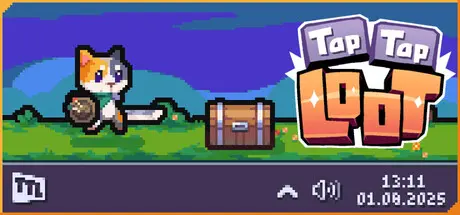
April 15Apr 15 Tap Tap Loot Game DetailsRelease Name: Tap Tap LootGame Version: v1.0.37 | Build 22794758Release Date: 13 Apr, 2026Publisher: Irox GamesDeveloper: Turtle Knight GamesBased On: CSF & GoldbergTap Tap Loot Direct Download - Game OverviewEvery click, every keystroke, every button press lets you progress. Create your own little cat hero and embark on an enormous adventure filled with enemies, epic bosses, and LOOT.Go on, little adventurer. Type, type, type! (And don’t forget to grab your loot.)With over 200 unique items, you can create your perfect hero.Want to be a wizard, rogue, or warrior? Easy.Want to land a MEGA bonk with a massive mace? Go for it.Want to wear a helmet that’s way too big for your tiny head? Absolutely.Explore 6 unique biomes, each packed with dangerous enemies:The scorching desert crawling with scorpionsA dense forest so thick you can’t see your own pawsA mysterious dungeon, filled with traps, living shadows, and ancient guardiansTap Tap Loot Screenshots Tap Tap Loot TrailerTap Tap Loot System Requirements Minimum RequirementsRecommended Requirements OSWindows 10 / 11Windows 10 / 11 ProcessorIntel i5 5200 or AMD Ryzen 5 5600XIntel i5 10500 or AMD Ryzen 7 Memory1 GB RAM2 GB RAM GraphicsAny- DirectX-- Storage300 MB available space300 MB available space How to Install Tap Tap LootNo Installation Needed: The game is pre-installed. Just download and extract.Extract: Right-click the .zip or .rar file and select "Extract Here" or "Extract to folder".Run: Find Tap Tap Loot.exe inside the folder and run it.Multiplayer & Online (Optional)Play Online: Download the Online Fix file and apply it to the game folder.Game Data & SettingsChange Language: Edit the file located at steam_settings/Configs.user.iniSave Data Location: %USERPROFILE%/AppData/LocalLow/Turtle Knight Games/TapTapLootImportant NotesTo support the Game Developer, Get It On Steam.🔥DOWNLOAD AREA🔥🔹54 MB🔹Select the server you want to download with ZeiLink.DownloadOnline Fix - (RAR pass: zeigames.com)





Create an account or sign in to comment