



Skip to content
View in the app

A better way to browse. Learn more.

ZeiGames

A full-screen app on your home screen with push notifications, badges and more.

To install this app on iOS and iPadOS
  1. Tap the Share icon in Safari
  2. Scroll the menu and tap Add to Home Screen.
  3. Tap Add in the top-right corner.
To install this app on Android
  1. Tap the 3-dot menu (โ‹ฎ) in the top-right corner of the browser.
  2. Tap Add to Home screen or Install app.
  3. Confirm by tapping Install.

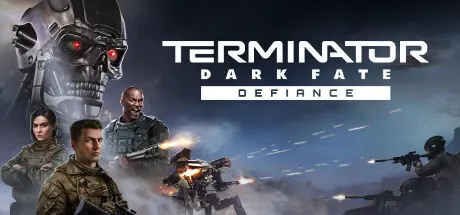
Terminator: Dark Fate - Defiance Free Download (v1.08.1173 + ALL DLC + Online)
Featured Replies

header.webp

Game Details

Release Name:ย Terminator: Dark Fate - Defiance

Game Version:ย v1.08.1173 | Build 21395730

Release Date: 21 Feb, 2024

Publisher: Slitherine Ltd.

Developer: Slitherine Ltd.

Based On:ย CSF & Goldberg

Terminator: Dark Fate - Defiance Direct Download - Game Review

In the single-player campaign, you take the role of a commander in the Founders, a force made up of the remnants of the US military and guide your army in an attempt to foil Legion's plan to exterminate the last remnants of humanity. In skirmish and multiplayer modes, play as three very diverse factions: Founders, Movement and Legion.

Take control of an army carried over from mission to mission on a series of large strategic maps. Make decisions about unit placement, battle tactics and abilities so that you donโ€™t just survive but can become the leader of the resistance against the machines. Hone your skills and military expertise by replaying and achieving the best possible outcomes.

Engage in complex, realistic battles where your tactical decisions are vital to your survival and ultimate victory. Use a variety of military equipment, vehicles and ammunition types in your battles against the enemy. Recruit and train new units, assign new skills and acquire new weapons and equipment to continue the resistance.

Encounter tense battles. Your battlefield tactics and choices have deep consequences that will impact through the campaign, with other factions and characters either joining you or fighting against you, and with certain missions being available or not depending on your actions.

Your resources are limited and you must protect your army. Weapons of war receive damage through a modular component damage system where armour characteristics, component malfunctions and hull structure all affect if your troops survive.


Game Screenshots

screenshot screenshot screenshot screenshot


Game Trailer


System Requirements

Minimum Requirements

Recommended Requirements

OS

64-bit Windows 10

64-bit Windows 11

Processor

64-bit Windows 10

64-bit Windows 11

Memory

8 GB RAM

16 GB RAM

Graphics

Geforce GTX 750 (2GB)

Geforce GTX 1060 (6Gb)

DirectX

Version 11

Version 11

Storage

25 GB available space

25 GB available space


Installation Guide

  1. No Installation Needed: The game is pre-installed. Just download and extract.

  2. Extract: Right-click the .zip or .rar file and select "Extract Here" or "Extract to folder".

  3. Run: Find bin/trm.exe inside the folder and run it.

Multiplayer & Online (Optional)

  • Play Online: Download the Online Fix file and apply it to the game folder.

Game Data & Settings

  • Change Language: Edit the file located at steam_settings/Configs.user.ini

  • Save Data Location: %USERPROFILE%/My Documents/\My Games\Terminator Dark Fate\profiles

Important Notes

DLC List

Added DLCs

Terminator: Dark Fate - Defiance: Evolution

Terminator: Dark Fate - Defiance: Uprising

Terminator: Dark Fate - Defiance: We are Legion

๐Ÿ”ฅDOWNLOAD AREA๐Ÿ”ฅ

๐Ÿ”น27.99 GB๐Ÿ”น

Select the server you want to download with ZeiLink.

Download

Online Fix - (RAR pass: rexagames.com)

  • Views 940
  • Created
  • Last Reply

Posted Images

Create an account or sign in to comment

Recently Browsing 0

  • No registered users viewing this page.

Account

Navigation

Search

Search

๐Ÿ”Ž Search Tip
For exact results, search using "game name" .
Without quotes, results may include unrelated titles.

Configure browser push notifications

Chrome (Android)
  1. Tap the lock icon next to the address bar.
  2. Tap Permissions โ†’ Notifications.
  3. Adjust your preference.
Chrome (Desktop)
  1. Click the padlock icon in the address bar.
  2. Select Site settings.
  3. Find Notifications and adjust your preference.
