



Skip to content
View in the app

A better way to browse. Learn more.

ZeiGames

A full-screen app on your home screen with push notifications, badges and more.

To install this app on iOS and iPadOS
  1. Tap the Share icon in Safari
  2. Scroll the menu and tap Add to Home Screen.
  3. Tap Add in the top-right corner.
To install this app on Android
  1. Tap the 3-dot menu (โ‹ฎ) in the top-right corner of the browser.
  2. Tap Add to Home screen or Install app.
  3. Confirm by tapping Install.

The Ascent Free Download (v72946 + ALL DLC + Online)
Featured Replies

header.webp

Game Details

Release Name:ย The Ascent

Game Version:ย v72946 | Build 9339875

Release Date: 29 Jul, 2021

Publisher: KRAFTON, Inc.

Developer: Neon Giant

Based On:ย CSF & Goldberg

The Ascent Direct Download - Game Review

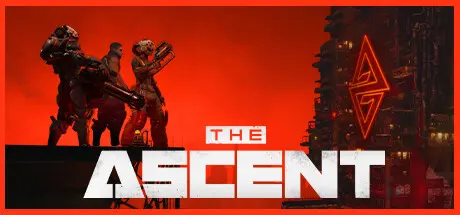
Welcome to The Ascent Group arcology, a corporate-run metropolis stretching high into the sky and filled with creatures from all over the galaxy. You play as a worker, enslaved by the company that owns you and everyone else in your district. One day, you are suddenly caught in a vortex of catastrophic events: The Ascent Group shuts down for unknown reasons and the survival of your district is threatened. You must take up arms and embark on a new mission to find out what started it all.

Play the entire game alone or work together with up to three friends in local or online co-op.

Aim low or high, switch weapons and equip lethal gadgets, take cover and use the destructible environments at your advantage and keep adjusting your tactic as you face new enemies.

Customize your character with cyberware that suits your playstyle. Allocate new skill points as you level-up and try various augmentations to take down your enemies in new creative ways.


Game Screenshots

screenshot screenshot screenshot screenshot


Game Trailer


System Requirements

Minimum Requirements

Recommended Requirements

OS

Windows 10 x64

Windows 10 x64

Processor

Windows 10 x64

Windows 10 x64

Memory

8 GB RAM

16 GB RAM

Graphics

GeForce GTX 660 ( 2048 MB) / Radeon R9 390X (8192 MB)

Geforce GTX 1070 (8192 MB) / Radeon RX 5700 (8192 MB)

DirectX

-

-

Storage

35 GB available space

35 GB available space


Installation Guide

  1. No Installation Needed: The game is pre-installed. Just download and extract.

  2. Extract: Right-click the .zip or .rar file and select "Extract Here" or "Extract to folder".

  3. Run: Find The Ascent.exe inside the folder and run it.

Multiplayer & Online (Optional)

  • Play Online: Download the Online Fix file and apply it to the game folder.

Game Data & Settings

  • Change Language: Edit the file located at steam_settings/Configs.user.ini

  • Save Data Location: %USERPROFILE%/AppData/Local/TheAscent/Saved/SaveGames

Important Notes

DLC List

Added DLCs

The Ascent - Artbook + Weapon Pack

The Ascent - Winter Pack

The Ascent - Cyber Heist

The Ascent - Chongqing Pack

The Ascent - Cyber Warrior Pack

The Ascent - CyberSec Pack

The Ascent - Halloween Pack

The Ascent - Bitsplit

The Ascent - The Persuader

๐Ÿ”ฅDOWNLOAD AREA๐Ÿ”ฅ

๐Ÿ”น19.42 GB๐Ÿ”น

Select the server you want to download with ZeiLink.

Download

Online Fix - (RAR pass: rexagames.com)

  • Views 1.2k
  • Created
  • Last Reply

Posted Images

Create an account or sign in to comment

Recently Browsing 0

  • No registered users viewing this page.

Account

Navigation

Search

Search

๐Ÿ”Ž Search Tip
For exact results, search using "game name" .
Without quotes, results may include unrelated titles.

Configure browser push notifications

Chrome (Android)
  1. Tap the lock icon next to the address bar.
  2. Tap Permissions โ†’ Notifications.
  3. Adjust your preference.
Chrome (Desktop)
  1. Click the padlock icon in the address bar.
  2. Select Site settings.
  3. Find Notifications and adjust your preference.
