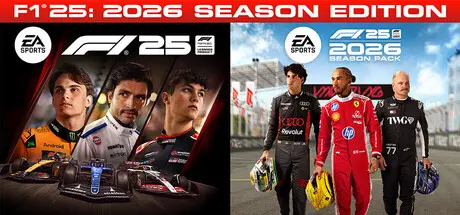
April 8Apr 8 F1 25 Game DetailsRelease Name: F1 25Game Version: v1.18 | Build 22074649Release Date: 30 May, 2025Publisher: Electronic ArtsDeveloper: CodemastersBased On: CSF & DenuvOwOF1 25 Direct Download - Game OverviewKonnersport's Legacy: For the first time ever, extend your Konnersport experience in Career & My Team ModesDesign your own Team: Enhance both My Team and F1® World cars and create liveries that are more reflective of Formula One® as you customize driver numbers and move, scale, or rotate logosAccurate LIDAR Circuits: Experience 5 rebuilt tracks, including fan-favorite Suzuka with laser-scanned models of the real venuesAnd more: New cinematics, updated podium scenes, and Reverse Tracks on select circuitsF1 25 Screenshots F1 25 TrailerF1 25 System Requirements Minimum RequirementsRecommended Requirements OSWindows 10 64-bit Version 21H1 or newerWindows 10 64-bit Version 21H1 or newer ProcessorIntel Core i5-6400 | Core i5-9600k (VR) or AMD Ryzen 3 1200 | Ryzen 5 2600X (VR)Intel Core i5-9600k or AMD Ryzen 5 2600X Memory8 GB RAM16 GB RAM GraphicsNVIDIA GTX 1060 (6GB) | GTX 1660Ti (VR) | RTX 2060 (RT) // AMD RX 570 (8GB) | RX 590 (VR) | 6700XT (RT) // Intel Arc A380 (VR/RT)NVIDIA RTX 2070 (+VR) | RTX 3070 (RT) // AMD RX 6600XT | RX 6700XT (VR) | RX 6800 (RT) // Intel Arc A580 (VR/RT) DirectXVersion 12Version 12 Storage100 GB available space100 GB available space How to Install F1 25Copy the contents of the DenuvOwO folder to the game folder.Hypervisor releases require specific system features to be disabled.To prepare your system, run VBS.cmd and follow its instructions.Launch the game from its executable after proceeding with VBS.cmd.Once you are done playing, it is recommended to revert the changes.Game Data & SettingsChange Language: Edit the file located at steam_settings/Configs.user.iniImportant NotesTo support the Game Developer, Get It On Steam.🔥DOWNLOAD AREA🔥🔹80.97 GB🔹Select the server you want to download with ZeiLink.Download
August 2Aug 2 On 7/31/2026 at 7:42 PM, LucasPugh07 said:Any chance this will be updated with the F1 26 DLC?well probably not, since EA are morons, you need probably to wait around end of seasons when basically they are working on F1 27 only...or if they have any chance to make it they will try.1 minute ago, TikyTheClown1046 said:well probably not, since EA are morons, you need probably to wait around end of seasons when basically they are working on F1 27 only...or if they have any chance to make it they will try.sooo its a no but yes in short words lol Edited August 2Aug 2 by TikyTheClown1046
August 16Aug 16 Author 9 hours ago, apapapaaaaaa said:my friend has the game if i download the game can we play together?Online not work.





Create an account or sign in to comment