



Skip to content
View in the app

A better way to browse. Learn more.

ZeiGames

A full-screen app on your home screen with push notifications, badges and more.

To install this app on iOS and iPadOS
  1. Tap the Share icon in Safari
  2. Scroll the menu and tap Add to Home Screen.
  3. Tap Add in the top-right corner.
To install this app on Android
  1. Tap the 3-dot menu (โ‹ฎ) in the top-right corner of the browser.
  2. Tap Add to Home screen or Install app.
  3. Confirm by tapping Install.

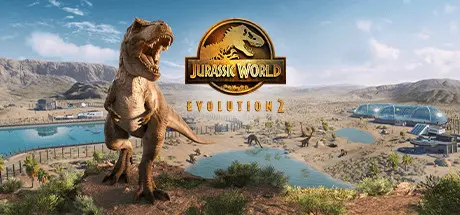
Jurassic World Evolution 2 Free Download (v1.11.3 + ALL DLC)
Featured Replies

header.webp

Game Details

Release Name:ย Jurassic World Evolution 2

Game Version:ย v1.11.3 | Build 18857191

Release Date: 9 Nov, 2021

Publisher: Frontier Developments

Developer: Frontier Developments

Based On:ย CSF & DenuvOwO

Jurassic World Evolution 2 Direct Download - Game Review

Learn what it takes to be a park management master in Campaign mode, a compelling, original narrative that puts you at the heart of the action following the earth-shattering events ofย Jurassic World: Fallen Kingdom. Work alongside iconic characters from the films, includingย Dr.ย Ian Malcolm (voiced by Jeff Goldblum) and Claire Dearing (voiced by Bryce Dallas Howard), and lead theย efforts to control, conserve, and contain wild dinosaurs now rampaging across the USA.

Take control with deeper management tools and creative options. Construct a range of customisable new buildings and hire new Scientists, and shape your park to meet the needs of both your guests and dinosaurs. Unleashย your creativity inย Sandbox mode, or test your skills in Challenge mode as you deal with diverse locations and environmental calamities.

Play throughย key moments ofย yourย favouriteย films -ย with a twist.ย Experienceย โ€˜what-ifโ€™ scenariosย fromย iconic Jurassic World and Jurassic Park films, each level set acrossย eras and locations from all five movies. Dive into the Jurassic World franchiseย and see how events unfold when you take control.


Game Screenshots

screenshot screenshot screenshot screenshot


Game Trailer


System Requirements

Minimum Requirements

Recommended Requirements

OS

Windows 10 64bit (min version 1809)

Windows 10 64bit (min version 1809)

Processor

Windows 10 64bit (min version 1809)

Windows 10 64bit (min version 1809)

Memory

8 GB RAM

12 GB RAM

Graphics

(4GB VRAM) NVIDIA GeForce GTX 1050Ti (Legacy GPU: GeForce GTX 960) / AMD Radeon RX 470

(6GB VRAM) NVIDIA GeForce GTX 1070 / AMD RX 570 (8GB)

DirectX

Version 12

Version 12

Storage

14 GB available space

14 GB available space


Installation Guide

  1. Copy the contents of the DenuvOwO folder to the game folder.

  2. Hypervisor releases require specific system features to be disabled.

  3. To prepare your system, run VBS.cmd and follow its instructions.

  4. Launch the game from its executable after proceeding with VBS.cmd.

  5. Once you are done playing, it is recommended to revert the changes.

Game Data & Settings

  • Change Language: Edit the file located at steam_settings/Configs.user.ini

  • Save Data Location: %USERPROFILE%/Saved Games/Frontier Developments/Jurassic World Evolution 2

Important Notes

DLC List

Added DLCs

Jurassic World Evolution 2: Park Managers' Collection Pack

Jurassic World Evolution 2: Secret Species Pack

Jurassic World Evolution 2: Cretaceous Predator Pack

Jurassic World Evolution 2: Prehistoric Marine Species Pack

Jurassic World Evolution 2: Feathered Species Pack

Jurassic World Evolution 2: Dominion Malta Expansion

Jurassic World Evolution 2: Late Cretaceous Pack

Jurassic World Evolution 2: Dominion Biosyn Expansion

Jurassic World Evolution 2: Camp Cretaceous Dinosaur Pack

Jurassic World Evolution 2: Early Cretaceous Pack

Jurassic World Evolution 2: Deluxe Upgrade Pack

JWE 2 Pre-order Content

๐Ÿ”ฅDOWNLOAD AREA๐Ÿ”ฅ

๐Ÿ”น10.43 GB๐Ÿ”น

Select the server you want to download with ZeiLink.

Download

  • Views 595
  • Created
  • Last Reply

Posted Images

Create an account or sign in to comment

Recently Browsing 0

  • No registered users viewing this page.

Account

Navigation

Search

Search

๐Ÿ”Ž Search Tip
For exact results, search using "game name" .
Without quotes, results may include unrelated titles.

Configure browser push notifications

Chrome (Android)
  1. Tap the lock icon next to the address bar.
  2. Tap Permissions โ†’ Notifications.
  3. Adjust your preference.
Chrome (Desktop)
  1. Click the padlock icon in the address bar.
  2. Select Site settings.
  3. Find Notifications and adjust your preference.
