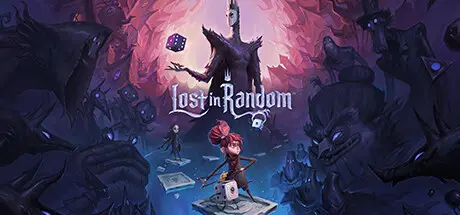
April 8Apr 8 Lost in Random Game DetailsRelease Name: Lost in Random™Game Version: v1.0.0.3Release Date: 10 Sep, 2021Publisher: Electronic ArtsDeveloper: Zoink, ThunderfulBased On: EA & DenuvOwOLost in Random Direct Download - Game OverviewRuled by a wicked Queen, the kingdom of Random is divided into 6 shadowy realms where life is dictated by a cursed black dice. In this story from the award-winning Swedish game studio Zoink and penned by Eisner Award-winning Adventure Time and Marvel Comics The Unbeatable Squirrel Girl author Ryan North, you'll join Even, a penniless girl who's down on her luck, in a dark quest to save her beloved sister. With her companion Dicey, a small and strange living dice, Even must learn to embrace the chaos of Random, uncovering an age-old tale with a modern message.Walk Random's mysterious cobbled streets, meet its unpredictable residents, and take on courageous quests. Engage in fearsome battles with a unique blend of tactical combat, card collection, and explosive dice gameplay. It's time to adapt or perish as you battle inside giant board game arenas that change with every dice throw! Learn how to tip the odds in your favor, and dive into a dark wonderland where only the brave survive.Uncover a twisted fairy tale — Penned by Eisner Award-winning Adventure Time and Marvel Comics The Unbeatable Squirrel Girl author Ryan North, step into a beautiful and haunted wonderland where you must venture through the 6 twisted realms of Random, each with its own maddening set of rules. Help its unpredictable inhabitants, save your sister, and discover a twisted tale.Roll with it in epic, tactical dice battles — Face the unknown in a unique blend of tactical combat and card collection. Adapt your battle strategy on the fly within evolving board game arenas.Defy your fate against all odds — Defy a cursed fate, and harness the power of randomness. Team up with your friend Dicey to play the odds, where the course of battle can be changed with a dice roll.Lost in Random Screenshots Lost in Random TrailerLost in Random System Requirements Minimum RequirementsRecommended Requirements OSWindows 10Windows 10 ProcessorAMD FX 6100, Intel i3 6300Intel i7 7700K , AMD Ryzen 7 2700X Memory8 GB RAM16 GB RAM GraphicsRadeon R9 270X , Nvidia GTX 750Radeon RX Vega 56, Nvidia GTX 1070 DirectXVersion 12Version 12 Storage20 GB available space20 GB available space How to Install Lost in RandomCopy the contents of the DenuvOwO folder to the game folder.Hypervisor releases require specific system features to be disabled.To prepare your system, run VBS.cmd and follow its instructions.Launch the game from its executable after proceeding with VBS.cmd.Once you are done playing, it is recommended to revert the changes.Game Data & SettingsChange Language: Edit the file located at anadius.cfgImportant NotesTo support the Game Developer, Get It On Steam.🔥DOWNLOAD AREA🔥🔹6.49 GB🔹Select the server you want to download with ZeiLink.Download





Create an account or sign in to comment