



Theme
Language

Layout
Skip to content
View in the app

A better way to browse. Learn more.

ZeiGames

A full-screen app on your home screen with push notifications, badges and more.

To install this app on iOS and iPadOS
  1. Tap the Share icon in Safari
  2. Scroll the menu and tap Add to Home Screen.
  3. Tap Add in the top-right corner.
To install this app on Android
  1. Tap the 3-dot menu (⋮) in the top-right corner of the browser.
  2. Tap Add to Home screen or Install app.
  3. Confirm by tapping Install.

Gary Grigsby's War in the East 2 Free Download (v1.04.12 + Steel Inferno DLC)
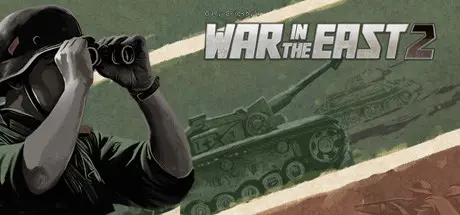
Gary Grigsby's War in the East 2

Featured Replies

Gary Grigsby's War in the East 2 cover art

Gary Grigsby's War in the East 2 Game Details

Release Name: Gary Grigsby's War in the East 2

Game Version: v1.04.12 | Build 20191961

Release Date: 10 Dec, 2021

Publisher: Matrix Games

Developer: 2by3 Games

Based On: CSF & Goldberg

Gary Grigsby's War in the East 2 Direct Download - Game Overview

Gary Grigsby’s War in the East 2 is a complete overhaul and improvement of the original War in the East, with no stone left unturned to provide a more realistic, more historically rich, and more challenging strategy experience. War in the East 2 comes with a wide array of scenarios ranging from the short tutorial on the Battle for Velikie Luki, to the four month Destruction of Southwest Front, up to the immense full 1941 – 1945 Grand Campaign of the entire Eastern front from Operation Barbarossa to the fall of Berlin. A total of seven Operational Scenarios and three Full Map Campaigns await you with hundreds, if not thousands, of hours of historical gameplay.

Years of new development have resulted in the best AI opponent ever made by 2by3 for any of their game. Also included are a much more accurate map including a full single and double rail network as well as the historical road network, a detailed and expanded Order of Battle, new realistic movement and combat models, an advanced Logistics system, a vastly improved and easy to manage Air system and many other improvements in the interface and game management, as well as a built-in encyclopedia of the weapons and units of the Eastern Front. This is just scratching the surface of the many new features and improvements, all of which are explained in a fully comprehensive manual, also available as a physical copy.


Gary Grigsby's War in the East 2 Screenshots

Gary Grigsby's War in the East 2 screenshot 1 Gary Grigsby's War in the East 2 screenshot 2 Gary Grigsby's War in the East 2 screenshot 3 Gary Grigsby's War in the East 2 screenshot 4


Gary Grigsby's War in the East 2 Trailer


Gary Grigsby's War in the East 2 System Requirements

Minimum Requirements

Recommended Requirements

OS

Windows 7 / 8 / 10

Windows 10

Processor

1.5 GHz+

2.0 GHz+

Memory

4 GB RAM

8 GB RAM

Graphics

256MB DirectX 9+ Compatible

1GB DirectX 9+ Compatible

DirectX

Version 9.0c

Version 9.0c

Storage

4 GB available space

4 GB available space


How to Install Gary Grigsby's War in the East 2

  1. No Installation Needed: The game is pre-installed. Just download and extract.

  2. Extract: Right-click the .zip or .rar file and select "Extract Here" or "Extract to folder".

  3. Run: Find Gary Grigsby's War in the East 2.exe inside the folder and run it.

Game Data & Settings

  • Change Language: Edit the file located at steam_settings/Configs.user.ini

  • Save Data Location: */Dat/Save

Important Notes

DLC List

Added DLCs

Gary Grigsby's War in the East 2: Steel Inferno

🔥DOWNLOAD AREA🔥

🔹1.09 GB🔹

Select the server you want to download with ZeiLink.

Download

  • Views 823
  • Created
  • Last Reply

Posted Images

Create an account or sign in to comment

Recently Browsing 0

  • No registered users viewing this page.

Account

Navigation

Search

Search

🔎 Search Tip
For exact results, search using "game name" .
Without quotes, results may include unrelated titles.

Configure browser push notifications

Chrome (Android)
  1. Tap the lock icon next to the address bar.
  2. Tap Permissions → Notifications.
  3. Adjust your preference.
Chrome (Desktop)
  1. Click the padlock icon in the address bar.
  2. Select Site settings.
  3. Find Notifications and adjust your preference.
