



Skip to content
View in the app

A better way to browse. Learn more.

ZeiGames

A full-screen app on your home screen with push notifications, badges and more.

To install this app on iOS and iPadOS
  1. Tap the Share icon in Safari
  2. Scroll the menu and tap Add to Home Screen.
  3. Tap Add in the top-right corner.
To install this app on Android
  1. Tap the 3-dot menu (โ‹ฎ) in the top-right corner of the browser.
  2. Tap Add to Home screen or Install app.
  3. Confirm by tapping Install.

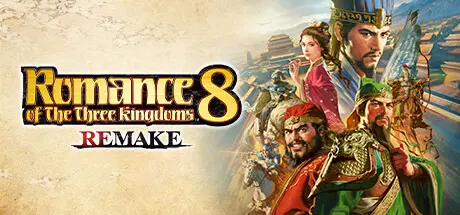
ROMANCE OF THE THREE KINGDOMS 8 REMAKE Free Download (v1.1.3 + 18 DLCs)
Featured Replies

header.webp

Game Details

Release Name:ย ROMANCE OF THE THREE KINGDOMS 8 REMAKE

Game Version:ย v1.1.3 | Build 22227363

Release Date: 23 Oct, 2024

Publisher: KOEI TECMO GAMES CO., LTD.

Developer: KOEI TECMO GAMES CO., LTD.

Based On:ย CSF & Goldberg

ROMANCE OF THE THREE KINGDOMS 8 REMAKE Direct Download - Game Review

A boundless Three Kingdoms experience.

To celebrate the series' 40th anniversary, we have improved the quality of and added new content to the "Play as All Officers" feature of ROMANCE OF THE THREE KINGDOMS 8 REMAKE, which allows you to play as any officer in the world of the Three Kingdoms. Enjoy the game to the fullest with new elements like Turning Points and Gems, new events, and a new Chinese voice option.

Experience new gameplay through various Turning Points, each with their own far-reaching effects. You will need to predict which Turning Points are likely to occur and employ appropriate strategies to work alongside or counter them.

Enable a range of possible actions through different Gem types based on your current status. You will have to consider each Gem's effects to decide which to unlock and use for your officer's development.

We have added the highly requested Chinese voice option and made all cutscenes fully voiced. We have also enhanced the data for Traits, historical events, and Official Titles, and have implemented in-game editing and Registered Specialties features.

Theater of war, infinite drama.
A masterpiece of historical simulation "ROMANCE OF THE THREE KINGDOMS 8" is revived after 20 years.
This version includes an improved "All Officers Play" feature, which allows players to play as any officer in the world of the Three Kingdoms.
The game is also packed with additional elements that bring the officers to life, such as "Destiny" which can dramatically change the course of events and "Tales" which offer a variety of stories to choose from.
Combining 2D and 3D technologies, the game features both new and nostalgic visual effects, as well as many new officer graphics created specifically for this title.
Enjoy the greatest military drama in the Three Kingdoms series, with the largest number of officers and scenarios!


Game Screenshots

screenshot screenshot screenshot screenshot


Game Trailer


System Requirements

Minimum Requirements

Recommended Requirements

OS

Windowsยฎ 10/11 64-bit (Note: Windowsยฎ11 system requirements apply when using that OS.)

Windowsยฎ 10/11 64-bit (Note: Windowsยฎ11 system requirements apply when using that OS.)

Processor

Windowsยฎ 10/11 64-bit (Note: Windowsยฎ11 system requirements apply when using that OS.)

Windowsยฎ 10/11 64-bit (Note: Windowsยฎ11 system requirements apply when using that OS.)

Memory

8 GB RAM

16 GB RAM

Graphics

NVIDIA GeForce GTX 660 (2GB) or better, AMD Radeon R7 370 (2GB) or better

NVIDIA GeForce GTX 1660 (6GB) or better, AMD Radeon RX590 (8GB) or better

DirectX

Version 11

Version 11

Storage

40 GB available space

40 GB available space


Installation Guide

  1. No Installation Needed: The game is pre-installed. Just download and extract.

  2. Extract: Right-click the .zip or .rar file and select "Extract Here" or "Extract to folder".

  3. Run: Find Launcher.exe inside the folder and run it.

Game Data & Settings

  • Change Language: Edit the file located at steam_settings/Configs.user.ini

  • Save Data Location: %USERPROFILE%/My Documents/KoeiTecmo/SAN8R/SAVE_DATA

Important Notes

DLC List

Added DLCs

ROMANCE OF THE THREE KINGDOMS 8 REMAKE EP "Romance of the Three Kingdoms Hadou" Officer CG Portrait Set 2

ROMANCE OF THE THREE KINGDOMS 8 REMAKE EP Scenario "Loyal Han Retainer Ma Teng"

ROMANCE OF THE THREE KINGDOMS 8 REMAKE EP Scenario "Guan Yu Advances"

ROMANCE OF THE THREE KINGDOMS 8 REMAKE EP "Romance of the Three Kingdoms Hadou" Officer CG Portrait Set 1

ROMANCE OF THE THREE KINGDOMS 8 REMAKE: Destiny and Strategy Expansion Pack

ROMANCE OF THE THREE KINGDOMS 8 REMAKE "The Ravages of Time" Collaboration: Liaoyuan Huo and Sima Yi Officer Data

ROMANCE OF THE THREE KINGDOMS 8 REMAKE Yokoyama Mitsuteru's "Three Kingdoms" Collaboration: Rulers and Wise Leaders CG Portrait Set

ROMANCE OF THE THREE KINGDOMS 8 REMAKE Yokoyama Mitsuteru's "Three Kingdoms" Collaboration: Fierce Leaders CG Portrait Set

ROMANCE OF THE THREE KINGDOMS 8 REMAKE Contest-Winning Scenarios & Popular CG Portraits Set

ROMANCE OF THE THREE KINGDOMS 8 REMAKE Scenario "Tiger Generals of the Three Kingdoms, Locked in Battle!"

ROMANCE OF THE THREE KINGDOMS 8 REMAKE Scenario "Tiger and Wolf Unleashed"

ROMANCE OF THE THREE KINGDOMS 8 REMAKE "ROMANCE OF THE THREE KINGDOMS XIII" Officer CG Portrait Set

ROMANCE OF THE THREE KINGDOMS 8 REMAKE Commemorative CG Portrait & Scenario Set for "RTK" Day

ROMANCE OF THE THREE KINGDOMS 8 REMAKE "ROMANCE OF THE THREE KINGDOMS 14" Officer CG Portrait Set

ROMANCE OF THE THREE KINGDOMS 8 REMAKE Special Digital Artbook & Soundtrack

ROMANCE OF THE THREE KINGDOMS 8 REMAKE Bonus Scenario "Liu Bei's Three Tacticians"

ROMANCE OF THE THREE KINGDOMS 8 REMAKE Scenario "The Coalition Against Cao Cao"

ROMANCE OF THE THREE KINGDOMS 8 REMAKE Scenario "Valor Triumphs"


๐Ÿ”ฅDOWNLOAD AREA๐Ÿ”ฅ

๐Ÿ”น22.29 GB๐Ÿ”น

Select the server you want to download with ZeiLink.

Download

  • Views 843
  • Created
  • Last Reply

Posted Images

Create an account or sign in to comment

Recently Browsing 0

  • No registered users viewing this page.

Account

Navigation

Search

Search

๐Ÿ”Ž Search Tip
For exact results, search using "game name" .
Without quotes, results may include unrelated titles.

Configure browser push notifications

Chrome (Android)
  1. Tap the lock icon next to the address bar.
  2. Tap Permissions โ†’ Notifications.
  3. Adjust your preference.
Chrome (Desktop)
  1. Click the padlock icon in the address bar.
  2. Select Site settings.
  3. Find Notifications and adjust your preference.
