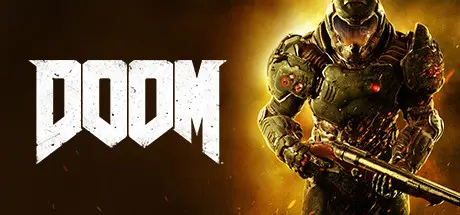
April 7Apr 7 DOOM Game DetailsRelease Name: DOOMGame Version: Build 13954591Release Date: 12 May, 2016Publisher: Bethesda SoftworksDeveloper: id SoftwareBased On: CSF & GoldbergDOOM Direct Download - Game OverviewRelentless demons, impossibly destructive guns, and fast, fluid movement provide the foundation for intense, first-person combat – whether you’re obliterating demon hordes through the depths of Hell in the single-player campaign, or competing against your friends in numerous multiplayer modes. Expand your gameplay experience using DOOM SnapMap game editor to easily create, play, and share your content with the world.A Relentless CampaignThere is no taking cover or stopping to regenerate health as you beat back Hell’s raging demon hordes. Combine your arsenal of futuristic and iconic guns, upgrades, movement and an advanced melee system to knock-down, slash, stomp, crush, and blow apart demons in creative and violent ways. Endless PossibilitiesDOOM SnapMap – a powerful, but easy-to-use game and level editor – allows for limitless gameplay experiences on every platform. Without any previous experience or special expertise, any player can quickly and easily snap together and visually customize maps, add pre-defined or completely custom gameplay, and even edit game logic to create new modes. Instantly play your creation, share it with a friend, or make it available to players around the world – all in-game with the push of a button.DOOM Screenshots DOOM TrailerDOOM System Requirements Minimum RequirementsRecommended Requirements OSWindows 7/8.1/10 (64-bit versions)Windows 7/8.1/10 (64-bit versions) ProcessorIntel Core i5-2400/AMD FX-8320 or betterIntel Core i7-3770/AMD FX-8350 or better Memory8 GB RAM8 GB RAM GraphicsNVIDIA GTX 670 2GB/AMD Radeon HD 7870 2GB or betterNVIDIA GTX 970 4GB/AMD Radeon R9 290 4GB or better DirectX-- Storage55 GB available space55 GB available space How to Install DOOMNo Installation Needed: The game is pre-installed. Just download and extract.Extract: Right-click the .zip or .rar file and select "Extract Here" or "Extract to folder".Run: Find DOOMx64.exe inside the folder and run it.Game Data & SettingsChange Language: Edit the file located at steam_settings/Configs.user.iniSave Data Location: %USERPROFILE%/Saved Games/id Software/DOOM/Important NotesTo support the Game Developer, Get It On Steam.DLC ListAdded DLCsDOOM - Bloodfall DLC (DOOM: Bloodfall)DOOM - Hell Followed DLC (DOOM: Hell Followed)DOOM - Unto The Evil DLC (DOOM: Unto The Evil)DOOM Season PassDOOM - Demon Multiplayer DLC Pack🔥DOWNLOAD AREA🔥🔹61.97 GB🔹Select the server you want to download with ZeiLink.Download





Create an account or sign in to comment