



Skip to content
View in the app

A better way to browse. Learn more.

ZeiGames

A full-screen app on your home screen with push notifications, badges and more.

To install this app on iOS and iPadOS
  1. Tap the Share icon in Safari
  2. Scroll the menu and tap Add to Home Screen.
  3. Tap Add in the top-right corner.
To install this app on Android
  1. Tap the 3-dot menu (โ‹ฎ) in the top-right corner of the browser.
  2. Tap Add to Home screen or Install app.
  3. Confirm by tapping Install.

Taiko no Tatsujin: Rhythm Festival Free Download (v3.1.0 + Online)
Featured Replies

header.webp

Game Details

Release Name:ย Taiko no Tatsujin: Rhythm Festival

Game Version:ย v3.1.0 | Build 21401579

Release Date: 6 Nov, 2024

Publisher: Bandai Namco Entertainment Inc.

Developer: Bandai Namco Amusement Lab Inc.

Based On:ย CSF & Goldberg

Taiko no Tatsujin: Rhythm Festival Direct Download - Game Review

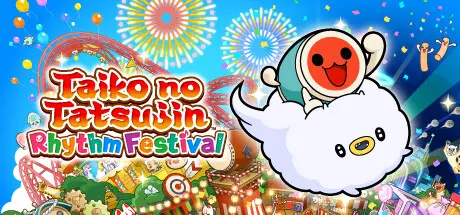
Welcome to Omiko City, where everyoneโ€™s favorite Taiko elements come together in one place! Together with Don-chan, meet your new friend, Kumo-kyun and aim to become a Taiko Master!


Drum along to the rhythm of your favorite songs and aim to play them from start to finish! Select from 4 difficulty modes.
76 songs across multiple genres such as Anime, VOCALOIDโ„ข, Game Music, and Pop are available in the game! Songs include Gurenge, My Neighbor Totoro - Ending Theme Song, Charles, MEGALOVANIA, Into The Night, Feel Special and many more! Have fun playing casually with another player or compete for the highest score! You can also use Improvement Support to help you improve your drumming skills!


- Great Drum Toy War
Play along to songs and deploy toys to push back your opponent's toys and aim for victory!
- Don-chan Band
Work as a group of 4 to perform successful concerts!
- Run! Ninja Dojo
Become a ninja and race with up to 4 other players! Overcome multiple obstacles as you compete for 1st place!


- Online Ranked Match
Challenge players from all over the world and aim for the top ranks!
- Room Match
Play casually with friends and players from around the world in Taiko Mode and Great Drum Toy War!

Have fun playing Taiko solo, or together with friends!

- Join the Taiko Music Pass to access over 700 additional songs! New songs
are added every month!
- Some songs are also sold individually.

*Another edition of this product is available. Please take care to avoid duplicate purchases.
*Taiko Mode and Great Drum Toy War can be played by up to 2 players. Don-chan Band and Run! Ninja Dojo can be played by up to 4 players. Each player needs 1 controller.
*This game is compatible with the Taiko no Tatsujin Drum Controller for Xbox Series X|S, Windows PC.


Game Screenshots

screenshot screenshot screenshot screenshot


Game Trailer


System Requirements

Minimum Requirements

Recommended Requirements

OS

Windows 10 64bit / Windows 11 64bit

Windows 10 64bit / Windows 11 64bit

Processor

Intel Core i5-750, 2.67 GHz / AMD A12-9800, 3.80 GHz

Intel Core i5-2300, 2.80 GHz / AMD Ryzen 3 1200, 3.10 GHz

Memory

8 GB RAM

8 GB RAM

Graphics

NVIDIA GeForce GTX 750 Ti, 2 GB / AMD Radeon HD 7770, 2 GB / Intel Iris Plus

NVIDIA GeForce GTX 760 / AMD Radeon R9 270X / Intel Arc A380

DirectX

-

-

Storage

4 GB available space

4 GB available space


Installation Guide

  1. No Installation Needed: The game is pre-installed. Just download and extract.

  2. Extract: Right-click the .zip or .rar file and select "Extract Here" or "Extract to folder".

  3. Run: Find Taiko no Tatsujin Rhythm Festival.exe inside the folder and run it.

Multiplayer & Online (Optional)

  • Play Online: Download the Online Fix file and apply it to the game folder.

  • Please go to the online fix page and read the guide.

Game Data & Settings

  • Change Language: Edit the file located at steam_settings/Configs.user.ini

Important Notes

๐Ÿ”ฅDOWNLOAD AREA๐Ÿ”ฅ

๐Ÿ”น3.18 GB๐Ÿ”น

Select the server you want to download with ZeiLink.

Download

Online Fix - (RAR pass: rexagames.com)

  • DicDale changed the title to Taiko no Tatsujin: Rhythm Festival Free Download (v3.1.0 + Online)

  • Views 1.5k
  • Created
  • Last Reply

Posted Images

Create an account or sign in to comment

Recently Browsing 0

  • No registered users viewing this page.

Account

Navigation

Search

Search

๐Ÿ”Ž Search Tip
For exact results, search using "game name" .
Without quotes, results may include unrelated titles.

Configure browser push notifications

Chrome (Android)
  1. Tap the lock icon next to the address bar.
  2. Tap Permissions โ†’ Notifications.
  3. Adjust your preference.
Chrome (Desktop)
  1. Click the padlock icon in the address bar.
  2. Select Site settings.
  3. Find Notifications and adjust your preference.