



Skip to content
View in the app

A better way to browse. Learn more.

ZeiGames

A full-screen app on your home screen with push notifications, badges and more.

To install this app on iOS and iPadOS
  1. Tap the Share icon in Safari
  2. Scroll the menu and tap Add to Home Screen.
  3. Tap Add in the top-right corner.
To install this app on Android
  1. Tap the 3-dot menu (โ‹ฎ) in the top-right corner of the browser.
  2. Tap Add to Home screen or Install app.
  3. Confirm by tapping Install.

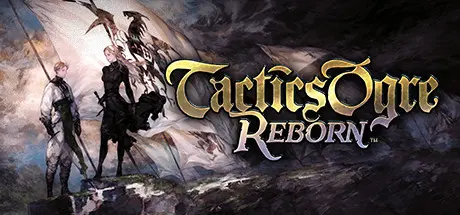
Tactics Ogre: Reborn Free Download (v1.0.8.0 + ALL DLC)
Featured Replies

header.webp

Game Details

Release Name:ย Tactics Ogre: Reborn

Game Version:ย v1.0.8.0 | Build 15883459

Release Date: 11 Nov, 2022

Publisher: Square Enix

Developer: Square Enix

Based On:ย CSF & Goldberg

Tactics Ogre: Reborn Direct Download - Game Review

Tactics Ogre, crown jewel of the tactical role-playing genre, is reborn!

Based on the 2010 release, the game features improved graphics and sound, as well as updated game design, bringing to life a new Tactics Ogre that remains true to its roots. Tactics Ogre veterans will experience a game that surpasses their fondest memories, while players new to Tactics Ogre will discover a game unlike any they've ever played. Reborn and deeper than ever, the game enables players to immerse themselves in the world and intrigue of Tactics Ogre like never before.


The Valerian Isles, jewels of the Obero Sea. Long a center of naval commerce, the people of the isles struggled throughout history for dominion over her shores.

Finally there rose a man to put an end to this conflict: Dorgalua Oberyth. But history would know him as the "Dynast-King." King Dorgalua strove to stamp out the hatred among the people of the isles, and for fully half a century, Valeria knew prosperity.

Yet upon the king's death, civil war erupted anew as three factions vied for control: the Bakram, who comprised much of Valeria's nobility; the Galgastani, whose people made up the majority of the isles' population; and the Walister, who numbered but few.

The isles were soon divided between the Bakram and Galgastani, and an uneasy peace settled across the land. Yet none believed the calm would last...


Game Screenshots

screenshot screenshot screenshot screenshot


Game Trailer


System Requirements

Minimum Requirements

Recommended Requirements

OS

Windowsยฎ 10 64-bit (21H1 and above) / 11 64-bit (21H2 and above)

Windowsยฎ 10 64-bit (21H1 and above) / 11 64-bit (21H2 and above)

Processor

AMD A8-7600 / Intelยฎ Coreโ„ข i3-3210

AMD A10-7870K / Intelยฎ Coreโ„ข i5-4440

Memory

8 GB RAM

8 GB RAM

Graphics

AMD Radeonโ„ข R7 240X / NVIDIAยฎ GeForceยฎ GTX 730 / Intelยฎ UHD Graphics 630

AMD Radeonโ„ข RX 460 / NVIDIAยฎ GeForceยฎ GTX 950 / Intelยฎ Irisยฎ Xe Graphics G7

DirectX

Version 11

Version 11

Storage

15 GB available space

15 GB available space


Installation Guide

  1. No Installation Needed: The game is pre-installed. Just download and extract.

  2. Extract: Right-click the .zip or .rar file and select "Extract Here" or "Extract to folder".

  3. Run: Find Tactics Ogre: Reborn.exe inside the folder and run it.

Game Data & Settings

  • Change Language: Edit the file located at steam_settings/Configs.user.ini

  • Save Data Location: %USERPROFILE%/My Documents/My Games/Tactics Ogre Reborn/Steam/

Important Notes

DLC List

Added DLCs

Tactics Ogre(1995) Digital Mini Soundtrack

Tactics Ogre: Reborn Original Soundtrack

Tactics Ogre: Reborn Digital Mini Soundtrack

๐Ÿ”ฅDOWNLOAD AREA๐Ÿ”ฅ

๐Ÿ”น11.84 GB๐Ÿ”น

Select the server you want to download with ZeiLink.

Download

  • Views 1.4k
  • Created
  • Last Reply

Posted Images

Create an account or sign in to comment

Recently Browsing 0

  • No registered users viewing this page.

Account

Navigation

Search

Search

๐Ÿ”Ž Search Tip
For exact results, search using "game name" .
Without quotes, results may include unrelated titles.

Configure browser push notifications

Chrome (Android)
  1. Tap the lock icon next to the address bar.
  2. Tap Permissions โ†’ Notifications.
  3. Adjust your preference.
Chrome (Desktop)
  1. Click the padlock icon in the address bar.
  2. Select Site settings.
  3. Find Notifications and adjust your preference.
