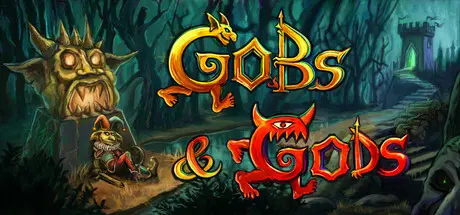
April 3Apr 3 Gobs and Gods Game DetailsRelease Name: Gobs and GodsGame Version: v1.5.1 | Build 22558588Release Date: 19 Jul, 2024Publisher: NoneDeveloper: Alexandre Gilotte, Thierry GilotteBased On: CSF & GoldbergGobs and Gods Direct Download - Game OverviewIn Gobs and Gods, you freely explore a fantastic world full of magic, wonders and crazy surprises.The bad news: its nicest inhabitants are... Goblins.The good news: they seem to believe you are their God.Hire, equip and level-up a band of goblins to fight and die for you in tactical turn-based battles, while you uncover the secrets of this world, and maybe find your way out of there!Free exploration of a sandbox worldFast tactical turn-based combatsA wide variety of absurdly unique questsLevelling your army of expendable goblins while increasing your own powers.At the start of the game, you can choose either the default map or a new procedurally generated world map for increased replayability.You will explore smelly dungeons, mysterious mage towers and prosperous villages ... all that while getting the opinionated comments of your goblins about the places you visit.Gobs and Gods Screenshots Gobs and Gods TrailerGobs and Gods System Requirements Minimum RequirementsRecommended Requirements OSWindows 10Windows 10 Processoramd ryzen 5 4600h with radeon graphics 3.00 ghzamd ryzen 5 4600h with radeon graphics 3.00 ghz Memory16 MB RAM16 MB RAM Graphicsradeon graphics 3.00 ghzradeon graphics 3.00 ghz DirectX-- Storage4 GB available space4 GB available space How to Install Gobs and GodsNo Installation Needed: The game is pre-installed. Just download and extract.Extract: Right-click the .zip or .rar file and select "Extract Here" or "Extract to folder".Run: Find Launcher.exe inside the folder and run it.Game Data & SettingsChange Language: Edit the file located at steam_settings/Configs.user.iniSave Data Location: %USERPROFILE%/AppData/Roaming/Godot/app_userdata/Gobdot/savesImportant NotesTo support the Game Developer, Get It On Steam.🔥DOWNLOAD AREA🔥🔹608 MB🔹Select the server you want to download with ZeiLink.Download





Create an account or sign in to comment