



Skip to content
View in the app

A better way to browse. Learn more.

ZeiGames

A full-screen app on your home screen with push notifications, badges and more.

To install this app on iOS and iPadOS
  1. Tap the Share icon in Safari
  2. Scroll the menu and tap Add to Home Screen.
  3. Tap Add in the top-right corner.
To install this app on Android
  1. Tap the 3-dot menu (โ‹ฎ) in the top-right corner of the browser.
  2. Tap Add to Home screen or Install app.
  3. Confirm by tapping Install.

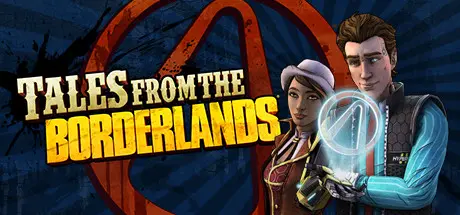
Tales from the Borderlands Free Download (Build 6086951)
Featured Replies

header.webp

Game Details

Release Name:ย Tales from the Borderlands

Game Version:ย Build 6086951

Release Date: 16 Feb, 2021

Publisher: 2K

Developer: Telltale Games

Based On:ย CSF & Goldberg

Tales from the Borderlands Direct Download - Game Review

About New Tales from the Borderlands:
Within the perpetually war-torn metropolis of Promethea, you'll control Anu, Octavio, and Fran on the worst day of their lives. Help these three lovable losers as they endeavor to change the world (and maybe even save it)! Face down a planetary invasion, vicious vault monster, and cold-hearted capitalist in this cinematic thrill ride where what happens next is up to you! Meet a motley cast full of misfits, assassin bots, and talking guns in this race to the top!
It's time to fight back against exploitation and corporate greed. It's time to make Mayhem your business.

The beloved, choice-driven narrative adventure through the Borderlands universe is back! Set between the events of Borderlands 2 and Borderlands 3, Tales from the Borderlands follows two unreliable narrators on a quest borne of greed but destined for greatness. Your choices shape this tale to be uniquely yours, with plenty of unforeseen consequences ranging from hilarious to heart-wrenching.


Game Screenshots

screenshot screenshot screenshot screenshot


Game Trailer


System Requirements

Minimum Requirements

Recommended Requirements

OS

Windows 7 SP1 64-bit

-

Processor

Core 2 Duo 2GHz or equivalent

-

Memory

3 GB RAM

-

Graphics

ATI or NVIDIA card w/512 MB RAM

-

DirectX

Version 9.0c

-

Storage

3 GB available space

-


Installation Guide

  1. No Installation Needed: The game is pre-installed. Just download and extract.

  2. Extract: Right-click the .zip or .rar file and select "Extract Here" or "Extract to folder".

  3. Run: Find Borderlands.exe inside the folder and run it.

Game Data & Settings

  • Change Language: Edit the file located at steam_settings/Configs.user.ini

  • Save Data Location: %USERPROFILE%/My Documents/Telltale Games/Tales from the Borderlands

Important Notes

๐Ÿ”ฅDOWNLOAD AREA๐Ÿ”ฅ

๐Ÿ”น7.50 GB๐Ÿ”น

Select the server you want to download with ZeiLink.

Download

  • Views 482
  • Created
  • Last Reply

Posted Images

Create an account or sign in to comment

Recently Browsing 0

  • No registered users viewing this page.

Account

Navigation

Search

Search

๐Ÿ”Ž Search Tip
For exact results, search using "game name" .
Without quotes, results may include unrelated titles.

Configure browser push notifications

Chrome (Android)
  1. Tap the lock icon next to the address bar.
  2. Tap Permissions โ†’ Notifications.
  3. Adjust your preference.
Chrome (Desktop)
  1. Click the padlock icon in the address bar.
  2. Select Site settings.
  3. Find Notifications and adjust your preference.
