



Skip to content
View in the app

A better way to browse. Learn more.

ZeiGames

A full-screen app on your home screen with push notifications, badges and more.

To install this app on iOS and iPadOS
  1. Tap the Share icon in Safari
  2. Scroll the menu and tap Add to Home Screen.
  3. Tap Add in the top-right corner.
To install this app on Android
  1. Tap the 3-dot menu (โ‹ฎ) in the top-right corner of the browser.
  2. Tap Add to Home screen or Install app.
  3. Confirm by tapping Install.

The Book of Plagues Free Download (Build 23783194)
Featured Replies

header.webp

Game Details

Release Name:ย The Book of Plagues

Game Version:ย Build 23783194

Release Date: 16 Jan, 2026

Publisher: DiaMMax Games

Developer: DiaMMax Games

Based On:ย CSF & Goldberg

The Book of Plagues Direct Download - Game Review

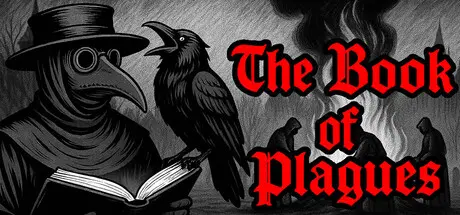
The plague has descended upon the city of Ludwig. You are the plague doctor - the last barrier between order and chaos. Walk the grim streets of a dying city and master the art of medicine in an age of pestilence. Diagnose, treat, and make brutal decisions. Enforce quarantines, burn infected homes, fight panic and whispers. Every action has a price - and not everyone will survive itโ€ฆ

The plague spares neither rank nor wealth. Ludwig is buried under the weight of death, panic, and despair. But your fight is not only against the sickness itself. You battle its legacy: the lies crawling through the streets, the fear poisoning every soul, the madness gripping every mind, and the heaps of bodies with no one left to bury them.

The City Magistrate, the Merchant's Guild, the poorfolk, the Inquisition, and the Church - all pulling the cityโ€™s shroud toward themselves in its final agony. Whose side will you choose?

To be a doctor in Ludwig means trading in hope. Dangerous, but profitable: everyone - from beggars to counts - is willing to give their last coin for another breath of life.

Buy rare recipes, mix concoctions, craft potent elixirs - and remember: the stronger the remedy, the higher the price of a mistake. Your goal isnโ€™t simply to become the best physician. Your goal is to save those who can still be saved.

The game unfolds week by week, each one a struggle on deathโ€™s threshold. Diagnose ailments, battle diseases through tense mini-games, and perform miracles over a smoking distiller.

Your only companion is Bane the raven. He mocks, jeers, advisesโ€ฆ and only you can hear him. Is he the voice of reason - or your creeping madness?


Game Screenshots

screenshot screenshot screenshot screenshot


Game Trailer


System Requirements

Minimum Requirements

Recommended Requirements

OS

Windows 7

Windows 11

Processor

Intel Core2 Duo E8400 @ 3.0 ะ“ะ“ั† / AMD Athlon 64 X2 6000+ @ 3.0 GHz

Intel Core i3 @2.40 GHz

Memory

4 GB RAM

8 GB RAM

Graphics

NVIDIA GeForce 9800GTX+ (1GB)

NVIDIA GeForce GTX 560+

DirectX

Version 10

Version 11

Storage

2 GB available space

2 GB available space


Installation Guide

  1. No Installation Needed: The game is pre-installed. Just download and extract.

  2. Extract: Right-click the .zip or .rar file and select "Extract Here" or "Extract to folder".

  3. Run: Find The Book of Plagues.exe inside the folder and run it.

Game Data & Settings

  • Change Language: Edit the file located at steam_settings/Configs.user.ini

Important Notes

๐Ÿ”ฅDOWNLOAD AREA๐Ÿ”ฅ

๐Ÿ”น160 MB๐Ÿ”น

Select the server you want to download with ZeiLink.

Download

  • DicDale changed the title to The Book of Plagues Free Download (Build 23783194)

  • Views 689
  • Created
  • Last Reply

Posted Images

Create an account or sign in to comment

Recently Browsing 0

  • No registered users viewing this page.

Account

Navigation

Search

Search

๐Ÿ”Ž Search Tip
For exact results, search using "game name" .
Without quotes, results may include unrelated titles.

Configure browser push notifications

Chrome (Android)
  1. Tap the lock icon next to the address bar.
  2. Tap Permissions โ†’ Notifications.
  3. Adjust your preference.
Chrome (Desktop)
  1. Click the padlock icon in the address bar.
  2. Select Site settings.
  3. Find Notifications and adjust your preference.