



Skip to content
View in the app

A better way to browse. Learn more.

ZeiGames

A full-screen app on your home screen with push notifications, badges and more.

To install this app on iOS and iPadOS
  1. Tap the Share icon in Safari
  2. Scroll the menu and tap Add to Home Screen.
  3. Tap Add in the top-right corner.
To install this app on Android
  1. Tap the 3-dot menu (โ‹ฎ) in the top-right corner of the browser.
  2. Tap Add to Home screen or Install app.
  3. Confirm by tapping Install.

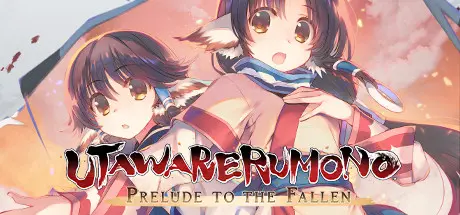
Utawarerumono: Prelude to the Fallen Free Download (Build 6150670 + ALL DLC)
Featured Replies

header.webp

Game Details

Release Name:ย Utawarerumono: Prelude to the Fallen

Game Version:ย Build 6150670

Release Date: 22 Jan, 2021

Publisher: DMM GAMES, Shiravune

Developer: AQUAPLUS

Based On:ย CSF & Goldberg

Utawarerumono: Prelude to the Fallen Direct Download - Game Review

Wake up, Hakuowlo. It's time to face the world again.
You come to in bed, gravely injured, attended by a girl with twitching furry ears and a lush, bushy tail. In time you come to lead the villagers, to whom you owe your name and your life. When the local nobles threaten them, you threaten the nobility right back...

Are you a farmer? A scholar? A traitor? A beast? You've forgotten your past, but has it forgotten you? Command your comrades and fight to defend your family, and discover the secrets of this worldโ€”and your own lost history!

The first game in the hit Japanese tactics-RPG visual novel series Utawarerumono joins its sequels back on PC!

  • 30+ hours of story and gameplay

  • Thoughtful, slick, and active tactics-RPG combat

  • Dynamic Chain Attacks and flashy Co-op Chains

  • All-new Auto-Save functionality

  • Customizable keyboard and mouse controls

  • An unforgettable, evocative soundtrack

  • A touching narrative with a moving ending


Game Screenshots

screenshot screenshot screenshot screenshot


Game Trailer


System Requirements

Minimum Requirements

Recommended Requirements

OS

Windows 10 64bit

Windows 10 64bit

Processor

Intel Celeron G1820

Intel Core i3-3220

Memory

8 GB RAM

8 GB RAM

Graphics

Intel HD Graphics 4000

NVIDIA GeForce GTX 750 Ti

DirectX

Version 11

Version 11

Storage

5 GB available space

5 GB available space


Installation Guide

  1. No Installation Needed: The game is pre-installed. Just download and extract.

  2. Extract: Right-click the .zip or .rar file and select "Extract Here" or "Extract to folder".

  3. Run: Find Utawarerumono Prelude to the Fallen.exe inside the folder and run it.

Game Data & Settings

  • Change Language: Move the files in LANGUAGES folder to main game folder.

  • Save Data Location: %USERPROFILE%/My Documents/AQUAPLUS/

Important Notes

DLC List

Added DLCs

Utawarerumono: Prelude to the Fallen - Oshtor

Utawarerumono: Prelude to the Fallen - Mikazuchi

Utawarerumono: Prelude to the Fallen - Jachdwalt

Utawarerumono: Prelude to the Fallen - Kiwru

Utawarerumono: Prelude to the Fallen - Ougi

Utawarerumono: Prelude to the Fallen - Fumirul

Utawarerumono: Prelude to the Fallen - Munechika

Utawarerumono: Prelude to the Fallen - Nosuri

Utawarerumono: Prelude to the Fallen - Atuy

Utawarerumono: Prelude to the Fallen - Uruuru & Saraana

Utawarerumono: Prelude to the Fallen - Anju

Utawarerumono: Prelude to the Fallen - Rulutieh

Utawarerumono: Prelude to the Fallen - Ukon

Utawarerumono: Prelude to the Fallen - Nekone

Utawarerumono: Prelude to the Fallen - Kuon

Utawarerumono: Prelude to the Fallen - Haku

๐Ÿ”ฅDOWNLOAD AREA๐Ÿ”ฅ

๐Ÿ”น5.14 GB๐Ÿ”น

Select the server you want to download with ZeiLink.

ALL Languages Included.

Download

  • Views 540
  • Created
  • Last Reply

Posted Images

Create an account or sign in to comment

Recently Browsing 0

  • No registered users viewing this page.

Account

Navigation

Search

Search

๐Ÿ”Ž Search Tip
For exact results, search using "game name" .
Without quotes, results may include unrelated titles.

Configure browser push notifications

Chrome (Android)
  1. Tap the lock icon next to the address bar.
  2. Tap Permissions โ†’ Notifications.
  3. Adjust your preference.
Chrome (Desktop)
  1. Click the padlock icon in the address bar.
  2. Select Site settings.
  3. Find Notifications and adjust your preference.
