



Skip to content
View in the app

A better way to browse. Learn more.

ZeiGames

A full-screen app on your home screen with push notifications, badges and more.

To install this app on iOS and iPadOS
  1. Tap the Share icon in Safari
  2. Scroll the menu and tap Add to Home Screen.
  3. Tap Add in the top-right corner.
To install this app on Android
  1. Tap the 3-dot menu (โ‹ฎ) in the top-right corner of the browser.
  2. Tap Add to Home screen or Install app.
  3. Confirm by tapping Install.

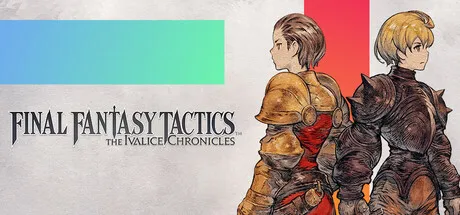
FINAL FANTASY TACTICS - The Ivalice Chronicles Free Download (Offline Activation)
Featured Replies

header.webp

Game Details

Release Name:ย FINAL FANTASY TACTICS - The Ivalice Chronicles

Game Version:ย v1.4.0 | Buildย 20688883

Genre:ย Turn-Based Strategy, Turn-Based Tactics, Tactical RPG, Fantasy, Medieval

Publisher:ย Square Enix

Platform:ย PC

Based On:ย Anti Denuvo Sanctuary CSF

Download FINAL FANTASY TACTICS - The Ivalice Chronicles

Ivaliceโ€”a kingdom blessed by the light of the gods and ruled by the Two-headed Lion. A year after her defeat to Ordallia in the Fifty Years' War, the king succumbed to malady, leaving a mere boy of two to ascend the throne.

Whoever was named regent would rule in truth, and thus emerged two rival candidates: dukes Goltanna and Larg, whose deeds during the war had earned them great renown. Goltanna the Black Lion and Larg the White Lion were destined to clash, and the resulting conflict would come to be known as the War of the Lions.

Against this backdrop appear Ramza, third son of House Beoulve, one of Ivalice's leading military families, and his childhood companion Delita, a commoner raised amongst nobles. As they endeavor to chart a course through this tumultuous age, a mighty current draws them ever closer to the abyss.

Lead your party in exhilarating encounters where strategic positioning and forward planning determine the outcome. Use the varied terrain of 3D battlefields to your advantage, skillfully manipulate the turn order, and victory will be yours for the taking.

Combine a wide variety of jobs and abilities to craft your very own strategies.

As your party members grow, they will gain access to more jobs, each with its own unique abilities. Once learned, abilities can be used even after changing to another job. With over 20 jobs to masterโ€”including white mage, black mage, dragoon, and many others from the FINAL FANTASY seriesโ€”and hundreds of abilities to learn, you have the freedom to experiment and discover the combinations that best suit your party. Chocobos and other creatures can also be tamed and led into battle.

With improved graphics, fully voiced dialogue, and refined gameplay, the enhanced version provides the perfect way to immerse yourself in the world of Ivalice. Along with the fine-tuning of several features and battle mechanics, the inclusion of the more accessible "Squire" difficulty setting makes the enhanced version an excellent starting point for first-time players.

The classic version unites the graphics and gameplay of the original 1997 version with the renowned War of the Lions translation for a unique way to experience this beloved title.

The Enhanced version of the game supports a wide variety of controller options.

It also supports keyboard and mouse controls.


Screenshots

ss_5f4594ed422487d2a025f3ac2232e50afd73ass_7172c9bfece54d0a7f219c6eb6695da14448bss_c232076bbd642e93a9b81e0a4f6d59a49e5dfss_4b2d7d8241eadc57b122c0f019fa467f280e5


Trailer


System Requirements

OS

Windows 11

Processor

AMD Ryzenโ„ข 3 2300X / Intelยฎ Coreโ„ข i3-8100

Memory

8 GB

Graphics

AMD Radeonโ„ข RX 460 / Intelยฎ Arcโ„ข A380 / NVIDIAยฎ GeForceยฎ GTX 750 Ti

DirectX

Version 12

Storage

15 GB


Installation Guide

Step 1
  1. Download the Game Files and Join the Discord Server.

  2. Join the Anti-Denuvo Sanctuary Discord server using this link:ย [Click Here].

Step 2
  • New members will be assigned theย Newbieย role.

  • Wait forย 12 hours, and then you can take the quiz (which becomes available after the 12-hour period) to gain access to the request channels.

Step 3
  • To avoid being banned and to understand how everything works, make sure to read the following channels:

    • #Rules

    • #Guide

    • #F.A.Q.

  • For a list of useful commands, typeย !helpย inside the server. This will show you a list of useful commands that you can use. It also includes video tutorials on how activation works and other helpful guides.

Step 4
  • As mentioned in Step 1, download theย Steam clean files.

  • If you need additional tools, check theย #Resourcesย channel.

  • Important:ย Always double-check the game version. Using outdated versions can cause issues. Checkย SteamDBย for the latest version.

  • If youโ€™re onย Linux, notify the staff to get a role which gives you access to theย #Linux-Deckย channel. Refer to theย #Linux-Guidesย channel for instructions and consult the team first before submitting a game request.

Step 5

  • Takeย ONE screenshotย showing the following:

    • The contents of theย game folderย (just the root directory).

    • Theย Propertiesย of the game folder.

    • Windows Update Blocker (WUB)ย showing theย RED SHIELD.

Step 6
  • Self-Serveย :ย Request games for free here.

  • New-Donatorย :ย This category applies only to newly released games. After aboutย 1โ€“2 weeks, those games will move toย #Self-Serve, where everyone can access them. Donating is optional and provides early access to new releases.

    • Be sure to carefully read the instructions inside each ticket. There are time limits for each step, so follow through. If youโ€™re unsure, use the โ€œNeed Helpโ€ button available inside the ticket, and the team will guide you through the process.

๐Ÿ”ฅDOWNLOAD AREA๐Ÿ”ฅ

๐Ÿ”น9.22 GB๐Ÿ”น

Select a server to download the game.

Rootzย |ย Ranozย |ย 1fichierย |ย Akiraboxย |ย Vikingfileย |ย ALL Links

  • Views 665
  • Created
  • Last Reply

Posted Images

Create an account or sign in to comment

Recently Browsing 0

  • No registered users viewing this page.

Account

Navigation

Search

Search

๐Ÿ”Ž Search Tip
For exact results, search using "game name" .
Without quotes, results may include unrelated titles.

Configure browser push notifications

Chrome (Android)
  1. Tap the lock icon next to the address bar.
  2. Tap Permissions โ†’ Notifications.
  3. Adjust your preference.
Chrome (Desktop)
  1. Click the padlock icon in the address bar.
  2. Select Site settings.
  3. Find Notifications and adjust your preference.
