



Skip to content
View in the app

A better way to browse. Learn more.

ZeiGames

A full-screen app on your home screen with push notifications, badges and more.

To install this app on iOS and iPadOS
  1. Tap the Share icon in Safari
  2. Scroll the menu and tap Add to Home Screen.
  3. Tap Add in the top-right corner.
To install this app on Android
  1. Tap the 3-dot menu (⋮) in the top-right corner of the browser.
  2. Tap Add to Home screen or Install app.
  3. Confirm by tapping Install.

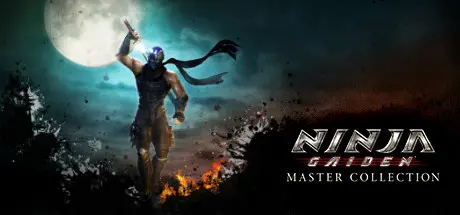
NINJA GAIDEN Σ2 [NINJA GAIDEN: Master Collection] Free Download (v1.0.0.2)
Featured Replies

header.webp

Game Details

Release Name: NINJA GAIDEN Σ2 [NINJA GAIDEN: Master Collection]

Game Version: v1.0.0.2 | Build 6998211

Release Date: 9 Jun, 2021

Publisher: KOEI TECMO GAMES CO., LTD.

Developer: KOEI TECMO GAMES CO., LTD.

Based On: CSF & Goldberg

NINJA GAIDEN Σ2 [NINJA GAIDEN: Master Collection] Direct Download - Game Review

In addition to being able to pull off unmatched dazzling techniques with "Ryu Hayabusa", a young ninja who has inherited the ninja arts of the Hayabusa style, with beautiful stages in a westernized Japan embellished with spirit-world motifs, and more, the game is packed with features that are a must-play for any fan of action games.

■The epic story can easily be enjoyed with "Hero Mode"
When you select the difficulty setting "Hero Mode", Hero Mode is triggered when your health becomes low. With Hero Mode, you will guard and evade automatically, and can unleash ninpo as much as you want. Even casual action gamers will be able to feel the heroic thrill of escaping a pinch to turn the tables on the enemy and advance the game. Needless to say, difficulty modes that will satisfy hard-core gamers are also included.

Become Ryu Hayabusa, the ninja who inherited the "Dragon Sword", a legendary blade, and once again experience high-speed ninja action in which you face battles all over the world. The game is also packed with additional features such as "Hero Mode", a mode in which the player will guard automatically when they are in a pinch.

In "NINJA RACE", life or death depends on speed
"NINJA RACE" is a mode in which you must race across the map within the time limit while fighting high-speed battles. In this mode, the number of enemies you defeat in succession is counted as your "CHAIN", and by stringing together a high chain, your attack power will increase dramatically. Also, you can pick up speed-up and time increasing items along the way, so attacking non-stop, defeating enemies as fast as possible, and gathering items will be essential to your strategy.

Along with Hayabusa, 3 heroines dazzlingly dash about the battlefield
Heroines from the "NINJA GAIDEN" series, "Ayane", "Rachel", and "Momiji" appear as playable characters. With "TAG MISSIONS", players can select 2 characters from among Hayabusa and the 3 heroines, allowing them to switch between 2 playable characters as they complete their mission.

The ultimate high-speed ninja action has returned! The game offers both extreme "challenge", along with an equally extreme "sense of accomplishment". Experience the series' most alluring high-speed action.

In addition to Ryu Hayabusa, Ayane, Kasumi, and Momiji join the battle!
In addition to main character "Ryu Hayabusa", the 3 female ninjas "Ayane", "Kasumi", and "Momiji" can be used as playable characters. And they aren't limited to just the "Chapter Challenge" story missions - the 3 characters can also be used in "NINJA TRIALS". Also, "NINJA GAIDEN" series heroine Ayane has a dedicated story.

Thrilling battles where you must be constantly alert
"Tests of Valor", a special phase for series fans who want to enjoy battles even further, have been included. In each chapter, there are hidden skulls that serve as gates to "Test of Valor" areas. By stepping foot onto these areas, battles will occur where players must face the fiercest and strongest enemies from the "NINJA GAIDEN" series.

Upgrading characters adds more replay value!
By collecting hidden "Golden Scarabs", using "Karma" collected in battles, and more, players can unlock new weapons and ninpo to upgrade their characters. Of course, upgrades you have applied can be carried over for 2nd and successive playthroughs. Among moves that can be unlocked, there are moves that are new to the series, such as "Cicada Surge", which allows you to dodge any enemy attack, "Meditation", which allows you to consume your Ki gauge to recover health, and more.


Game Screenshots

screenshot screenshot screenshot screenshot


Game Trailer


System Requirements

Minimum Requirements

Recommended Requirements

OS

Windows® 10, 64bit

Windows® 10, 64bit

Processor

Intel Core i3 4130 or over

Intel Core i5 4460 or over, AMD Ryzen5 1400 or over

Memory

4 GB RAM

8 GB RAM

Graphics

NVIDIA GeForce GTX 970 VRAM 4GB or over, AMD R7 370 VRAM 4GB or over

NVIDIA GeForce GTX 1060 VRAM 6GB or over, AMD RX 580 VRAM 8GB or over

DirectX

Version 11

Version 11

Storage

20 GB available space

20 GB available space


Installation Guide

  1. No Installation Needed: The game is pre-installed. Just download and extract.

  2. Extract: Right-click the .zip or .rar file and select "Extract Here" or "Extract to folder".

  3. Run: Find NINJA GAIDEN SIGMA2.exe inside the folder and run it.

Game Data & Settings

  • Change Language: Edit the file located at steam_settings/Configs.user.ini

  • Save Data Location: %USERPROFILE%/My Documents/KoeiTecmo/NINJAGAIDENSIGMA2/76561198275229572/SYSTEMSAVE

Important Notes

🔥DOWNLOAD AREA🔥

🔹3.99 GB🔹

Select the server you want to download with ZeiLink.

Download

  • Views 549
  • Created
  • Last Reply

Posted Images

Create an account or sign in to comment

Recently Browsing 0

  • No registered users viewing this page.

Account

Navigation

Search

Search

🔎 Search Tip
For exact results, search using "game name" .
Without quotes, results may include unrelated titles.

Configure browser push notifications

Chrome (Android)
  1. Tap the lock icon next to the address bar.
  2. Tap Permissions → Notifications.
  3. Adjust your preference.
Chrome (Desktop)
  1. Click the padlock icon in the address bar.
  2. Select Site settings.
  3. Find Notifications and adjust your preference.
