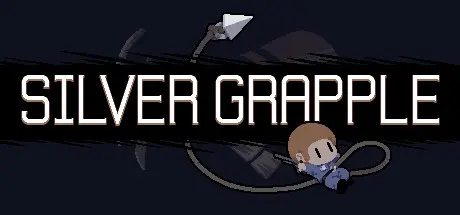
March 24Mar 24 Silver Grapple Game DetailsRelease Name: Silver GrappleGame Version: Build 2406050Release Date: 25 Aug, 2017Publisher: Jamie RolloDeveloper: Jamie Rollo, Tom CampbellBased On: CSF & GoldbergSilver Grapple Direct Download - Game OverviewSilver Grapple is a fast paced 2D platformer that lets you swing through the air at the speed of sound! Explore an expansive underground laboratory, buried and abandoned years after the mysterious accident that shut it down. Save whoever you can in your quest to escape, rocketing through the ruins with your Silver Grappling Hook.Silver Grapple Screenshots Silver Grapple TrailerSilver Grapple System Requirements Minimum RequirementsRecommended Requirements OSWindows VistaWindows 7 ProcessorIntel Core 2 Duo ProcessorIntel Core i5 7200U Memory2 GB RAM4 GB RAM GraphicsNVIDIA GeForce 9200MNVIDIA GeForce 940MX 2 GB DirectXVersion 11Version 11 Storage1 GB available space1 GB available space How to Install Silver GrappleNo Installation Needed: The game is pre-installed. Just download and extract.Extract: Right-click the .zip or .rar file and select "Extract Here" or "Extract to folder".Run: Find Launcher.exe inside the folder and run it.Game Data & SettingsChange Language: Edit the file located at steam_settings/Configs.user.iniImportant NotesTo support the Game Developer, Get It On Steam.🔥DOWNLOAD AREA🔥🔹566 MB🔹Select the server you want to download with ZeiLink.Download





Create an account or sign in to comment