



Skip to content
View in the app

A better way to browse. Learn more.

ZeiGames

A full-screen app on your home screen with push notifications, badges and more.

To install this app on iOS and iPadOS
  1. Tap the Share icon in Safari
  2. Scroll the menu and tap Add to Home Screen.
  3. Tap Add in the top-right corner.
To install this app on Android
  1. Tap the 3-dot menu (โ‹ฎ) in the top-right corner of the browser.
  2. Tap Add to Home screen or Install app.
  3. Confirm by tapping Install.

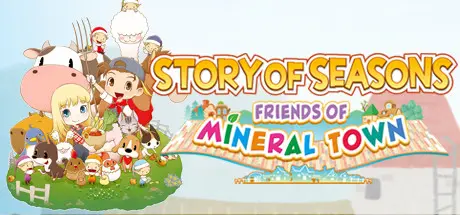
STORY OF SEASONS: Friends of Mineral Town Free Download (v1.0.4 + ALL DLC)
Featured Replies

header.webp

Game Details

Release Name:ย STORY OF SEASONS: Friends of Mineral Town

Game Version:ย v1.0.4 | Build 8227415

Release Date: 14 Jul, 2020

Publisher: XSEED Games, Marvelous USA, Inc., Marvelous Europe

Developer: Marvelous Inc.

Based On:ย CSF & Goldberg

STORY OF SEASONS: Friends of Mineral Town Direct Download - Game Review

Your farming life begins in Mineral Town, a charming village surrounded by nature. You've returned after many years to restore your late grandfather's farm to its former glory. Care for crops, livestock, and more as your very own story of seasons unfolds.

A menagerie of fruits, veggies, and livestock are waiting for you. Raise them all with love and care, and you'll have plenty of products to harvest, sell, or cook with!

Mineral Town is full of friendly faces, both old and new! Head into town, give gifts, and learn all about your neighbors as you befriend them.

Mineral Town is home to several eligible bachelors and bachelorettes. Get to know the boy or girl of your dreams, and you might be able to date them, get married, and even start a family!

Go fishing, cook fresh meals, and when your work's all said and done, take a dip in the local hot spring. Experience the farmer's life like never before!


Game Screenshots

screenshot screenshot screenshot screenshot


Game Trailer


System Requirements

Minimum Requirements

Recommended Requirements

OS

Windows 8+

-

Processor

Intel Core i5-8265U

-

Memory

4 GB RAM

-

Graphics

Intel UHD 620

-

DirectX

Version 11

-

Storage

2 GB available space

-


Installation Guide

  1. No Installation Needed: The game is pre-installed. Just download and extract.

  2. Extract: Right-click the .zip or .rar file and select "Extract Here" or "Extract to folder".

  3. Run: Find STORY OF SEASONS Friends of Mineral Town.exe inside the folder and run it.

Game Data & Settings

  • Change Language: Edit the file located at steam_settings/Configs.user.ini

  • Save Data Location: %USERPROFILE%/AppData/Roaming/SOSFoMT

Important Notes

DLC List

Added DLCs

STORY OF SEASONS: Friends of Mineral Town - Chicken Costume

STORY OF SEASONS: Friends of Mineral Town - Chick Costume

STORY OF SEASONS: Friends of Mineral Town - Dog Costume

STORY OF SEASONS: Friends of Mineral Town - Sheep Costume

STORY OF SEASONS: Friends of Mineral Town - Cow Costume

๐Ÿ”ฅDOWNLOAD AREA๐Ÿ”ฅ

๐Ÿ”น1.08 GB๐Ÿ”น

Select the server you want to download with ZeiLink.

Download

  • Views 873
  • Created
  • Last Reply

Posted Images

Create an account or sign in to comment

Recently Browsing 0

  • No registered users viewing this page.

Account

Navigation

Search

Search

๐Ÿ”Ž Search Tip
For exact results, search using "game name" .
Without quotes, results may include unrelated titles.

Configure browser push notifications

Chrome (Android)
  1. Tap the lock icon next to the address bar.
  2. Tap Permissions โ†’ Notifications.
  3. Adjust your preference.
Chrome (Desktop)
  1. Click the padlock icon in the address bar.
  2. Select Site settings.
  3. Find Notifications and adjust your preference.
