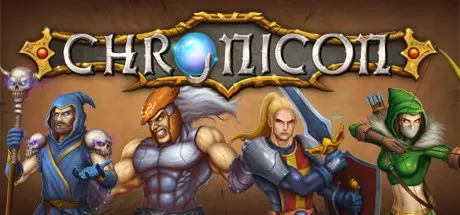
March 23Mar 23 Chronicon Game DetailsRelease Name: ChroniconGame Version: v1.54.1 | Build 20920179Release Date: 21 Aug, 2020Publisher: SubworldDeveloper: SubworldBased On: CSF & GoldbergChronicon Direct Download - Game OverviewWhat happens in a world where the last evil lies dead, the last quest is completed, and the last chest has been opened?In this world, the long-dead Heroes of Old are forever remembered and honored through a great magical device. This device, known only as the Chronicon, is capable of opening a portal into the memories – the very souls – of the Heroes of Old. Each year, a handful men and women are given the great honor to re-live the old tales.And this year, you have been chosen…5 large and varied acts with each their own storyline to play through4 unique classes: The Templar, Berserker, Warden, and WarlockProcedurally generated dungeons and areas – each playthrough is differentLocal co-op up to 4 players (same machine, requires 1 Xbox 360/one controller per additional player)Remote Play Together fully supportedOver 400 unique+ items with designed special powersOver 700 items with randomized enchants & qualities, build-changing powers, and powerful set items!Over 900 skills, abilities, and perks to learn and improveInfinite character progression via endless Mastery ranksHardcore modeDeep crafting - Enchant, Gem, Empower, and inscribe your equipment with Runes!Endgame content including randomized dungeons, bosses, and endgame-only crafting mechanicsFull Xbox 360/one controller support (optional)Chronicon Screenshots Chronicon TrailerChronicon System Requirements Minimum RequirementsRecommended Requirements OSWindows 10- ProcessorQuad Core 3 GHz- Memory4 GB RAM- GraphicsDirectX 11 and Shader Model 3.0 Compatible Dedicated Video Card, 1 GB VRAM- DirectXVersion 11- Storage1500 MB available space- How to Install ChroniconNo Installation Needed: The game is pre-installed. Just download and extract.Extract: Right-click the .zip or .rar file and select "Extract Here" or "Extract to folder".Run: Find Chronicon.exe inside the folder and run it.Game Data & SettingsChange Language: Edit the file located at steam_settings/Configs.user.iniSave Data Location: %USERPROFILE%/AppData/Local/Chronicon/Important NotesTo support the Game Developer, Get It On Steam.DLC ListAdded DLCsChronicon - The MechanistChronicon - Ancient Beasts🔥DOWNLOAD AREA🔥🔹398 MB🔹Select the server you want to download with ZeiLink.Download





Create an account or sign in to comment