



Skip to content
View in the app

A better way to browse. Learn more.

ZeiGames

A full-screen app on your home screen with push notifications, badges and more.

To install this app on iOS and iPadOS
  1. Tap the Share icon in Safari
  2. Scroll the menu and tap Add to Home Screen.
  3. Tap Add in the top-right corner.
To install this app on Android
  1. Tap the 3-dot menu (โ‹ฎ) in the top-right corner of the browser.
  2. Tap Add to Home screen or Install app.
  3. Confirm by tapping Install.

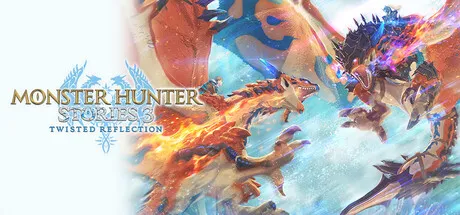
Monster Hunter Stories 3: Twisted Reflection Free Download (Offline Activation)
Featured Replies

header.webp

Game Details

Release Name:ย Monster Hunter Stories 3: Twisted Reflection

Game Version:ย v1.0.04 | Build 22600008

Publisher: CAPCOM Co., Ltd.

Platform: PC

Based On:ย Anti Denuvo Sanctuary CSF

Download Monster Hunter Stories 3: Twisted Reflection

The third entry in the Monster Hunter Stories RPG series is here!
Twin Rathalos, born in a twist of fate.

Monster Hunter Stories is an RPG series set in the Monster Hunter world, where you can become a Rider, raising and bonding with your favorite monsters.

The Story
Azuria and Vermeil: two countries, on a path to destruction.
When all hope seems lost, an egg is found. Inside is a Rathalos, a species thought to be extinct.

But this quavering light of hope is quickly extinguished, giving way to the darkness of despair.

Born from the egg is not a single Rathalos, but twins, bearing the Skyscale marking that hearkens back to the disastrous civil war of 200 years prior.

The natural world teeters on the verge of destruction, with countless monster species facing extinction. In the shadow of these dark times, the flames of war rekindle.

Two countries, and two Rathalos.

A Rider and their trusted Rathalos, buffeted by the winds of fate, set out on a journey for the truth.


Screenshots

ss_22f24ca0e8bea75ba7a2bddb9cb23f77faf60ss_02569c39d7ea1d7f5e68af1809e176b99f3d0ss_c53ab3c8569ed41f6cb7fcecd3c4262173f94ss_555b1bd374b30c777747ff81fda6f7fbe9915


Trailer


System Requirements

OS

Windows 11 64bit

Processor

Intelยฎ Coreโ„ข i3-9100 or AMD Ryzenโ„ข 3 3200G

Memory

16 GB

Graphics

NVIDIA GeForce GTX 1660(VRAM 6GB) or AMD Radeon RX 5500 XT(VRAM 8GB)

DirectX

Version 12

Storage

50 GB


Installation Guide

Step 1
  1. Download the Game Files and Join the Discord Server.

  2. Join the Anti-Denuvo Sanctuary Discord server using this link:ย [Click Here].

Step 2
  • New members will be assigned theย Newbieย role.

  • Wait forย 12 hours, and then you can take the quiz (which becomes available after the 12-hour period) to gain access to the request channels.

Step 3
  • To avoid being banned and to understand how everything works, make sure to read the following channels:

    • #Rules

    • #Guide

    • #F.A.Q.

  • For a list of useful commands, typeย !helpย inside the server. This will show you a list of useful commands that you can use. It also includes video tutorials on how activation works and other helpful guides.

Step 4
  • As mentioned in Step 1, download theย Steam clean files.

  • If you need additional tools, check theย #Resourcesย channel.

  • Important:ย Always double-check the game version. Using outdated versions can cause issues. Checkย SteamDBย for the latest version.

  • If youโ€™re onย Linux, notify the staff to get a role which gives you access to theย #Linux-Deckย channel. Refer to theย #Linux-Guidesย channel for instructions and consult the team first before submitting a game request.

Step 5

  • Takeย ONE screenshotย showing the following:

    • The contents of theย game folderย (just the root directory).

    • Theย Propertiesย of the game folder.

    • Windows Update Blocker (WUB)ย showing theย RED SHIELD.

Step 6
  • Self-Serveย :ย Request games for free here.

  • New-Donatorย :ย This category applies only to newly released games. After aboutย 1โ€“2 weeks, those games will move toย #Self-Serve, where everyone can access them. Donating is optional and provides early access to new releases.

    • Be sure to carefully read the instructions inside each ticket. There are time limits for each step, so follow through. If youโ€™re unsure, use the โ€œNeed Helpโ€ button available inside the ticket, and the team will guide you through the process.

๐Ÿ”ฅDOWNLOAD AREA๐Ÿ”ฅ

๐Ÿ”น36.07 GB๐Ÿ”น

Select a server to download the game.

Rootzย |ย FileQย | Filemirage |ย 1fichierย |ย Akiraboxย |ย Vikingfileย |ย ALL Links

  • Views 939
  • Created
  • Last Reply

Posted Images

Create an account or sign in to comment

Recently Browsing 0

  • No registered users viewing this page.

Account

Navigation

Search

Search

๐Ÿ”Ž Search Tip
For exact results, search using "game name" .
Without quotes, results may include unrelated titles.

Configure browser push notifications

Chrome (Android)
  1. Tap the lock icon next to the address bar.
  2. Tap Permissions โ†’ Notifications.
  3. Adjust your preference.
Chrome (Desktop)
  1. Click the padlock icon in the address bar.
  2. Select Site settings.
  3. Find Notifications and adjust your preference.
