



Skip to content
View in the app

A better way to browse. Learn more.

ZeiGames

A full-screen app on your home screen with push notifications, badges and more.

To install this app on iOS and iPadOS
  1. Tap the Share icon in Safari
  2. Scroll the menu and tap Add to Home Screen.
  3. Tap Add in the top-right corner.
To install this app on Android
  1. Tap the 3-dot menu (โ‹ฎ) in the top-right corner of the browser.
  2. Tap Add to Home screen or Install app.
  3. Confirm by tapping Install.

BRAVELY DEFAULT II Free Download (Offline Activation)
Featured Replies

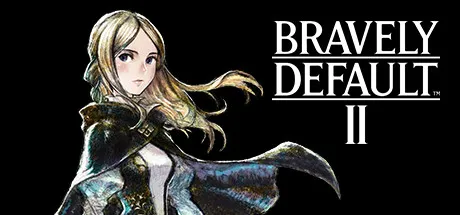
header.webp

Game Details

Release Name:ย BRAVELY DEFAULT II

Game Version:ย Build 20659789

Genre: RPG, JRPG, Turn-Based Combat, 3D, Adventure

Publisher: Square Enix

Platform: PC

Based On:ย Anti Denuvo Sanctuary CSF

Download BRAVELY DEFAULT II

Fire, Water, Wind, Earth, nature's masters,
The Crystals' power exceeds the hand of man,
And if unleashed, would bring down death, disaster,
Calamity and blight upon the land.
โ€•โ€• Ancient quatrain of Kingdom Musa

Guided by fate, itโ€™s up to you to stop the forces that threaten these heroes and all of Excillant.

A new entry in the โ€œBravelyโ€ series
A new world, a new story, and all-new Heroes of Light
"Four new Heroes of Light emerge"

Seth

A young sailor who drifts to the continent of Excillant and is the main character of this story.
Meet Gloria, an exiled princess whose kingdom was robbed of its Crystals, and set out on a journey to recover them with her.

Gloria

The princess of Musa, a kingdom that once watched over the harmony of the world - but the loss of the kingdom's Crystals led Musa to destruction. Having fallen into despair and gone into hiding, she decides to embark on a journey to retrieve the Crystals.

Adelle

A mercenary for hire. She travels with Elvis as his bodyguard in his search for an asterisk.

Elvis

A scholar who travels the world. Embark on a journey in search of a particular asterisk needed to unravel the last spellbook left by his master.

In addition to a traditional, turn-based battle system that combines jobs and abilities, you can enjoy innovative and strategic battles unique to the Bravely series by taking control of your turns via the Brave and Default system.

Brave and Default

Brave Points (BP) dictate how many actions a character can use in a single turn. Players can have characters 'Default' to stock up to three additional BP to use in a turn, or characters can 'Brave', to use more than one BP to perform multiple actions. Balancing stockpiling and using BP is a key component in battle strategy.

Jobs and Abilities

Each character can exhibit both a primary and secondary job class, with each job specializing in different abilities.
Combining jobs allow you to handle two abilities simultaneously. You can create an all-rounder balanced in offense and defense, or perhaps a character that specializes in magic. Your tactics and how you develop each character are up to you.

Acquire New Jobs

โ€œAsterisk bearersโ€ will often block your path forward. By defeating them, you will obtain an Asterisk that enables you to change jobs.


Screenshots

ss_f45e59473d0241e9e83db750a286dcd1b637dss_0a7eb1021c4ffc346ca6f834530f638a86bffss_064b951e709e9a80a1295b2b99a8c52d40ff5ss_fca9600ac937ecd4fb5526b099b86372841e1


Trailer


System Requirements

OS

Windows 10 64bit

Processor

AMD FX-4350 / Intelยฎ Coreโ„ข i3 2.5GHz

Memory

6 GB

Graphics

AMD Radeonโ„ข RX 460 / NVIDIAยฎ GeForceยฎ GTX 760

DirectX

Version 11

Storage

15 GB


Installation Guide

Step 1
  1. Download the Game Files and Join the Discord Server.

  2. Join the Anti-Denuvo Sanctuary Discord server using this link:ย [Click Here].

Step 2
  • New members will be assigned theย Newbieย role.

  • Wait forย 12 hours, and then you can take the quiz (which becomes available after the 12-hour period) to gain access to the request channels.

Step 3
  • To avoid being banned and to understand how everything works, make sure to read the following channels:

    • #Rules

    • #Guide

    • #F.A.Q.

  • For a list of useful commands, typeย !helpย inside the server. This will show you a list of useful commands that you can use. It also includes video tutorials on how activation works and other helpful guides.

Step 4
  • As mentioned in Step 1, download theย Steam clean files.

  • If you need additional tools, check theย #Resourcesย channel.

  • Important:ย Always double-check the game version. Using outdated versions can cause issues. Checkย SteamDBย for the latest version.

  • If youโ€™re onย Linux, notify the staff to get a role which gives you access to theย #Linux-Deckย channel. Refer to theย #Linux-Guidesย channel for instructions and consult the team first before submitting a game request.

Step 5

  • Takeย ONE screenshotย showing the following:

    • The contents of theย game folderย (just the root directory).

    • Theย Propertiesย of the game folder.

    • Windows Update Blocker (WUB)ย showing theย RED SHIELD.

Step 6
  • Self-Serveย :ย Request games for free here.

  • New-Donatorย :ย This category applies only to newly released games. After aboutย 1โ€“2 weeks, those games will move toย #Self-Serve, where everyone can access them. Donating is optional and provides early access to new releases.

    • Be sure to carefully read the instructions inside each ticket. There are time limits for each step, so follow through. If youโ€™re unsure, use the โ€œNeed Helpโ€ button available inside the ticket, and the team will guide you through the process.

๐Ÿ”ฅDOWNLOAD AREA๐Ÿ”ฅ

๐Ÿ”น8.05 GB๐Ÿ”น

Select a server to download the game.

Rootzย |ย Ranozย | Filemirage |ย 1fichierย |ย Akiraboxย |ย Vikingfileย |ย 1cloudfile

  • Views 796
  • Created
  • Last Reply

Posted Images

Create an account or sign in to comment

Recently Browsing 0

  • No registered users viewing this page.

Account

Navigation

Search

Search

๐Ÿ”Ž Search Tip
For exact results, search using "game name" .
Without quotes, results may include unrelated titles.

Configure browser push notifications

Chrome (Android)
  1. Tap the lock icon next to the address bar.
  2. Tap Permissions โ†’ Notifications.
  3. Adjust your preference.
Chrome (Desktop)
  1. Click the padlock icon in the address bar.
  2. Select Site settings.
  3. Find Notifications and adjust your preference.
