



Skip to content
View in the app

A better way to browse. Learn more.

ZeiGames

A full-screen app on your home screen with push notifications, badges and more.

To install this app on iOS and iPadOS
  1. Tap the Share icon in Safari
  2. Scroll the menu and tap Add to Home Screen.
  3. Tap Add in the top-right corner.
To install this app on Android
  1. Tap the 3-dot menu (โ‹ฎ) in the top-right corner of the browser.
  2. Tap Add to Home screen or Install app.
  3. Confirm by tapping Install.

Going Medieval Free Download (v1.1.9 + Supporter Pack DLC)
Featured Replies

header.webp

Game Details

Release Name:ย Going Medieval

Game Version:ย v1.1.9 | Build 24126654

Release Date: 17 Mar, 2026

Publisher: Mythwright

Developer: Foxy Voxel

Based On:ย CSF & Goldberg

Going Medieval Direct Download - Game Review

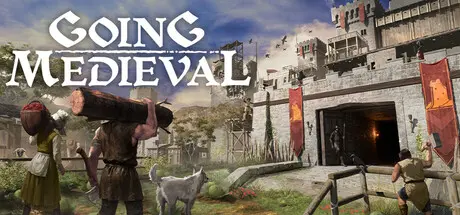
When civilization is decimated by rampant plague, a lucky few emerge from the ashes. Help them settle in a dangerous wilderness reclaimed by nature. Build them a home, shape their lives, and defend them from bandits and beasts in a lawless, realistic post-calamity world. The Dark Age is yours to rebuild.

From three lost travellers to a thriving walled city, build greatness from desolation. Use 3D terrain tools to create the perfect stronghold, from sprawling multi-storey forts to winding underground caverns. Construct, furnish and decorate your chambers, workshops, chapels, libraries and more, using stone, clay, and other gathered materials.

Each settler is a unique character. Consider Grimbold, for example. As a Swineherd, his Animal Handling is second to none. But his personality is Savage, so heโ€™d make a strong Brawler. He likes nice clothes, his religion is dear to him โ€” and heโ€™s hungry. Satisfy Grimboldโ€™s needs, use his talents, and heโ€™ll be a happy settler โ€” key to a happy settlement.

Build impenetrable defenses and set traps against unrelenting waves of raiders. Research and craft medieval tech, arm your settlers and command them in battle. Tailor your strategy to your villagerโ€™s skills, and upgrade them through hunting and combat.

Explore your randomly-generated multi-level map and manipulate it to your will. Terraform the earth and water for construction, design, or military strategy. Build up or dig down, go humble or baronial, and use the modding tools to unearthย a whole new level of creative freedom.


Game Screenshots

screenshot screenshot screenshot screenshot


Game Trailer


System Requirements

Minimum Requirements

Recommended Requirements

OS

Windows 10 (64-bit)

Windows 10 / Windows 11 (64-bit)

Processor

Intel Core i5-9400F or AMD Ryzen 5 2600

Intel Core i5-10600K / i7-10700 or AMD Ryzen 5 3600 XT

Memory

8 GB RAM

16 GB RAM

Graphics

NVIDIA GeForce GTX 1050 Ti (4 GB) or AMD Radeon RX 580 (4 GB)

NVIDIA GeForce GTX 1660 Super / RTX 2060 or AMD Radeon RX 6600 XT

DirectX

Version 11

Version 11

Storage

2 GB available space

2 GB available space


Installation Guide

  1. No Installation Needed: The game is pre-installed. Just download and extract.

  2. Extract: Right-click the .zip or .rar file and select "Extract Here" or "Extract to folder".

  3. Run: Find Going Medieval.exe inside the folder and run it.

Game Data & Settings

  • Change Language: Edit the file located at steam_settings/Configs.user.ini

  • Save Data Location: %USERPROFILE%/AppData/LocalLow/Foxy Voxel/Going Medieval

Important Notes

DLC List

Added DLCs

Going Medieval - Supporter Pack

๐Ÿ”ฅDOWNLOAD AREA๐Ÿ”ฅ

๐Ÿ”น573 MB๐Ÿ”น

Select the server you want to download with ZeiLink.

Download

  • DicDale changed the title to Going Medieval Free Download (v1.1.9 + Supporter Pack DLC)

  • Views 1.6k
  • Created
  • Last Reply

Posted Images

Create an account or sign in to comment

Recently Browsing 0

  • No registered users viewing this page.

Account

Navigation

Search

Search

๐Ÿ”Ž Search Tip
For exact results, search using "game name" .
Without quotes, results may include unrelated titles.

Configure browser push notifications

Chrome (Android)
  1. Tap the lock icon next to the address bar.
  2. Tap Permissions โ†’ Notifications.
  3. Adjust your preference.
Chrome (Desktop)
  1. Click the padlock icon in the address bar.
  2. Select Site settings.
  3. Find Notifications and adjust your preference.