



Skip to content
View in the app

A better way to browse. Learn more.

ZeiGames

A full-screen app on your home screen with push notifications, badges and more.

To install this app on iOS and iPadOS
  1. Tap the Share icon in Safari
  2. Scroll the menu and tap Add to Home Screen.
  3. Tap Add in the top-right corner.
To install this app on Android
  1. Tap the 3-dot menu (โ‹ฎ) in the top-right corner of the browser.
  2. Tap Add to Home screen or Install app.
  3. Confirm by tapping Install.

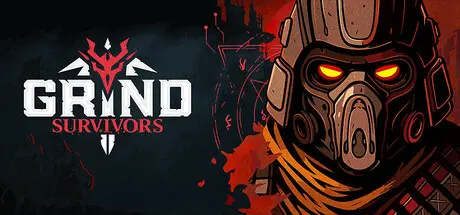
Grind Survivors Free Download (v3645 + Supporter Pack DLC)
Featured Replies

header.webp

Game Details

Release Name:ย Grind Survivors

Game Version:ย v3645 | Build 22294702

Release Date: 16 Mar, 2026

Publisher: Assemble Entertainment

Developer: Pushka Studios

Based On:ย CSF & Goldberg

Grind Survivors Direct Download - Game Review

Grind Survivors throws you into a relentless action rogue- and survivors-like where you battle endless waves of hellspawn as a towering demon hunter. Set in a post-apocalyptic Earth overrun by demonic corruption, every run is a fight for survival, and a chance to grow stronger.

Dodge through explosive bullet-hell chaos, stack powerful upgrades, and loot procedurally generated weapons with unique stats, traits, and origins.

Every demon you drop could be hiding your next favorite gun. Rare finds come packed with powerful perks and unique traits that change how they play, and higher ranks make them hit harder than ever.

At The Forge, you can fuse weapons into a custom powerhouse, stack dream perk combos, or push your luck with risky upgrades. Feeling bold? Reroll the stats and see what you get. In Grind Survivors, every weapon is a chance to break the gameโ€”in your favor.

With brutal visuals, multiple hellish biomes, and an endless scaling mode that pushes your build to the limit, Grind Survivors delivers nonstop action, satisfying progression, and a whole lot of demons to grind into dust.

  • Unending Waves โ€“ Survive ever-growing swarms of demonic enemies.

  • Build Your Way โ€“ Unlock synergies and stack upgrades that shape each run.

  • Loot-Driven Combat โ€“ Discover procedurally generated weapons with randomized traits.

  • Risk & Reward Crafting โ€“ Upgrade gear with high-stakes choices at The Forge.

  • Diverse Biomes โ€“ Fight across scorched cities, burning forests, and corrupted lands.

  • Striking Visuals โ€“ A dark, intense art style packed with gore and destruction.

  • Endless Mode โ€“ Test your ultimate build in infinitely scaling survival.


Game Screenshots

screenshot screenshot screenshot screenshot


Game Trailer


System Requirements

Minimum Requirements

Recommended Requirements

OS

Windows 10 64-bit

Windows 10 64-bit

Processor

Intel Core i5-4690 / AMD Ryzen 5 1500X

Intel Core i7-8700K / AMD Ryzen 7 2700X

Memory

8 GB RAM

16 GB RAM

Graphics

NVIDIA GeForce GTX 1060 6GB / AMD Radeon RX 580

NVIDIA GeForce RTX 2060 / AMD Radeon RX 6600 XT

DirectX

-

-

Storage

8 GB available space

8 GB available space


Installation Guide

  1. No Installation Needed: The game is pre-installed. Just download and extract.

  2. Extract: Right-click the .zip or .rar file and select "Extract Here" or "Extract to folder".

  3. Run: Find GrindSurvivors.exe inside the folder and run it.

Game Data & Settings

  • Change Language: Edit the file located at steam_settings/Configs.user.ini

  • Save Data Location: */Saved/SaveGames

Important Notes

DLC List

Added DLCs

Grind Survivors: Ukraine Supporter Pack

Grind Survivors: Supporter Pack

๐Ÿ”ฅDOWNLOAD AREA๐Ÿ”ฅ

๐Ÿ”น1.63 GB๐Ÿ”น

Select the server you want to download with ZeiLink.

Download

  • Views 1k
  • Created
  • Last Reply

Posted Images

Create an account or sign in to comment

Recently Browsing 0

  • No registered users viewing this page.

Account

Navigation

Search

Search

๐Ÿ”Ž Search Tip
For exact results, search using "game name" .
Without quotes, results may include unrelated titles.

Configure browser push notifications

Chrome (Android)
  1. Tap the lock icon next to the address bar.
  2. Tap Permissions โ†’ Notifications.
  3. Adjust your preference.
Chrome (Desktop)
  1. Click the padlock icon in the address bar.
  2. Select Site settings.
  3. Find Notifications and adjust your preference.
