



Skip to content
View in the app

A better way to browse. Learn more.

ZeiGames

A full-screen app on your home screen with push notifications, badges and more.

To install this app on iOS and iPadOS
  1. Tap the Share icon in Safari
  2. Scroll the menu and tap Add to Home Screen.
  3. Tap Add in the top-right corner.
To install this app on Android
  1. Tap the 3-dot menu (โ‹ฎ) in the top-right corner of the browser.
  2. Tap Add to Home screen or Install app.
  3. Confirm by tapping Install.

A Game of Dwarves Free Download (Build 31540 + ALL DLC)
Featured Replies

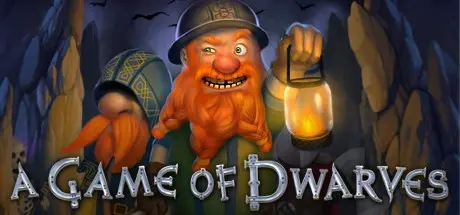
header.webp

Game Details

Release Name:ย A Game of Dwarves

Game Version:ย Build 31540

Release Date: 23 Oct, 2012

Publisher: Paradox Interactive

Developer: Zeal Game Studio

Based On:ย CSF & Goldberg

A Game of Dwarves Direct Download - Game Review

A Dwarven Prince on a quest to reclaim his peopleโ€™s stolen land will take you on a great journey. Explore a continent filled with buried treasures and unearth mysteries that have laid hidden since the Great War. Take charge of your Dwarven settlement while mining, exploring and utilizing your resources with a combination of strategy and management.
Order the inhabitants of a Dwarven settlement to dig, build and conduct research in order to strengthen the clan. Be careful though because you must defend your Dwarves from the terrible beasts that lie in the depths. A unique world is generated each time a new level starts, so you will need to dynamically adapt your strategies and tactics during each session.
As you advance, the Dwarves will level up and gain new skills; progressing from weak dwarvlings to near immortal warriors or master craftsmen. There are also rare resources to be found deeper in the earth that grant access to better buildings and equipment. However, the deeper you dig the more dangerous foes you might unleashโ€ฆ

  • Explore โ€“ The randomly generated maps offer replayability while also providing a sense of exploration

  • Build โ€“ customize your settlement with not only practical constructions, but beautiful ones too! Build objects you think look great, while still gaining progress. Home is where the art is.

  • Command โ€“ With an intuitive order system the player can easily control oodles of dwarves simultaneously without the need for extensive micro management

  • A 13 level, story driven campaign

  • Custom game mode: Create a world without enemies so you can build uninterrupted or spawn lots of them to increase the challenge


Game Screenshots

screenshot screenshot screenshot screenshot


Game Trailer


System Requirements

Minimum Requirements

Recommended Requirements

OS

Windows Vista / Windows 7

-

Processor

Dual Core 2.4 GHz processor

-

Memory

4 GB RAM

-

Graphics

Shader Model 4.0 compatible card (minimum Nvidia GeForce 8000, AMD Radeon 2000)

-

DirectX

10

-

Storage

3 GB HD space

-


Installation Guide

  1. No Installation Needed: The game is pre-installed. Just download and extract.

  2. Extract: Right-click the .zip or .rar file and select "Extract Here" or "Extract to folder".

  3. Run: Find Launcherx32.exe inside the folder and run it.

Game Data & Settings

  • Change Language: Edit the file located at steam_settings/Configs.user.ini

Important Notes

DLC List

Added DLCs

A Game of Dwarves: Pets

A Game of Dwarves: Star Dwarves (DLC) (A Game of Dwarves: Star Dwarves)

A Game of Dwarves: Ale Pack (DLC) (A Game of Dwarves: Ale Pack)

A Game of Dwarves DLC Range

๐Ÿ”ฅDOWNLOAD AREA๐Ÿ”ฅ

๐Ÿ”น1.55 GB๐Ÿ”น

Select the server you want to download with ZeiLink.

Download

  • Views 625
  • Created
  • Last Reply

Posted Images

Create an account or sign in to comment

Recently Browsing 0

  • No registered users viewing this page.

Account

Navigation

Search

Search

๐Ÿ”Ž Search Tip
For exact results, search using "game name" .
Without quotes, results may include unrelated titles.

Configure browser push notifications

Chrome (Android)
  1. Tap the lock icon next to the address bar.
  2. Tap Permissions โ†’ Notifications.
  3. Adjust your preference.
Chrome (Desktop)
  1. Click the padlock icon in the address bar.
  2. Select Site settings.
  3. Find Notifications and adjust your preference.
