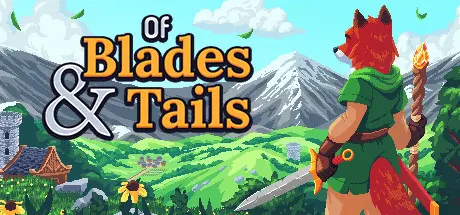
March 14Mar 14 Of Blades & Tails Game DetailsRelease Name: Of Blades & TailsGame Version: v1.1.6.1 | Build 21343881Release Date: 9 Nov, 2023Publisher: Pineapple WorksDeveloper: Felix LaukelBased On: CSF & GoldbergOf Blades & Tails Direct Download - Game OverviewA turn-based RPG that is action-oriented but rewards a thoughtful approach. Discover a fantastic land populated by different animal tribes.You play Reik, a clever member of the tribe of foxes. A chain of unfortunate events involves you in a quest of vital importance to all the peace-loving creatures of the realm. You will have to leave your home village and explore the world to become strong enough to stand up to evil.The gameplay is inspired by classic Hack & Slays like Diablo and turn-based RPGs like Tales of Maj'Eyal or Stoneshard. However there is no permadeath in this game. It aims to be an accessible and entertaining Action-RPG.The lore is inspired by the classic Point & Click Adventure Inherit the Earth.As you explore the land, you'll gain experience and unlock new abilities. Not all inhabitants will be friendly to you. Some will help you with information, others are only interested in trading, and still others will get in your way.Turn-based Combat that allows for quick action or strategic planningAn Open World with lots of places to discoverA fresh, animalistic setting in a vibrant pixel art lookMultiple Game Modes if you prefer a relaxed or challenging experienceProcedural generated dungeons and cavesA Main Storyline and various side questsClassless Character Development with many abilities to unlockEquipment of different qualities and Unique Items with special powersHunt giant bugs or gather herbs and other useful resourcesMany Enemy Types with different skills that may require tactical decisionsJoin factions to gain access to even more refined skills and equipmentAssemble Treasure Maps and follow their hints to obtain mighty talismansTrade your precious loot with merchants in various settlementsCompete with other players in the Arena Leaderboard challengeOf Blades & Tails Screenshots Of Blades & Tails TrailerOf Blades & Tails System Requirements Minimum RequirementsRecommended Requirements OSWindows 7+ 64-bitWindows 7+ 64-bit ProcessorIntel Core2.4 GHz Quad Core (or higher) Memory4 GB RAM4 GB RAM GraphicsAny discreet video card from the last decadeGeForce GTX 650 or equivalent DirectX-- Storage200 MB available space200 MB available space How to Install Of Blades & TailsNo Installation Needed: The game is pre-installed. Just download and extract.Extract: Right-click the .zip or .rar file and select "Extract Here" or "Extract to folder".Run: Find Launcher.exe inside the folder and run it.Game Data & SettingsChange Language: Edit the file located at steam_settings/Configs.user.iniSave Data Location: %USERPROFILE%/AppData/Roaming/Godot/app_userdata/TBRPGImportant NotesTo support the Game Developer, Get It On Steam.🔥DOWNLOAD AREA🔥🔹168 MB🔹Select the server you want to download with ZeiLink.Download





Create an account or sign in to comment