



Skip to content
View in the app

A better way to browse. Learn more.

ZeiGames

A full-screen app on your home screen with push notifications, badges and more.

To install this app on iOS and iPadOS
  1. Tap the Share icon in Safari
  2. Scroll the menu and tap Add to Home Screen.
  3. Tap Add in the top-right corner.
To install this app on Android
  1. Tap the 3-dot menu (โ‹ฎ) in the top-right corner of the browser.
  2. Tap Add to Home screen or Install app.
  3. Confirm by tapping Install.

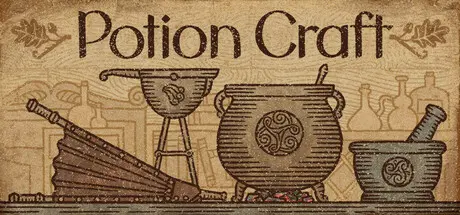
Potion Craft: Alchemist Simulator Free Download (v2.0.2)
Featured Replies

header.webp

Game Details

Release Name:ย Potion Craft: Alchemist Simulator

Game Version:ย v2.0.2 | Build 18969694

Release Date: 13 Dec, 2022

Publisher: tinyBuild

Developer: niceplay games

Based On:ย CSF & Goldberg

Potion Craft: Alchemist Simulator Direct Download - Game Review

  • Unique visuals inspired by medieval manuscripts and medical books.

  • Hyper satisfying physical interactions with ingredients and equipment.

  • Sandbox style gameplay where you have many different avenues available, and itโ€™s up to you to figure out the best way to complete each task.

  • Sell your potions to the townsfolk while roleplaying as a noble artisan, a greedy weasel, an occult dark master, or whomever else you may wish to be!

Leaves, flowers, berries, roots, fruits, minerals, and a plethora of mushrooms are at the ready for your mortar and pestle. Just like espresso, the fineness of the grind matters!

Concoct your potion plan. Grind ingredients and carefully mix them in your cauldron. Heat the coals. Boil and stir. Add the base: water, oil, orโ€ฆ something else. Congrats on your first potion! Was it easy to learn? Now try mastering it!

Carefully plan your route via the Alchemy Map to combine different effects. Be mindful of common sense: you wonโ€™t find a market for a poisonous healing potionโ€ฆ right? Or would you?

Every day customers will come to your store looking for solutions to their problems. You will face consequences depending on what you decide to sell them. Attract guilds, befriend notable figures (or feud with them), gain riches and influence - and one day, you may even decide the fate of the whole town.

Every alchemist needs ingredients, and there are many ways to get them! You can buy them from traveling merchants: it can be pricey, but successful haggling may save you some coin. Or take matters into your own hands and cultivate your very own enchanted garden. Grow a variety of ingredients, from vibrant herbs to exotic mushrooms and even magical crystals, each essential for brewing your unique potions!

Want to give your best potions a special look? Go for it! Change the bottle shape, label type, icon and colours. You can even give it a custom name and label description. Carefully arrange your unique potions to showcase them on your shop's shelves and tables... or go a step further and customize your shop itself! Choose from a variety of furniture and shelving to give your alchemy shop a personal touch that matches your style. We won't tell you what to do, just have fun!


Game Screenshots

screenshot screenshot screenshot screenshot


Game Trailer


System Requirements

Minimum Requirements

Recommended Requirements

OS

Windows 10

-

Processor

Intel i3-6100 or equivalent

-

Memory

8 GB RAM

-

Graphics

GeForce GTX 670 / Radeon HD 7970

-

DirectX

Version 10

-

Storage

2 GB available space

-


Installation Guide

  1. No Installation Needed: The game is pre-installed. Just download and extract.

  2. Extract: Right-click the .zip or .rar file and select "Extract Here" or "Extract to folder".

  3. Run: Find Potion Craft.exe inside the folder and run it.

Game Data & Settings

  • Change Language: Edit the file located at steam_settings/Configs.user.ini

  • Save Data Location: %USERPROFILE%/AppData/LocalLow/niceplay games/Potion Craft/SavesSteam

Important Notes

๐Ÿ”ฅDOWNLOAD AREA๐Ÿ”ฅ

๐Ÿ”น1.22 GB๐Ÿ”น

Select the server you want to download with ZeiLink.

Download

  • Views 1.1k
  • Created
  • Last Reply

Posted Images

Create an account or sign in to comment

Recently Browsing 0

  • No registered users viewing this page.

Account

Navigation

Search

Search

๐Ÿ”Ž Search Tip
For exact results, search using "game name" .
Without quotes, results may include unrelated titles.

Configure browser push notifications

Chrome (Android)
  1. Tap the lock icon next to the address bar.
  2. Tap Permissions โ†’ Notifications.
  3. Adjust your preference.
Chrome (Desktop)
  1. Click the padlock icon in the address bar.
  2. Select Site settings.
  3. Find Notifications and adjust your preference.
