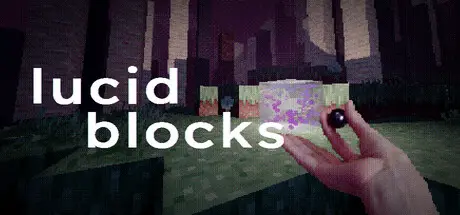
March 14Mar 14 Lucid Blocks Game DetailsRelease Name: Lucid BlocksGame Version: v2.8.2 | Build 22338075Release Date: 12 Mar, 2026Publisher: Lucy B. LocksDeveloper: Lucy B. LocksBased On: CSF & GoldbergLucid Blocks Direct Download - Game OverviewSurreal, ethereal, and liminal environmentsInfinite procedural generation both vertically and horizontallyCities made of plastic, serene fields of grass, and massive abandoned warehousesFend against fiendful foes like manikins, squishy gels, higher-dimensional beings, and colossal spidersWield grappling hooks, bee gliders, bombs, ball wands, blades, haze hands, and cute accessoriesUncover the secrets of the unrestricted crafting system (apotheosis): Build anything in a voxel sandbox using hundreds of beautiful blocks and dynamic lightsSummon friendly bubblebears, noots and fruit femmes to fill the voidShare your creations with other dreamers in the firmament Lucid Blocks Screenshots Lucid Blocks TrailerLucid Blocks System Requirements Minimum RequirementsRecommended Requirements OS10- ProcessorIntel® Core™ i3-8130U- Memory8 GB RAM- GraphicsIntel UHD Graphics 620- DirectX-- Storage1100 MB available space- How to Install Lucid BlocksNo Installation Needed: The game is pre-installed. Just download and extract.Extract: Right-click the .zip or .rar file and select "Extract Here" or "Extract to folder".Run: Find Launcher.exe inside the folder and run it.Game Data & SettingsChange Language: Edit the file located at steam_settings/Configs.user.iniSave Data Location: %USERPROFILE%/AppData/Roaming/lucid blocks/Important NotesTo support the Game Developer, Get It On Steam.🔥DOWNLOAD AREA🔥🔹638 MB🔹Select the server you want to download with ZeiLink.Download





Create an account or sign in to comment