



Skip to content
View in the app

A better way to browse. Learn more.

ZeiGames

A full-screen app on your home screen with push notifications, badges and more.

To install this app on iOS and iPadOS
  1. Tap the Share icon in Safari
  2. Scroll the menu and tap Add to Home Screen.
  3. Tap Add in the top-right corner.
To install this app on Android
  1. Tap the 3-dot menu (โ‹ฎ) in the top-right corner of the browser.
  2. Tap Add to Home screen or Install app.
  3. Confirm by tapping Install.

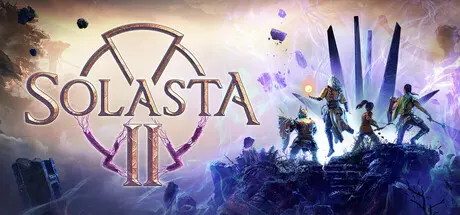
Solasta II Free Download (v0.3.8.99528 + Supporter Pack DLC)
Featured Replies

header.webp

Game Details

Release Name:ย Solasta II

Game Version:ย v0.3.8.99528 | Build 23657582

Release Date: 12 Mar, 2026

Publisher: Tactical Adventures, Kepler Interactive

Developer: Tactical Adventures

Based On:ย CSF & Goldberg

Solasta II Direct Download - Game Review

Create and guide your party of 4 adventurers as they head to the faraway continent of Neokos in a quest driven by their family legacy. In the face of the threat by the ancient and enigmatic Shadwyn, what choices will you make to push back the impending tide of corruption?

Solasta II is a grand sequel to Solasta: Crown of the Magister, a much beloved Tactical RPG known for its faithfulness to the Tabletop experience. Decades after defeating the Sorak menace, a new flegdling party of heroes travels to distant lands in search for redemption.ย 

Solasta II remains true to its promise to deliver gameplay based on the world's most popular TTRPG. Prepare your spells, land that sneak attack, smite this monster - bathe in the familiarity of your Tabletop experience.

But that's not all Solasta II will have to offer. This new opus will also allow you to freely roam the lands of Neokos, to explore and uncover the map as you will. Whether you stick to familiar roads, or head off into the wilderness... The choice is yours. Just be careful - because as we've always said...

You make the choices, dice decide your destiny.


Game Screenshots

screenshot screenshot screenshot screenshot


Game Trailer


System Requirements

Minimum Requirements

Recommended Requirements

OS

Windows 10 64-bit

Windows 11

Processor

Intel Core i7-8700K / AMD Ryzen 5 2600X

Intel Core i7-13700K / AMD Ryzen 9 7900X

Memory

16 GB RAM

16 GB RAM

Graphics

NVIDIA GeForce GTX 1070 8 GB / AMD Radeon 5700 8 GB

Nvidia GeForce 2070 10 GB / AMD Radeon 5700 16 GB

DirectX

Version 12

Version 12

Storage

40 GB available space

40 GB available space


Installation Guide

  1. No Installation Needed: The game is pre-installed. Just download and extract.

  2. Extract: Right-click the .zip or .rar file and select "Extract Here" or "Extract to folder".

  3. Run: Find Solasta_2.exe inside the folder and run it.

Game Data & Settings

  • Change Language: Edit the file located at steam_settings/Configs.user.ini

Important Notes

DLC List

Added DLCs

Solasta II - Supporter Pack

๐Ÿ”ฅDOWNLOAD AREA๐Ÿ”ฅ

๐Ÿ”น29.33 GB๐Ÿ”น

Select the server you want to download with ZeiLink.

Download

  • 2 weeks later...
  • Replies 3
  • Views 1.8k
  • Created
  • Last Reply

Top Posters In This Topic

Posted Images

The game is asking you to connect to Steam, but there is no supporting file to enable the connection, making it impossible to open the game.

  • DicDale changed the title to Solasta II Free Download (v0.3.5.84223 + Supporter Pack DLC)
  • 2 months later...
On 3/23/2026 at 9:42 PM, Javan said:

The game is asking you to connect to Steam, but there is no supporting file to enable the connection, making it impossible to open the game.

Close your Steam app.

  • DicDale changed the title to Solasta II Free Download (v0.3.8.99528 + Supporter Pack DLC)

Create an account or sign in to comment

Recently Browsing 0

  • No registered users viewing this page.

Account

Navigation

Search

Search

๐Ÿ”Ž Search Tip
For exact results, search using "game name" .
Without quotes, results may include unrelated titles.

Configure browser push notifications

Chrome (Android)
  1. Tap the lock icon next to the address bar.
  2. Tap Permissions โ†’ Notifications.
  3. Adjust your preference.
Chrome (Desktop)
  1. Click the padlock icon in the address bar.
  2. Select Site settings.
  3. Find Notifications and adjust your preference.