



Skip to content
View in the app

A better way to browse. Learn more.

ZeiGames

A full-screen app on your home screen with push notifications, badges and more.

To install this app on iOS and iPadOS
  1. Tap the Share icon in Safari
  2. Scroll the menu and tap Add to Home Screen.
  3. Tap Add in the top-right corner.
To install this app on Android
  1. Tap the 3-dot menu (โ‹ฎ) in the top-right corner of the browser.
  2. Tap Add to Home screen or Install app.
  3. Confirm by tapping Install.

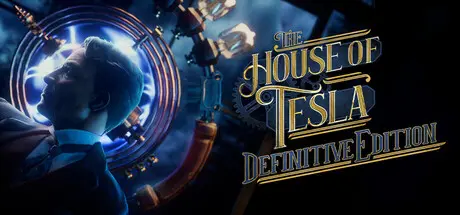
The House of Tesla: Definitive Edition Free Download (v109)
Featured Replies

header.webp

Game Details

Release Name:ย The House of Tesla: Definitive Edition

Game Version:ย v109 | Build 22196800

Release Date: 23 Sep, 2025

Publisher: Blue Brain Games

Developer: Blue Brain Games

Based On:ย CSF & Goldberg

The House of Tesla: Definitive Edition Direct Download - Game Review

We invite you to step into the eerie abandoned halls of Teslaโ€™s Wardenclyffe facility and uncover the story behind one of historyโ€™s greatest unfinished innovations: Nikola Tesla's ambitious vision of wireless electricity transmission. You can expect new handcrafted puzzles, hauntingly beautiful locations and challenges for your brainโ€™s gray (or blue) matter. You will be able to look at the world through the eyes of one of the most famous inventors, the father of electricity, the man behind alternating current, the science wizard, Nikola Tesla.

You will need to be industrious and peer under the surface to prevail.

Science brings mysteries toward the light one by one, strips them of their secrets, and makes them part of something greater. It is true that some myths are rooted too deeply, are too resilient, and even seem like having a mind of their own as they resist men of science trying to shine the light of understanding. But in the end, science and mystery are anything but anathema to each other. On one stormy night, a person was brought to this world. A child of darkness and a child of light, full of mysteries and full of scientific curiosity, just starting to build a myth of their own.

You will explore the eerie abandoned industrial buildings of Nikola Teslaโ€™s most ambitious facility in Wardenclyffe, which was meant to become an important city where the future is today and every societal process is improved upon by the principles of free wireless electrical energy.

Through the eyes of the man himself youโ€™ll watch the important moments that lead to the construction and later to the fall of the famous Wardenclyffe Tower, and slowly uncover the mystery that left you stranded among deserted machines.

  • Fresh locations based on real places and plans of the enigmatic Nikola Tesla

  • Mysterious story from our take on the Progressive Era America

  • New dynamic approach to storytelling using flashbacks into the past

  • Use a device that allows you to see and influence the flow of electricity

  • New handcrafted puzzles to challenge yourself


Game Screenshots

screenshot screenshot screenshot screenshot


Game Trailer


System Requirements

Minimum Requirements

Recommended Requirements

OS

Windows 10

-

Processor

Intel Core i5

-

Memory

16 GB RAM

-

Graphics

Nvidia GeForce GTX 970

-

DirectX

Version 10

-

Storage

10 GB available space

-


Installation Guide

  1. No Installation Needed: The game is pre-installed. Just download and extract.

  2. Extract: Right-click the .zip or .rar file and select "Extract Here" or "Extract to folder".

  3. Run: Find The House of Tesla.exe inside the folder and run it.

Game Data & Settings

  • Change Language: Edit the file located at steam_settings/Configs.user.ini

  • Save Data Location: %USERPROFILE%/AppData/LocalLow/Blue Brain Games/The House of Tesla/

Important Notes

๐Ÿ”ฅDOWNLOAD AREA๐Ÿ”ฅ

๐Ÿ”น6.87 GB๐Ÿ”น

Select the server you want to download with ZeiLink.

Download

  • Views 600
  • Created
  • Last Reply

Posted Images

Create an account or sign in to comment

Recently Browsing 0

  • No registered users viewing this page.

Account

Navigation

Search

Search

๐Ÿ”Ž Search Tip
For exact results, search using "game name" .
Without quotes, results may include unrelated titles.

Configure browser push notifications

Chrome (Android)
  1. Tap the lock icon next to the address bar.
  2. Tap Permissions โ†’ Notifications.
  3. Adjust your preference.
Chrome (Desktop)
  1. Click the padlock icon in the address bar.
  2. Select Site settings.
  3. Find Notifications and adjust your preference.
