



Skip to content
View in the app

A better way to browse. Learn more.

ZeiGames

A full-screen app on your home screen with push notifications, badges and more.

To install this app on iOS and iPadOS
  1. Tap the Share icon in Safari
  2. Scroll the menu and tap Add to Home Screen.
  3. Tap Add in the top-right corner.
To install this app on Android
  1. Tap the 3-dot menu (⋮) in the top-right corner of the browser.
  2. Tap Add to Home screen or Install app.
  3. Confirm by tapping Install.

Ranger’s Path: National Park Simulator Free Download (Build 22275395)
Featured Replies

header.webp

Game Details

Release Name: Ranger’s Path: National Park Simulator

Game Version: Build 22275395

Release Date: 10 Mar, 2026

Publisher: astragon Entertainment

Developer: To-Go Games

Based On: CSF

Ranger’s Path: National Park Simulator Direct Download - Game Review

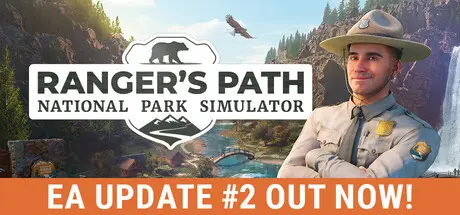
In Ranger’s Path: National Park Simulator, you take on the everyday responsibilities of a real park ranger in the stunning Faremont National Park. Restore and maintain scenic trails, assist visitors, and document wildlife in a living, breathing ecosystem.

You’ll clear blocked paths, care for local flora, fix broken signs, step in when park rules are broken and take on larger assignments across the park – and occasionally drop everything to respond to urgent wildlife sightings or missing hikers. Each day brings new tasks and surprises.

Faremont’s diverse biomes range from dense forests and meadows to winding rivers. With your ranger vehicles, you’ll cover long distances along the park’s road network, reaching remote areas filled with natural landmarks like waterfalls, rock formations, and scenic viewpoints.

As you explore, use your camera to observe animal behavior and expand your personal wildlife lexicon. From elusive wolves and majestic eagles to mischievous raccoons, each species adds life to the park’s biological habitat.

  • Step into the wild: Begin your ranger career in the stunning Faremont National Park

  • Explore diverse biomes: Forests, meadows, and riversides await your protection

  • Support and protect: Maintain trails, assist visitors, restock supplies, and complete transport tasks across the park

  • Engage with visitors: Help hikers, check permits and search backpacks when you encounter suspicious behavior

  • Document wildlife: Discover over ten animal species with multiple subspecies

  • Fill your lexicon: Document animals and plants with your ranger camera

  • Care for nature: Inspect and protect plant life through flora surveys

  • Drive with purpose: Use your ranger vehicles to travel the park’s scenic roads

  • Progress your career: Unlock new systems and items through the park rating system

  • Experience dynamic days: Day-dawn cycles, changing weather, and shifting tasks


Game Screenshots

screenshot screenshot screenshot screenshot


Game Trailer


System Requirements

Minimum Requirements

Recommended Requirements

OS

Windows 10 64-Bit

Windows 10 64-Bit

Processor

Intel Core i3-12100F (3.3Ghz) or AMD Ryzen 3 3100 (3.6 Ghz)

AMD Ryzen 9 7900 (12 Core) or Intel equivalent

Memory

16 GB RAM

32 GB RAM

Graphics

GeForce GTX 2060 8GB or AMD RX 5600 XT

NVIDIA GeForce RTX 4070 (12GB) or AMD Radeon RX 7000 (16GB)

DirectX

Version 12

Version 12

Storage

28 GB available space

28 GB available space


Installation Guide

  1. No Installation Needed: The game is pre-installed. Just download and extract.

  2. Extract: Right-click the .zip or .rar file and select "Extract Here" or "Extract to folder".

  3. Run: Find Bear.exe inside the folder and run it.

Game Data & Settings

  • Save Data Location: %USERPROFILE%/AppData/Local/Bear\Saved\SaveGames

Important Notes

🔥DOWNLOAD AREA🔥

🔹18.92 GB🔹

Select the server you want to download with ZeiLink.

Download

  • Views 908
  • Created
  • Last Reply

Posted Images

Create an account or sign in to comment

Recently Browsing 0

  • No registered users viewing this page.

Account

Navigation

Search

Search

🔎 Search Tip
For exact results, search using "game name" .
Without quotes, results may include unrelated titles.

Configure browser push notifications

Chrome (Android)
  1. Tap the lock icon next to the address bar.
  2. Tap Permissions → Notifications.
  3. Adjust your preference.
Chrome (Desktop)
  1. Click the padlock icon in the address bar.
  2. Select Site settings.
  3. Find Notifications and adjust your preference.
