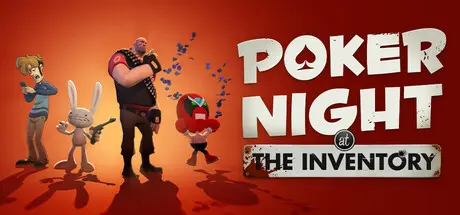
March 6Mar 6 Poker Night at the Inventory Game DetailsRelease Name: Poker Night at the InventoryGame Version: v1.2.0 | Build 22199392Release Date: 5 Mar, 2026Publisher: Skunkape GamesDeveloper: Skunkape GamesBased On: CSF & GoldbergPoker Night at the Inventory Direct Download - Game OverviewRecently reopened following a seismic retrofit, the Inventory is once again the hottest gathering place for video game characters to unwind after a long day on the job. Drop in to play No Limit Texas Hold’em with four familiar faces: Max, Strong Bad, Tycho, and The Heavy.From the archives of Telltale Games, this jokey poker game pits iconic characters against the Player (that’s you!) in a high-stakes battle of cards, bets, and trash talk.Each tournament you win brings you closer to unlocking a new hidden table design or custom card deck, each with new art unique to one of your opponent’s home franchises. Some of the decks and table felts have hidden properties that change the look of a character at the table, or the game itself. Keep an eye out for new unlocks created just for this release.If it’s your lucky night, one of your opponents might be a little light on cash and throw something personal into the pot instead. If you bust them out, whatever they put up goes in your personal trophy case and your Team Fortress 2 backpack!Win these reissued TF2 items by knocking out each opponent when they’re at their most desperate:The Iron Curtain: A minigun adorned with the finest of Soviet irons and mahoganies, this prized member of the people’s munitions cache could belong to just one person instead: You.Enthusiast’s Timepiece: Traditionally acquired strictly through amicicide, the Enthusiast’s Timepiece can be yours to cherish, simply for knocking a man out of a poker tournament.Crimestomper Combo: With the Lugermorph and License to Maim in hand, nothing will stand between you and your life-long dream of being a Freelance Police officer.Dangeresque, Too?: Looks like you’re going to have to jump... into a hot new look! With this brand new pair of Dangeresque shades, you’ll always look and feel your best.In Poker Night, the banter you’ll hear around the table is as much a part of the game as the cards you play. Each opponent brings their own personality to the game, in the stories they tell and the plays they make. Tonight you’ll be playing against:Max: One half of the crime-fighting team known as Sam & Max: Freelance Police, Max is a three-foot-tall hyperkinetic rabbity-thing with no impulse control and an old German Luger hidden somewhere on his person. Where he keeps it is none of your damn business, but you can win it off him if he remembers where he is for long enough to toss it on the table.Strong Bad: Back in the mid 2000s, Strong Bad licensed away his handsome and cool likeness for a point-and-click adventure game, and he’s been stuck doing promotional guest appearances ever since. When not frequenting secret backroom poker games to grouse about how “none of you chumps can handle my style,” he can still be found answering the occasional email at Homestar Runner dot com.Tycho: A connoisseur of life’s finest things, Penny Arcade’s Tycho frequents The Inventory for its storied history, its immense library, the esteemed company one finds around its gaming tables, and the opportunities all of the above provide to absolutely wreck a bunch of fools at cards.The Heavy: A mercenary from Team Fortress 2’s RED team, the Heavy isn’t sure how he got here for tonight’s game or who these strange baby men around the table are. But since he is here, he’ll do what he always does: march forward, slowly squishing the tiny baby men beneath his feet like tiny baby ants. Then he will be the last one standing, and hopefully they’ll let him go home.Actually Follows the Rules of Poker: The team stripped Poker Night’s original poker code down to parts, scraped the gunk away, and rebuilt it better than new. Poker Night at the Inventory now plays a far more accurate game of poker, and your opponents will make more informed decisions that better fit their play style and personality.Poker Night at the Inventory Screenshots Poker Night at the Inventory TrailerPoker Night at the Inventory System RequirementsMinimum RequirementsRecommended RequirementsOSWindows 10 and later versions-ProcessorIntel Core 2 Duo 2.4GHz-Memory2 GB RAM-GraphicsNvidia GTS 450+ with 1024MB+ VRAM (excluding GT)-DirectXVersion 11-Storage1 GB available space-How to Install Poker Night at the InventoryNo Installation Needed: The game is pre-installed. Just download and extract.Extract: Right-click the .zip or .rar file and select "Extract Here" or "Extract to folder".Run: Find CelebrityPoker.exe inside the folder and run it.Game Data & SettingsChange Language: Edit the file located at steam_settings/Configs.user.iniSave Data Location: %USERPROFILE%/My Documents/Skunkape Games/Poker Night at the Inventory RemasteredImportant NotesTo support the Game Developer, Get It On Steam.🔥DOWNLOAD AREA🔥🔹945 MB🔹Select the server you want to download with ZeiLink.Download





Create an account or sign in to comment