



Skip to content
View in the app

A better way to browse. Learn more.

ZeiGames

A full-screen app on your home screen with push notifications, badges and more.

To install this app on iOS and iPadOS
  1. Tap the Share icon in Safari
  2. Scroll the menu and tap Add to Home Screen.
  3. Tap Add in the top-right corner.
To install this app on Android
  1. Tap the 3-dot menu (โ‹ฎ) in the top-right corner of the browser.
  2. Tap Add to Home screen or Install app.
  3. Confirm by tapping Install.

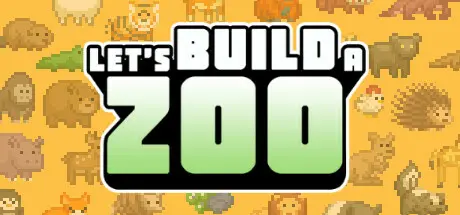
Let's Build a Zoo Free Download (v1.1.16 + ALL DLC)
Featured Replies

header.webp

Game Details

Release Name:ย Let's Build a Zoo

Game Version:ย v1.1.16 | Build 20618772

Release Date: 5 Nov, 2021

Publisher: No More Robots

Developer: Springloaded

Based On:ย CSF & Goldberg

Let's Build a Zoo Direct Download - Game Review

It's time to build a zoo! Let out your wild side, and create your own animal empire with this cute, expansive management sim. Import and breed rare creatures, hire the right staff, keep your visitors happy, and deal with plenty of weird and wonderful events. Then try your hand at DNA Splicing, and stitch together over 300,000 different types of animal, ranging from the majestic Giraffephant to the peaceful PandOwl!

  • Build your own zoo with over 500 different animals at your disposal, then splice together over 300,000 different animal combinations

  • Keep your animals and your visitors happy, with hundreds of buildings, foliage, path and enclosure decorations

  • Hire the perfect employees to deal with a variety of life events

  • Control everything that happens in your park, from what your animals eat to what eats your animals...

  • Decide whether you want to run your Zoo above board... or break the law and pocket the extra cash

Let's Build a Zoo lets you import a variety of animals from other Zoos around the world! Breed your animals and start families to expand your wildlife and fill your enclosures. But if that doesn't suit you... you could just create animals instead! With DNA splicing at your finger tips, you have the power to bind together over 300,000 different types of animal, creating monstrosities and oddities as you go! Ever wondered what a ChicKaka would look like? Now you can find out!


Game Screenshots

screenshot screenshot screenshot screenshot


Game Trailer


System Requirements

Minimum Requirements

Recommended Requirements

OS

Windows 7 or later

Windows 10

Processor

Intel Core i5

High-range Intel Core i5

Memory

2 GB RAM

4 GB RAM

Graphics

NVIDIA GeForce GTX 550/equivalent or higher

NVIDIA GeForce GTX 760/equivalent or higher

DirectX

Version 10

Version 11

Storage

738 MB available space

3 GB available space


Installation Guide

  1. No Installation Needed: The game is pre-installed. Just download and extract.

  2. Extract: Right-click the .zip or .rar file and select "Extract Here" or "Extract to folder".

  3. Run: Find LetsBuildAZoo.exe inside the folder and run it.

Game Data & Settings

  • Change Language: Edit the file located at steam_settings/Configs.user.ini

Important Notes

DLC List

Added DLCs

Let's Build a Zoo: Aquarium Odyssey

Dinosaur Island DLC (Let's Build a Zoo: Dinosaur Island)

๐Ÿ”ฅDOWNLOAD AREA๐Ÿ”ฅ

๐Ÿ”น260 MB๐Ÿ”น

Select the server you want to download with ZeiLink.

Download

  • Views 905
  • Created
  • Last Reply

Posted Images

Create an account or sign in to comment

Recently Browsing 0

  • No registered users viewing this page.

Account

Navigation

Search

Search

๐Ÿ”Ž Search Tip
For exact results, search using "game name" .
Without quotes, results may include unrelated titles.

Configure browser push notifications

Chrome (Android)
  1. Tap the lock icon next to the address bar.
  2. Tap Permissions โ†’ Notifications.
  3. Adjust your preference.
Chrome (Desktop)
  1. Click the padlock icon in the address bar.
  2. Select Site settings.
  3. Find Notifications and adjust your preference.
