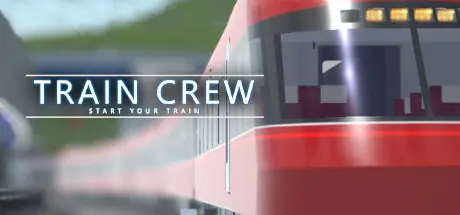
March 5Mar 5 TRAIN CREW Game DetailsRelease Name: TRAIN CREWGame Version: v1.0.20260126.12 | Build 21644493Release Date: 30 Sep, 2021Publisher: Mizotsuki Rail / actyDeveloper: Mizotsuki Rail / actyBased On: CSF & GoldbergTRAIN CREW Direct Download - Game OverviewTrain operation is performed by tilting the handle called a master controller back and forth.Push it toward you to accelerate, and push it back to brake. Basically, you can proceed with the game only with this movement.In addition, you can perform various operations such as horns, buzzer to contact the conductor, and switching viewpoints.You can also check your driving rating after driving.The conductor opens and closes doors, makes in-train announcements, and conducts safety checks.The Tatehama Electric Railway main line connects Otebashi Station to Tatehama Station. At present, the line can operate up and down 28 km of this line from Akayamacho Station to Tatehama Station.This game is OK for live video and distribution. It's okay to monetize your videos and distribution.TRAIN CREW Screenshots TRAIN CREW TrailerTRAIN CREW System Requirements Minimum RequirementsRecommended Requirements OSWindows 10 64-bitWindows 10 64-bit ProcessorIntel Core i5-4210M CPU @ 2.60GHzIntel Core i7-10700K CPU @ 3.80GHz Memory8 GB RAM16 GB RAM GraphicsNVIDIA GeForce GTX 965M (VRAM 6GB or more)NVIDIA GeForce GTX1060 (VRAM 6GB or more) DirectXVersion 11Version 11 Storage5 GB available space5 GB available space How to Install TRAIN CREWNo Installation Needed: The game is pre-installed. Just download and extract.Extract: Right-click the .zip or .rar file and select "Extract Here" or "Extract to folder".Run: Find TRAINCREW.exe inside the folder and run it.Game Data & SettingsChange Language: Edit the file located at steam_settings/Configs.user.iniImportant NotesTo support the Game Developer, Get It On Steam.🔥DOWNLOAD AREA🔥🔹3.28 GB🔹Select the server you want to download with ZeiLink.Download





Create an account or sign in to comment