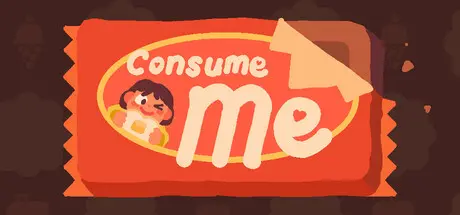
March 4Mar 4 Consume Me Game DetailsRelease Name: Consume MeGame Version: Build 20079653Release Date: 24 Sep, 2025Publisher: HexecutableDeveloper: Jenny Jiao Hsia, AP Thomson, Jie En Lee, Violet W-P, Ken "coda" SnyderBased On: CSF & GoldbergConsume Me Direct Download - Game OverviewBEING A TEENAGER SUCKS. So we made a videogame about it.Hey remember when your parents, your friends, and society at large all conspired to make you feel ugly, lazy, stupid, and unloved despite the brilliant human spirit contained within you? No? Well, allow us to refresh your memory via the timeless medium of a slice-of-life role-playing game!In Consume Me, you take on the role of Jenny, young, in love, and entering her final year of high school. Make meticulous scheduling decisions to maximize your glow-up! Solve the puzzle game of dieting! Evade distractions as you pursue scholarly success! Do chores to get money from mom at a rate much lower than minimum wage!Can you win the heart of the boy of your dreams? Can you hold on to it? Can you chart a course towards a sustainable future? Can you fit just one more TODO goal on your plate, or is it already full to bursting? Most importantly, does any of this matter--either in the game, or in a broader sense? I don't have time to spoil the story here, so I'll just give you a free tip: if you have the spare money, buy some coffee at the corner store and drink it for an extra free-time unit.A darkly funny coming-of-age story: You'll laugh, you'll cry, you'll get a little hungry, sometimes all at the same time! Sorry about that!Every meal a puzzle: Eat your lunch, but be careful not too eat too much. Also, try not to eat too little either. Throw any food you don't want to the dog. It's fine, she's not on a diet!Gripping strategic decision making: A limited amount of time and an unlimited number of things to do!? This classic combination introduces the ultimate strategic question: How should you be spending your time? It's up to you to answer this question...every day of your life!Obtain powerful equipment: Choose from a selection of garments that help you dress for success. But be warned, the armor of this world degrades after a mere single day of use...until you renew it via that ancient ritual known only as "laundry."Over 13 possible endings: Most of them bad!Consume Me Screenshots Consume Me TrailerConsume Me System Requirements Minimum RequirementsRecommended Requirements OSWindows 7 or later- Processorx64 architecture- Memory2 GB RAM- GraphicsOpenGL or DirectX 9 compatible graphics card.- DirectXVersion 9.0c- Storage3 GB available space- How to Install Consume MeNo Installation Needed: The game is pre-installed. Just download and extract.Extract: Right-click the .zip or .rar file and select "Extract Here" or "Extract to folder".Run: Find Consume Me.exe inside the folder and run it.Game Data & SettingsChange Language: Edit the file located at steam_settings/Configs.user.iniSave Data Location: %USERPROFILE%/AppData/LocalLow/Qdork/ConsumeMe2020/Important NotesTo support the Game Developer, Get It On Steam.🔥DOWNLOAD AREA🔥🔹508 MB🔹Select the server you want to download with ZeiLink.Download





Create an account or sign in to comment