



Skip to content
View in the app

A better way to browse. Learn more.

ZeiGames

A full-screen app on your home screen with push notifications, badges and more.

To install this app on iOS and iPadOS
  1. Tap the Share icon in Safari
  2. Scroll the menu and tap Add to Home Screen.
  3. Tap Add in the top-right corner.
To install this app on Android
  1. Tap the 3-dot menu (โ‹ฎ) in the top-right corner of the browser.
  2. Tap Add to Home screen or Install app.
  3. Confirm by tapping Install.

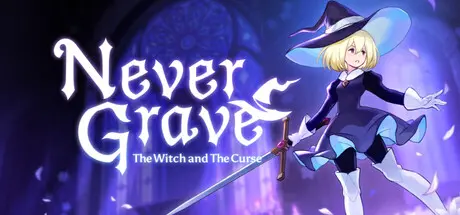
Never Grave: The Witch and The Curse Free Download (v1.2c.s0 + Art Book DLC)
Featured Replies

header.webp

Game Details

Release Name:ย Never Grave: The Witch and The Curse

Game Version:ย v1.2c.s0 | Build 21760562

Release Date: 4 Mar, 2026

Publisher: Pocketpair Publishing

Developer: Frontside 180

Based On:ย CSF & Goldberg

Never Grave: The Witch and The Curse Direct Download - Game Review

Never Grave is 2D action game where you journey with the aid of a cursed hat. Identify enemy attacks, fight with magic, and sometimes use the terrain to win! Dungeons such as ruins and botanical gardens are auto-generated and change each time you play. Furthermore, there are obstacles and puzzles waiting to block the player's path in the dungeons.

Possess enemies using a cursed hat. Use unique abilities from your possessed enemies to open up avenues of action and gain an advantage in battle!

Use materials collected in the dungeons to clear the rubble of ruined villages, build new facilities and cultivate crops in the fields. Prepare for your next battles at your village! Cook food and take advantage of skill trees to grow more powerful!

Multiplayer support for up to four players. Call your friends from other worlds and conquer dungeons together!

  • Metroidvania x Roguelite with an emphasis on exploration.

  • Sophisticated and tactilely designed player character controls.

  • Possession system where hats can possess enemies and use their unique abilities.

  • Traditional Japanese hand-drawn limited animation is used for character 2D animation.

  • Thickly painted backgrounds with depth, as if you are travelling through a world of picture books and cut-out pictures.

  • Learn actions such as double-jump from artefacts to explore new areas.

  • Constantly changing play style depending on the synergy of "traits" associated with magic and items.

  • Intense battles with tough bosses. It will take more than just memorizing boss patterns to defeat them without taking damage...

  • Rebuild your village. Strengthen yourself through building and production to prepare for the next adventure.

  • Explore different terrain each time you play through procedurally generated dungeons.

  • Multiplayer support. Up to four players can delve into the dungeon together!


Game Screenshots

screenshot screenshot screenshot screenshot


Game Trailer


System Requirements

Minimum Requirements

Recommended Requirements

OS

Windows 7 (64bit) or later

Windows 10 (64bit)

Processor

Intel Core i3 6100

Intel Core i5 3470

Memory

4 GB RAM

4 GB RAM

Graphics

GeForce GTX 560

GeForce GTX 1050

DirectX

-

-

Storage

4 GB available space

4 GB available space


Installation Guide

  1. No Installation Needed: The game is pre-installed. Just download and extract.

  2. Extract: Right-click the .zip or .rar file and select "Extract Here" or "Extract to folder".

  3. Run: Find NeverGrave.exe inside the folder and run it.

Game Data & Settings

  • Change Language: Edit the file located at steam_settings/Configs.user.ini

  • Save Data Location: */Save

Important Notes

DLC List

Added DLCs

Never Grave Art Book

๐Ÿ”ฅDOWNLOAD AREA๐Ÿ”ฅ

๐Ÿ”น660 MB๐Ÿ”น

Select the server you want to download with ZeiLink.

Download

  • Views 895
  • Created
  • Last Reply

Posted Images

Create an account or sign in to comment

Recently Browsing 0

  • No registered users viewing this page.

Account

Navigation

Search

Search

๐Ÿ”Ž Search Tip
For exact results, search using "game name" .
Without quotes, results may include unrelated titles.

Configure browser push notifications

Chrome (Android)
  1. Tap the lock icon next to the address bar.
  2. Tap Permissions โ†’ Notifications.
  3. Adjust your preference.
Chrome (Desktop)
  1. Click the padlock icon in the address bar.
  2. Select Site settings.
  3. Find Notifications and adjust your preference.
