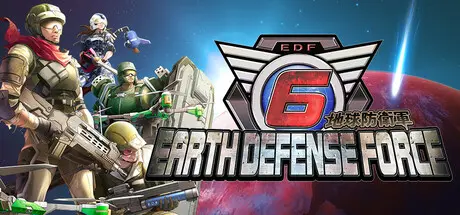
March 4Mar 4 EARTH DEFENSE FORCE 6 Game DetailsRelease Name: EARTH DEFENSE FORCE 6Game Version: Build 17055427Release Date: 25 Jul, 2024Publisher: D3PUBLISHERDeveloper: SANDLOTBased On: CSF & GoldbergEARTH DEFENSE FORCE 6 Direct Download - Game OverviewThe year is 2024 AD. Mankind has won the long battle against the unknown invaders. The enemy Primers are now gone and peace has returned to Mother Earth. However, the population has shrunk to 10% and the world was on the verge of collapse. The survivors fought against the remaining threats while trying their best to continue their recovery. Three years passed in the year 2027. In a new world without hope, the time has come to once again resist the fate of the Earth.EARTH DEFENSE FORCE 6 Screenshots EARTH DEFENSE FORCE 6 TrailerEARTH DEFENSE FORCE 6 System Requirements Minimum RequirementsRecommended Requirements OSWindows 10Windows 10, Windows 11 ProcessorIntel Core i7 3770, AMD Ryzen 3 1200Intel Core i7 8700K, AMD Ryzen 5 3600 Memory8 GB RAM16 GB RAM GraphicsNVIDIA GeForce GTX 1060, AMD Radeon RX 580NVIDIA GeForce GTX 1070, AMD Radeon RX VEGA 56 DirectXVersion 11Version 11 Storage45 GB available space45 GB available space How to Install EARTH DEFENSE FORCE 6No Installation Needed: The game is pre-installed. Just download and extract.Extract: Right-click the .zip or .rar file and select "Extract Here" or "Extract to folder".Run: Find EDF6.exe inside the folder and run it.Game Data & SettingsChange Language: Edit the file located at steam_settings/Configs.user.iniSave Data Location: %USERPROFILE%/AppData/Local/EarthDefenceForce6/SAVE_DATA/Important NotesTo support the Game Developer, Get It On Steam.DLC ListAdded DLCsEARTH DEFENSE FORCE 6 - Exclusive DLC: Recruiter (Takanashi Kiara)EARTH DEFENSE FORCE 6 - Exclusive DLC: Recruiter (Gawr Gura)EARTH DEFENSE FORCE 6 - Exclusive DLC: Recruiter (IRyS)EARTH DEFENSE FORCE 6 - Additional Mission Pack 2: Visions of MaliceEARTH DEFENSE FORCE 6 - Additional Mission Pack 1: Lost DaysEARTH DEFENSE FORCE 6 - Exclusive DLC: Recruiter (Shirakami Fubuki)EARTH DEFENSE FORCE 6 - Exclusive DLC: Recruiter (Ookami Mio)EARTH DEFENSE FORCE 6 - Exclusive DLC: Recruiter (Nakiri Ayame)EARTH DEFENSE FORCE 6 - Strengthening Parts for Fencer: Gunner's ExoskeletonEARTH DEFENSE FORCE 6 - Fencer Weapons: Proto ReflectorEARTH DEFENSE FORCE 6 - Fencer Weapons: Power Blade ZeroEARTH DEFENSE FORCE 6 - Fencer Weapons: 'OneeChanbara ORIGIN' illustrated 'Disguised Body Pillow'.EARTH DEFENSE FORCE 6 - Wing Diver Support Device: Reverse Core Type NEARTH DEFENSE FORCE 6 - Wing Diver Independently Operated Equipment: Handy Saber Type 0EARTH DEFENSE FORCE 6 - Ranger Weapons: Aerial Reverser M0EARTH DEFENSE FORCE 6 - Ranger Weapons: A60 Binary RoundEARTH DEFENSE FORCE 6 - Ranger Weapons: Broken MR98 FangEARTH DEFENSE FORCE 6 - Air Raider Piloted Weapons: Powered Exoskeleton Nix Metal CoatEARTH DEFENSE FORCE 6 - Air Raider Boarding Weapons: Naegling No. 6EARTH DEFENSE FORCE 6 - Ranger Piloted Weapons: Blacker No. 6EARTH DEFENSE FORCE 6 - Air Raider Boarding Weapons: Eros No. 6EARTH DEFENSE FORCE 6 - Ranger Boarding Weapons: Free Bike No. 6🔥DOWNLOAD AREA🔥🔹37.28 GB🔹Select the server you want to download with ZeiLink.Download





Create an account or sign in to comment