



Skip to content
View in the app

A better way to browse. Learn more.

ZeiGames

A full-screen app on your home screen with push notifications, badges and more.

To install this app on iOS and iPadOS
  1. Tap the Share icon in Safari
  2. Scroll the menu and tap Add to Home Screen.
  3. Tap Add in the top-right corner.
To install this app on Android
  1. Tap the 3-dot menu (โ‹ฎ) in the top-right corner of the browser.
  2. Tap Add to Home screen or Install app.
  3. Confirm by tapping Install.

Mark of the Ninja Free Download (Build 5908116 + Special Edition DLC)
Featured Replies

header.webp

Game Details

Release Name:ย Mark of the Ninja

Game Version:ย Build 5908116

Release Date:

Publisher: Microsoft Studios

Developer: Klei Entertainment

Based On:ย CSF & Goldberg

Mark of the Ninja Direct Download - Game Review

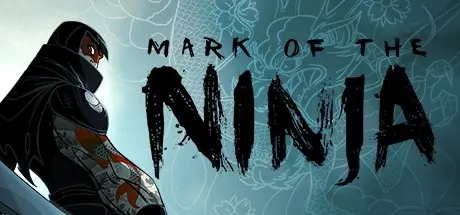
In Mark of the Ninja, you'll know what it is to truly be a ninja. You must be silent, agile and clever to outwit your opponents in a world of gorgeous scenery and flowing animation. Marked with cursed tattoos giving you heightened senses, every situation presents you with options. Will you be an unknown, invisible ghost, or a brutal, silent assassin?
Upgrade new tools and techniques that suit your playstyle and complete optional objectives to unlock entirely new ways to approach the game. Finish the main story to unlock a New Game Plus mode with even more options and challenges.

  • True Stealth Experience - Player-centric gameplay rewards choice, be it finishing the game without killing anyone or assassinating all who stand in your way

  • Stunning Visuals - Unique 2D visual style featuring award-winning animation and hand-painted environments

  • Custom PC Controls - Custom keyboard and mouse PC controls in addition to gamepad support

  • Deep Experience - Each level has three score challenges, optional objectives and hidden collectibles. A diversity of unlockable abilities, items and playstyles allow exploring many avenues of play

  • New Game Plus - Finish the game and unlock this mode, offering new challenges and rewards


Game Screenshots

screenshot screenshot screenshot screenshot


Game Trailer


System Requirements

Minimum Requirements

Recommended Requirements

OS

Windows XP SP3, Windows Vista SP2, Windows 7 SP1

Windows XP SP3, Windows Vista SP2, Windows 7 SP1

Processor

AMD Phenom 9750 or Pentium D 800+

Intel Core 2 Duo or AMD Athlon 64 X2 5600+

Memory

2 GB RAM

2 GB RAM

Graphics

NVIDIAยฎ GeForceยฎ 7800 GT or ATI Radeonโ„ข HD 3000+ or better

NVIDIAยฎ 9600GT or ATI Radeonโ„ข HD 5000+ or better

DirectX

9.0c

9.0c

Storage

2.5 GB HD space

2.5 GB HD space


Installation Guide

  1. No Installation Needed: The game is pre-installed. Just download and extract.

  2. Extract: Right-click the .zip or .rar file and select "Extract Here" or "Extract to folder".

  3. Run: Find bin/game.exe inside the folder and run it.

Game Data & Settings

  • Change Language: Edit the file located at steam_settings/Configs.user.ini

Important Notes

DLC List

Added DLCs

Mark of the Ninja: Special Edition DLC

๐Ÿ”ฅDOWNLOAD AREA๐Ÿ”ฅ

๐Ÿ”น2.34 GB๐Ÿ”น

Select the server you want to download with ZeiLink.

Download

  • Replies 3
  • Views 1.1k
  • Created
  • Last Reply

Top Posters In This Topic

Posted Images

Just now tested the game....it seems to run, but when I clicked on the "Download Content" option I get this message....

Project1.jpg

Does that mean something isn't fully working? I've had this game for years...the regular version...I've never played the Special Edition. Is this screen telling me that the Special Edition DLC isn't accessible?

1 minute ago, DicDale said:

The DLC Steam page has been deleted so the DLC may no longer be accessible. The DLC files are present in the game.

Oh...so that means it should just flow as normal, but with the DLC included then?

If so, thanx a lot. This is one of my all time favorites.

Create an account or sign in to comment

Recently Browsing 0

  • No registered users viewing this page.

Account

Navigation

Search

Search

๐Ÿ”Ž Search Tip
For exact results, search using "game name" .
Without quotes, results may include unrelated titles.

Configure browser push notifications

Chrome (Android)
  1. Tap the lock icon next to the address bar.
  2. Tap Permissions โ†’ Notifications.
  3. Adjust your preference.
Chrome (Desktop)
  1. Click the padlock icon in the address bar.
  2. Select Site settings.
  3. Find Notifications and adjust your preference.
