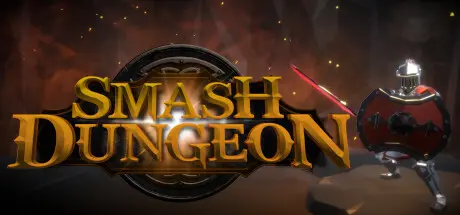
February 23Feb 23 Smash Dungeon Game DetailsRelease Name: Smash DungeonGame Version: v1.1.2 | Build 13435794Release Date: 24 Jul, 2023Publisher: Plastic Cow GamesDeveloper: Plastic Cow GamesBased On: CSF & GoldbergSmash Dungeon Direct Download - Game Overview Milrendir is said to be brimming with riches long forgotten, left behind after the Dwarves that inhabited were forced out of the area by something sinister. You (and a friend? co-op) are the latest to attempt to plunder the depths of the stronghold, in your quest for untold wealth. What you were not told is that many before you have tried, and none have returned. In the depths of Milrendir something evil stirs. Do you have what it takes to destroy the evil within, claim the riches that lie beneath and more importantly be return with the prize?Smash Dungeon is a new game from indie developer Plastic Cow Games taking inspiration from arcade classics to bring you procedurally generated dungeon mayhem creating dungeons with traps, secret areas, shops and special rooms.There are many enemies to defeat in the dungeons beneath Milrendir, from shambling skeletons, charging metal hulks, exploding skull tossing crawlers, farting pigs and more - and that's before you reach the bosses.To help aid you in your quest for riches there are many Relics scattered throughout the dungeon such as a Dragons Tooth granting a chance to ignite an enemy, Orbs of protection, and many different types of Armour to help bolster your feeble stats and many more. Who knows you may even find some Legendary Relics.To further help in your quest some enemies drop single use items such as bombs that can kill enemies or uncover secret areas, phoenix flames to incinerate your foe, extra health and more. Not to mention Weapon Boosts which can provide chain lightning, projectile slash effects and repel giving you that little extra to clear a room.Runes are sometimes granted when you clear a room of enemies. These give the ability to passively improve your character from areas like attack & defense to defying death itself and more.Smash Dungeon Screenshots Smash Dungeon TrailerSmash Dungeon System Requirements Minimum RequirementsRecommended Requirements OSWindows 7 SP1+- Processor2.4 GHz Dual Core- Memory4 GB RAM- Graphics512 MB NVIDIA GeForce 9800 / ATI Radeon HD 2600 XT- DirectXVersion 10- Storage2 GB available space- How to Install Smash DungeonNo Installation Needed: The game is pre-installed. Just download and extract.Extract: Right-click the .zip or .rar file and select "Extract Here" or "Extract to folder".Run: Find SmashDungeon.exe inside the folder and run it.Game Data & SettingsChange Language: Edit the file located at steam_settings/Configs.user.iniSave Data Location: %USERPROFILE%/AppData/LocalLow/Plastic Cow Games/SmashDungeon/SlotsImportant NotesTo support the Game Developer, Get It On Steam.🔥DOWNLOAD AREA🔥🔹720 MB🔹Select the server you want to download with ZeiLink.Download





Create an account or sign in to comment