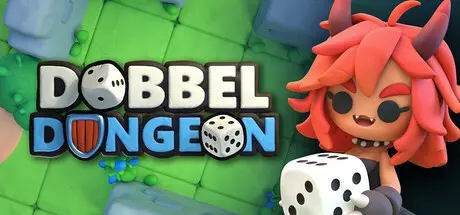
February 22Feb 22 Dobbel Dungeon Game DetailsRelease Name: Dobbel DungeonGame Version: v1.0.8 | Build 22021966Release Date: 16 Feb, 2026Publisher: GamepieDeveloper: GamepieBased On: CSF & GoldbergDobbel Dungeon Direct Download - Game OverviewAs a magical shockwave swept across the land, all sorts of wildlife suddenly transformed into monstrous versions of themselves and started rebelling against the locals… Gather your party, roll your dice and battle across the islands to put an end to this curse once and for all!Become a master dice-manipulator and tactician as you set out on a quest to end the mysterious curse! Begin each adventure by selecting a party of 3 heroes, each with their own unique skill set and playstyle, before venturing out into the wild.Rescue new heroes along the way, find powerful build-defining items and spend your hard-earned gold at that little shop whose owner you just saved from certain doom! The decisions you make and quests you complete during each run will help your heroes improve in unique ways each time you play.Characters roll their dice at the start of their turn, which they can then use to power their various actions. There are no hit-or-miss systems in Dobbel Dungeon. Instead, as long as you have the required dice, your actions will execute exactly as described, giving you the opportunity to carefully plan around your rolls each turn!Of course, if you find yourself disagreeing with your dice, there are ways to ‘gently nudge’ them in the right direction via various manipulative actions gained through items and skills!Are you getting smacked around too much? Do you need more dice to fuel your vast array of actions? Or are you always just one step away from your target? Then go and get yourself some quality items to gain a tactical advantage!But wait, there’s more! Besides boosting your stats, certain items may also provide additional actions, passive effects or even modifications to your skills! Customization galore!With every quest and bonus objective you complete, you will gain valuable skill points to distribute amongst your heroes’ skill trees. As you invest more points into a hero, more powerful skills will become available.Skill points are a shared commoddity though, so spend them wisely! And if your build didn’t pan out this time, you can always try something completely different in your next adventure!Dobbel Dungeon Screenshots Dobbel Dungeon TrailerDobbel Dungeon System Requirements Minimum RequirementsRecommended Requirements OSWindows 10Windows 10 ProcessorDual Core 2.4 GHzDual Core 3.0 GHz+ Memory6 GB RAM8 GB RAM Graphics2GB VRAM4GB VRAM DirectXVersion 10Version 10 Storage1 GB available space1 GB available space How to Install Dobbel DungeonNo Installation Needed: The game is pre-installed. Just download and extract.Extract: Right-click the .zip or .rar file and select "Extract Here" or "Extract to folder".Run: Find Dobbel Dungeon.exe inside the folder and run it.Game Data & SettingsChange Language: Edit the file located at steam_settings/Configs.user.iniImportant NotesTo support the Game Developer, Get It On Steam.🔥DOWNLOAD AREA🔥🔹849 MB🔹Select the server you want to download with ZeiLink.Download





Create an account or sign in to comment