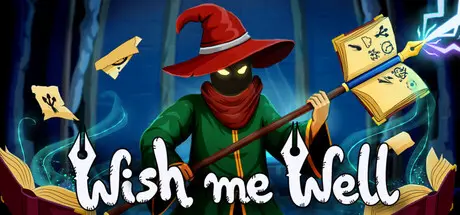
February 19Feb 19 Wish Me Well Game DetailsRelease Name: Wish Me WellGame Version: v0.8.0.05 | Build 21976138Release Date: 16 Feb, 2026Publisher: Starrow CastlesDeveloper: Starrow CastlesBased On: CSF & GoldbergWish Me Well Direct Download - Game OverviewJump into the Magic Well to enter the world of books. Traverse procedurally generated arcane dungeons, fight unique ink monsters and become a powerful wizard who gathered all the wisdom.Combine magical scrolls and spells found in the books to craft a customizable magic gun as you descend deeper into the well. Create a single, devastating projectile unleashing immense destruction in a single strike or trigger a chain of projectiles one after another. Experiment with builds to reach mastery.With each run, unlock new items, spells and dungeon rooms that permanently expand future playthroughs. Level up your wizard and adapt your builds to face new challenges.Every run is a unique experience. Unlock new scrolls, discover powerful spell combinations and synergies and create builds that best suit your playstyle.Create a custom magic gun using powerful spell combinationsProcedurally generated levels ensure no two runs are the sameFight ink monsters and challenging bossesUnlock dozens of scrolls and magical itemsEasy-to-learn combat systemHi! We're Adrian and Krzysztof, two friends creating this game. We've put a lot of love and determination into making our dream come true with our very first title - Wish Me Well.Please keep in mind that we're very small studio at the beginning of game-creating journey and while we've done our best to give you the best possible experience it may have its flaws.Thank you for giving us and our game a try and have fun playing it!Wish Me Well Screenshots Wish Me Well TrailerWish Me Well System Requirements Minimum RequirementsRecommended Requirements OSWindows 10- ProcessorDual Core 2.4 GHz- Memory4 GB RAM- Graphicswith 1024 VRAM- DirectXVersion 10- Storage2000 MB available space- How to Install Wish Me WellNo Installation Needed: The game is pre-installed. Just download and extract.Extract: Right-click the .zip or .rar file and select "Extract Here" or "Extract to folder".Run: Find Wish Me Well.exe inside the folder and run it.Game Data & SettingsChange Language: Edit the file located at steam_settings/Configs.user.iniImportant NotesTo support the Game Developer, Get It On Steam.🔥DOWNLOAD AREA🔥🔹136 MB🔹Select the server you want to download with ZeiLink.Download
August 10Aug 10 there is no wish me well when unpacking the download only a setup.exe that is not working.
August 10Aug 10 Author 7 minutes ago, Neyura said:there is no wish me well when unpacking the download only a setup.exe that is not working.Lol, there are guides available everywhere to help you download the correct file, yet people are still downloading the wrong one and posting about it here. You just need to learn to read guide.
August 12Aug 12 the right files didnt show up this time then. Not the first download i had. ;). then the problem is not that its the wrong file, but the right file to show up after clicking and closing those wrong pages.
August 12Aug 12 Author 9 minutes ago, Neyura said:the right files didnt show up this time then. Not the first download i had. ;). then the problem is not that its the wrong file, but the right file to show up after clicking and closing those wrong pages.Yeah, akirabox generally work like this. I no more use this hosts for a new uploads. But almost all hosts use same method. So you need to read guide before a download.





Create an account or sign in to comment