



Skip to content
View in the app

A better way to browse. Learn more.

ZeiGames

A full-screen app on your home screen with push notifications, badges and more.

To install this app on iOS and iPadOS
  1. Tap the Share icon in Safari
  2. Scroll the menu and tap Add to Home Screen.
  3. Tap Add in the top-right corner.
To install this app on Android
  1. Tap the 3-dot menu (โ‹ฎ) in the top-right corner of the browser.
  2. Tap Add to Home screen or Install app.
  3. Confirm by tapping Install.

Rock of Ages 2 Free Download (Build 2469548 + ALL DLC + Online)
Featured Replies

header.webp

Game Details

Release Name:ย Rock of Ages 2

Game Version:ย Build 2469548

Release Date: 28 Aug, 2017

Publisher: SEGA

Developer: ACE Team

Based On:ย CSF & Goldberg

Rock of Ages 2 Direct Download - Game Review

Available to purchase for $1.99!
The pack sees the return of the Smiley boulder and Sisyphus avatar, along with 3 new army banners.

  • Owners of the original Rock of Ages get this DLC free!

  • Soundtrack included here on Steam only! Find it in: Steam\SteamApps\common\Rock of Ages 2\Original Soundtrack
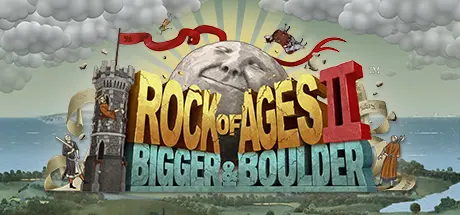
    The greatest โ€œgiant rocks rolling through historical/artistic agesโ€ tower defense game is back with Rock of Ages 2: Bigger & Boulder. Just like the title says, Bigger &Boulder cranks up the surrealism and gameplay to be, wellโ€ฆ BIGGER AND BOULDER. With an emphasis on the chaotic new multiplayer for up to four rock-rollers, new time periods, and improved graphics, physics, and destructibility powered by Unreal Engine 4, players will need to be ready for some intense rocking and rolling.


The Monty Python-esque humor is turned up to 11, as players literally rock and roll through the ages. Humorous animated vignettes will also make a return in full force, so famous historical figures beware!


A little friendly competition never hurt anyone, so thatโ€™s why ACE Team decided to improve the multiplayer feature of the game. Play with a friend in local split-screen or up to four players online in a 2v2 match to the death, all with the ability to customize banners and colors for your units and more. Oh, and did we mention that opposing tracks can now intersect each other?


Just like in the original game, ACE Team has created various levels inspired by the greatest art periods in history. Players will gaze upon exquisite art from the Egyptians, Late Gothic era, Early Renaissance, and Surrealist movement, as they carve a path of destruction with their rolling rocks of doom!


Game Screenshots

screenshot screenshot screenshot screenshot


Game Trailer


System Requirements

Minimum Requirements

Recommended Requirements

OS

64-Bit Windows 7 Service Pack 1, or Windows 8

-

Processor

2 GHz Dual-Core 64-bit CPU

-

Memory

4 GB RAM

-

Graphics

DirectX10 Compatible GPU with 1 GB Video RAM

-

DirectX

Version 10

-

Storage

6 GB available space

-


Installation Guide

  1. No Installation Needed: The game is pre-installed. Just download and extract.

  2. Extract: Right-click the .zip or .rar file and select "Extract Here" or "Extract to folder".

  3. Run: Find ROA2.exe inside the folder and run it.

Multiplayer & Online (Optional)

  • Play Online: Download the Online Fix file and apply it to the game folder.

  • Please go to the online fix page and read the guide.

Game Data & Settings

  • Change Language: Edit the file located at steam_settings/Configs.user.ini

  • Save Data Location: %USERPROFILE%/AppData/Local/ROA2/Saved/SaveGames

Important Notes

DLC List

Added DLCs

Rock of Ages 2 - Binding of Isaac Pack

Rock of Ages 2 - Classic Pack (Rock of Ages 2 - Classic Pack + Soundtrack)

๐Ÿ”ฅDOWNLOAD AREA๐Ÿ”ฅ

๐Ÿ”น4.27 GB๐Ÿ”น

Select the server you want to download with ZeiLink.

Download

Online Fix - (RAR pass: rexagames.com)

  • Views 1k
  • Created
  • Last Reply

Posted Images

Create an account or sign in to comment

Recently Browsing 0

  • No registered users viewing this page.

Account

Navigation

Search

Search

๐Ÿ”Ž Search Tip
For exact results, search using "game name" .
Without quotes, results may include unrelated titles.

Configure browser push notifications

Chrome (Android)
  1. Tap the lock icon next to the address bar.
  2. Tap Permissions โ†’ Notifications.
  3. Adjust your preference.
Chrome (Desktop)
  1. Click the padlock icon in the address bar.
  2. Select Site settings.
  3. Find Notifications and adjust your preference.
