



Skip to content
View in the app

A better way to browse. Learn more.

ZeiGames

A full-screen app on your home screen with push notifications, badges and more.

To install this app on iOS and iPadOS
  1. Tap the Share icon in Safari
  2. Scroll the menu and tap Add to Home Screen.
  3. Tap Add in the top-right corner.
To install this app on Android
  1. Tap the 3-dot menu (โ‹ฎ) in the top-right corner of the browser.
  2. Tap Add to Home screen or Install app.
  3. Confirm by tapping Install.

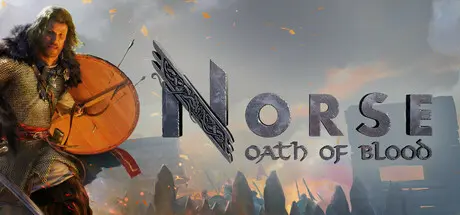
NORSE: Oath of Blood Free Download (v1.0.0 + ALL DLC)
Featured Replies

header.webp

Game Details

Release Name:ย NORSE: Oath of Blood

Game Version:ย v1.0.0 | Build 21923162

Release Date: 17 Feb, 2026

Publisher: Tripwire Presents

Developer: Arctic Hazard

Based On:ย CSF & Goldberg

NORSE: Oath of Blood Direct Download - Game Review

  • Take on the role of Gunnar, a young warrior forced into exile after his father, Jarl Gripr, is killed by the ruthless Steinarr Far-Spear.ย 

  • With his home destroyed and his people scattered, youโ€™ll guide Gunnar as he rebuilds his settlement, forms strategic alliances, and leads his warband in a relentless pursuit of vengeance.

  • Engage in turn-based battles where positioning, unit synergy, and terrain matter.
    Use elevation, flanking, and environmental hazards to your advantage.ย 

  • Each warrior has a unique skillset. Deploy them strategically to control the field and outsmart your enemies.

  • Recruit and train a variety of fighters, each with customizable gear and upgradeable abilities that shape your tactical options.

  • Oversee your Viking village as it grows from a small camp into a thriving stronghold.

  • Assign villagers to roles, manage resources, and upgrade buildings to unlock new units and equipment.

  • Scavenge the wilds, trade with allies, and gather key resources to craft authentic weapons and armor.

  • Upgrade your smithy, armory, and workshops to gain access to advanced equipment that directly impacts your combat effectiveness and village resilience.

  • Will you be able to lead Gunnar to triumph and restore his fatherโ€™s legacy, or will the treachery of Steinarr Far-Spear be the end of your saga? The fate of your people lies in your hands.

  • Written by bestselling author Giles Kristian, NORSE: Oath of Blood delivers an unforgettable, immersive saga where your decisions will determine the fate of a people.


Game Screenshots

screenshot screenshot screenshot screenshot


Game Trailer


System Requirements

Minimum Requirements

Recommended Requirements

OS

Windows 10 64-bit or higher

Windows 10 64-bit or higher

Processor

Ryzen 7 1700X / Core i7-7700K

Ryzen 5 5600X / Core i5-12400

Memory

16 GB RAM

16 GB RAM

Graphics

Radeon RX 590 / GeForce GTX 1660

Radeon RX 6700XT / GeForce RTX 3070

DirectX

Version 12

Version 12

Storage

60 GB available space

60 GB available space


Installation Guide

  1. No Installation Needed: The game is pre-installed. Just download and extract.

  2. Extract: Right-click the .zip or .rar file and select "Extract Here" or "Extract to folder".

  3. Run: Find NORSE.exe inside the folder and run it.

Game Data & Settings

  • Change Language: Edit the file located at steam_settings/Configs.user.ini

Important Notes

DLC List

Added DLCs

Preorder DLC (NORSE: Oath of Blood - Preorder DLC)

Special Edition DLC (NORSE: Oath of Blood - Special Edition DLC)

๐Ÿ”ฅDOWNLOAD AREA๐Ÿ”ฅ

๐Ÿ”น46.37 GB๐Ÿ”น

Select the server you want to download with ZeiLink.

Download

  • Views 841
  • Created
  • Last Reply

Posted Images

Create an account or sign in to comment

Recently Browsing 0

  • No registered users viewing this page.

Account

Navigation

Search

Search

๐Ÿ”Ž Search Tip
For exact results, search using "game name" .
Without quotes, results may include unrelated titles.

Configure browser push notifications

Chrome (Android)
  1. Tap the lock icon next to the address bar.
  2. Tap Permissions โ†’ Notifications.
  3. Adjust your preference.
Chrome (Desktop)
  1. Click the padlock icon in the address bar.
  2. Select Site settings.
  3. Find Notifications and adjust your preference.
