



Skip to content
View in the app

A better way to browse. Learn more.

ZeiGames

A full-screen app on your home screen with push notifications, badges and more.

To install this app on iOS and iPadOS
  1. Tap the Share icon in Safari
  2. Scroll the menu and tap Add to Home Screen.
  3. Tap Add in the top-right corner.
To install this app on Android
  1. Tap the 3-dot menu (โ‹ฎ) in the top-right corner of the browser.
  2. Tap Add to Home screen or Install app.
  3. Confirm by tapping Install.

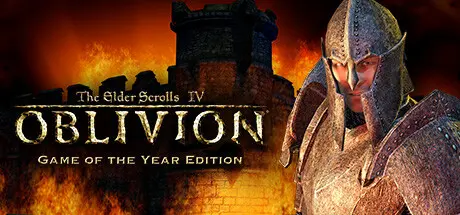
The Elder Scrolls IV: Oblivion Game of the Year Edition (2009) Free Download (Build 1510065 + DLC)

Featured Replies

header.webp

Game Details

Release Name:ย The Elder Scrolls IV: Oblivionยฎ Game of the Year Edition (2009)

Game Version:ย Build 1510065

Release Date: 16 Jun, 2009

Publisher: Bethesda Softworks

Developer: Bethesda Game Studios

Based On:ย CSF & Steamless

The Elder Scrolls IV: Oblivionยฎ Game of the Year Edition (2009) Direct Download - Game Review

The Elder Scrolls IV: Oblivionยฎ Game of the Year Edition presents one of the best RPGs of all time like never before. Step inside the most richly detailed and vibrant game-world ever created. With a powerful combination of freeform gameplay and unprecedented graphics, you can unravel the main quest at your own pace or explore the vast world and find your own challenges.

Also included in the Game of the Year edition are Knights of the Nine and the Shivering Isles expansion, adding new and unique quests and content to the already massive world of Oblivion. See why critics called Oblivion the Best Game of 2006.

  • Create and play any character you can imagine, from the noble warrior to the sinister assassin to the wizened sorcerer.

  • An all-new combat and magic system brings first person role-playing to a new level of intensity where you feel every blow.

  • This groundbreaking AI system gives Oblivion's characters full 24/7 schedules and the ability to make their own choices based on the world around them. Non-player characters eat, sleep, and complete goals all on their own.

  • In the Shivering Isles expansion, see a world created in Sheogorath's own image, one divided between Mania and Dementia and unlike anything you've experienced in Oblivion.

  • Battle the denizens of Shivering Isles, a land filled with hideous insects, Flesh Atronachs, skeletal Shambles, amphibious Grummites, and many more.

  • The Knights of the Nine have long been disbanded. Reclaim their former glory as you traverse the far reaches of Cyrodill across an epic quest line.


Game Screenshots

screenshot screenshot screenshot screenshot


Game Trailer


System Requirements

Minimum Requirements

Recommended Requirements

OS

Windows XP, Windows 2000, Windows XP 64-Bit

-

Processor

2 Ghz Intel Pentium 4 or equivalent

-

Memory

512 MB

-

Graphics

128 MB Direct3D compatible video card and DirectX 9.0 compatible driver

-

DirectX

DirectX 9.0c

-

Storage

4.6 GB

-


Installation Guide

  1. No Installation Needed: The game is pre-installed. Just download and extract.

  2. Extract: Right-click the .zip or .rar file and select "Extract Here" or "Extract to folder".

  3. Run: Find Oblivion.exe inside the folder and run it.

Game Data & Settings

  • Change Language: Move the language files on LANGUAGES folder to main game folder.

  • Save Data Location: %USERPROFILE%/My Documents//My Games/Oblivion/Saves

Important Notes

DLC List

Added DLCs

Oblivion Game of the Year DLC

๐Ÿ”ฅDOWNLOAD AREA๐Ÿ”ฅ

๐Ÿ”น22.19 GB๐Ÿ”น

Select the server you want to download with ZeiLink.

All Languages Included.

Download

  • DicDale changed the title to The Elder Scrolls IV: Oblivion Game of the Year Edition (2009) Free Download (Build 1510065 + DLC)
  • Views 898
  • Created
  • Last Reply

Posted Images

Create an account or sign in to comment

Recently Browsing 0

  • No registered users viewing this page.

Account

Navigation

Search

Search

๐Ÿ”Ž Search Tip
For exact results, search using "game name" .
Without quotes, results may include unrelated titles.

Configure browser push notifications

Chrome (Android)
  1. Tap the lock icon next to the address bar.
  2. Tap Permissions โ†’ Notifications.
  3. Adjust your preference.
Chrome (Desktop)
  1. Click the padlock icon in the address bar.
  2. Select Site settings.
  3. Find Notifications and adjust your preference.