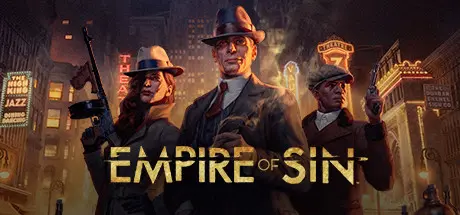
February 17Feb 17 Empire of Sin Game DetailsRelease Name: Empire of SinGame Version: v1.10.0 | Build 20236818Release Date: 1 Dec, 2020Publisher: Paradox InteractiveDeveloper: Romero GamesBased On: CSF & GoldbergEmpire of Sin Direct Download - Game OverviewEmpire of Sin is a new strategy game brought to you by Romero Games and Paradox Interactive that puts you at the heart of the ruthless criminal underworld of 1920s Prohibition-era Chicago. Slip into the shoes of one of the fourteen real and historically inspired mob bosses such as Al Capone, Stephanie St. Clair, or Goldie Garneau and assemble a rag-tag gang, build and manage your criminal empire, and defend your turf from rival gangs. It’s up to you to hustle, charm, and intimidate your way to the top and do whatever it takes to stay there - break a leg!Roleplay: Choose one of fourteen unique bosses based on fictional and real-world gangsters, then set out to build and manage your criminal empire in Chicago’s infamous Prohibition era.Empire Management: Build your Empire of Sin and run Chicago’s underworld economy with business savvy, brutality or city-wide notoriety. Strategically manage your establishments such as speakeasies, supply chains, casinos and more. Turn-Based Combat: Assemble your gang and slug it out in turn-based combat to defend and expand your territory – or send a message to opposing gangs.Empire of Sin Screenshots Empire of Sin TrailerEmpire of Sin System Requirements Minimum RequirementsRecommended Requirements OSWindows® 10 Home 64 bitWindows® 10 Home 64 bit ProcessorIntel® Core™ i3-530 or AMD® Phenom™ II X3 720Intel® Core™ i5-4460 or AMD® Ryzen™ 5 3400G Memory4 GB RAM8 GB RAM GraphicsNvidia® GeForce™ GTX 460 (1GB) or AMD® Radeon™ R7 250 (2GB), AMD® Radeon™ Vega 11Nvidia® GeForce™ GTX 770 (2GB) or AMD® Radeon™ RX 470 (4GB) DirectXVersion 11Version 11 Storage10 GB available space10 GB available space How to Install Empire of SinNo Installation Needed: The game is pre-installed. Just download and extract.Extract: Right-click the .zip or .rar file and select "Extract Here" or "Extract to folder".Run: Find EmpireOfSin.exe inside the folder and run it.Game Data & SettingsChange Language: Edit the file located at steam_settings/Configs.user.iniSave Data Location: %USERPROFILE%/AppData/LocalLow//Paradox Interactive/Empire of Sin/GameSavesImportant NotesTo support the Game Developer, Get It On Steam.DLC ListAdded DLCsEmpire of Sin - Hunt For AuroraEmpire of Sin - Make It CountEmpire of Sin - Deluxe PackEmpire of Sin - The Good Son PackEmpire of Sin - Al Capone's Fur Coat🔥DOWNLOAD AREA🔥🔹6.50 GB🔹Select the server you want to download with ZeiLink.Download
May 28May 28 Always support Zei, just a quick question (not sure if this is the correct thread since its my first time commenting). I get a bug at the point of Nesley's mission where the main mission is just unable to continue at the dialogue, any fix for this? Thank you!





Create an account or sign in to comment