



Skip to content
View in the app

A better way to browse. Learn more.

ZeiGames

A full-screen app on your home screen with push notifications, badges and more.

To install this app on iOS and iPadOS
  1. Tap the Share icon in Safari
  2. Scroll the menu and tap Add to Home Screen.
  3. Tap Add in the top-right corner.
To install this app on Android
  1. Tap the 3-dot menu (⋮) in the top-right corner of the browser.
  2. Tap Add to Home screen or Install app.
  3. Confirm by tapping Install.

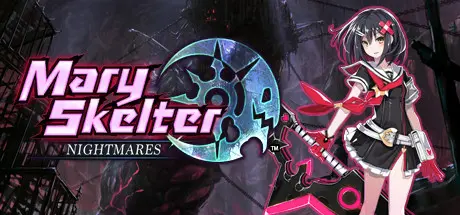
Mary Skelter: Nightmares Free Download (Build 2959003)
Featured Replies

header.webp

Game Details

Release Name: Mary Skelter: Nightmares

Game Version: Build 2959003

Release Date: 19 Jul, 2018

Publisher: Ghostlight LTD

Developer: Idea Factory

Based On: CSF & Goldberg

Mary Skelter: Nightmares Direct Download - Game Review

The "Jail" suddenly appeared a number of years ago, sinking the city deep into the ground. There, this impenetrable living prison 666 metres beneath the surface, held power over eerie creatures called "Marchens." Within the prison was a boy named Jack - living a life of suffering, tortured day in and day out, in a world where all dreams, hopes, peace, and humanity had been lost for as long as the people could remember. Then one day, amidst the darkness that prevailed, a girl who called herself a member of the Blood Team appeared before Jack, holding giant scissors dripping in blood! This marked the beginning of fate - of Jack's and the Blood Maidens' escape from the Jail... 

Jack and the Blood Team will face countless perils in regaining all that has been lost, to finally escape once and for all! 

Enter the world of Mary Skelter: Nightmares - a darkly sinister dungeon-crawling RPG set in a mysterious tower inspired by twisted fairy tales. Guide your hero Jack and a band of powerful Blood Maidens, the only heroes capable of cutting a path through a living dungeon inhabited by Nightmares – near unstoppable creatures that unceasingly pursue you through fiendishly constructed labyrinths. Fight through legions of “Marchens” using your Blood Maidens’ unique powers and the blood of your enemies to exploit weaknesses, buff your skills and enter a powerful ‘Massacre’ mode to gain the edge in combat. As the Blood Maidens cut through their enemies only Jack’s blood and the Mary Gun can hope to control the Blood Maidens’ violent heroics. A bloody, dungeoneering challenge awaits!

Game Features: 
• Customize your characters with 20+ jobs, each with their own unique skillset and stats! 
• Challenging Nightmares chase you through the dungeons – use special abilities to lay traps and gain the advantage before battle! Some say there are giant Nightmares so large they span multiple floors… 
• Fill your blood meter to transform and deal more damage in the powerful Massacre mode, or reduce it to heal the party and receive stat boosts! 
• Explore the twists and turns of the Jail and satisfy its bloody curdling desires to earn helpful Jail Bonuses in your quest to escape! 


Game Screenshots

screenshot screenshot screenshot screenshot


Game Trailer


System Requirements

Minimum Requirements

Recommended Requirements

OS

Windows 7 or later

Windows 7 or later

Processor

2.13GHz Intel Core2 Duo or equivalent

3GHz Intel i3 or equivalent

Memory

1 GB RAM

4 GB RAM

Graphics

DirectX 11 compatible graphics card

DirectX 11 compatible graphics card

DirectX

Version 11

Version 11

Storage

6 GB available space

6 GB available space


Installation Guide

  1. No Installation Needed: The game is pre-installed. Just download and extract.

  2. Extract: Right-click the .zip or .rar file and select "Extract Here" or "Extract to folder".

  3. Run: Find MarySkelter.exe inside the folder and run it.

Game Data & Settings

  • Change Language: Edit the file located at steam_settings/Configs.user.ini

  • Save Data Location: %USERPROFILE%/My Documents/My Games\Ghostlight Ltd\Mary Skelter Nightmares

Important Notes

🔥DOWNLOAD AREA🔥

🔹4.96 GB🔹

Select the server you want to download with ZeiLink.

Download

  • Views 629
  • Created
  • Last Reply

Posted Images

Create an account or sign in to comment

Recently Browsing 0

  • No registered users viewing this page.

Account

Navigation

Search

Search

🔎 Search Tip
For exact results, search using "game name" .
Without quotes, results may include unrelated titles.

Configure browser push notifications

Chrome (Android)
  1. Tap the lock icon next to the address bar.
  2. Tap Permissions → Notifications.
  3. Adjust your preference.
Chrome (Desktop)
  1. Click the padlock icon in the address bar.
  2. Select Site settings.
  3. Find Notifications and adjust your preference.
