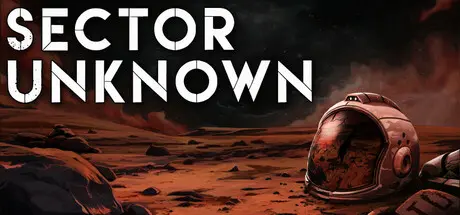
February 13Feb 13 Sector Unknown Game DetailsRelease Name: Sector UnknownGame Version: v2.0.0 | Build 21893164Release Date: 12 Feb, 2026Publisher: Creative Storm EntertainmentDeveloper: Creative Storm EntertainmentBased On: CSF & GoldbergSector Unknown Direct Download - Game OverviewIn Sector Unknown, your saga begins as a prisoner aboard a transport ship from which you escape in a commandeered escape pod, crash-landing on Maku, a forsaken world veiled within a remote and uncharted region of space. This planet becomes the foundation of your odyssey as you convert it into a stronghold and base of operations. From there, you will set forth into space, exploring distinct worlds and locations, each teeming with its own factions and unique stories.In your quest, you will confront the shadowy dealings of Star Frontier, the powerful mega-corporation that once imprisoned you. Operating unchecked in the hidden 'null sector'—now erased from all official star charts—Star Frontier has established a tyrannical reign of terror and destruction. Your mission becomes to unite the sector's backwater and abandoned planets, through either force or diplomacy, and overthrow their oppressive rule once and for all.Sector Unknown weaves themes of exploration, discovery, conflict and greed, crafting an epic tale of adventure and rebellion in the boundless expanse of space.Throughout the main narrative of Sector Unknown, you will traverse a spectrum of unique planets, each with distinct factions and individual story arcs.Some of these planets include:Maku: A desolate, lifeless planet where your journey begins, setting the stage for the vast unknown ahead.Nabi: A harsh desert planet where two groups, stranded after a crash, battle each other for survival amidst the endless sands.Eremtera: A frozen world encased in ice, harboring an abandoned group of Star Frontier soldiers who you will need to convince to join your cause.Helfyr: A volcanic world teeming with lava and fire, where a mysterious cult rises after the first child in a century is born amid the chaos.Sjo: Once a thriving oceanic outpost, now abandoned to lawlessness and disorder, its waves conceal secrets and dangers alike.And more.Each location promises a distinct environment and set of challenges that contribute to the rich tapestry of the game’s universe.Sector Unknown Screenshots Sector Unknown TrailerSector Unknown System Requirements Minimum RequirementsRecommended Requirements OSWindows 10 64-bitWindows 10 64-bit ProcessorIntel i5-4460 / AMD FX-8350Intel i5-8600 / AMD Ryzen 5 2600 Memory8 GB RAM16 GB RAM GraphicsNVIDIA GTX 960 (4GB) / AMD RX 470 (4GB)NVIDIA GTX 1660 (6GB) / AMD RX 5600 XT (6GB) DirectX-- Storage22 GB available space22 GB available space How to Install Sector UnknownNo Installation Needed: The game is pre-installed. Just download and extract.Extract: Right-click the .zip or .rar file and select "Extract Here" or "Extract to folder".Run: Find Sector Unknown.exe inside the folder and run it.Game Data & SettingsChange Language: Edit the file located at steam_settings/Configs.user.iniSave Data Location: %USERPROFILE%/AppData/LocalLow/Creative Storm/Sector Unknown/Important NotesTo support the Game Developer, Get It On Steam.🔥DOWNLOAD AREA🔥🔹8.38 GB🔹Select the server you want to download with ZeiLink.Download





Create an account or sign in to comment