



Skip to content
View in the app

A better way to browse. Learn more.

ZeiGames

A full-screen app on your home screen with push notifications, badges and more.

To install this app on iOS and iPadOS
  1. Tap the Share icon in Safari
  2. Scroll the menu and tap Add to Home Screen.
  3. Tap Add in the top-right corner.
To install this app on Android
  1. Tap the 3-dot menu (โ‹ฎ) in the top-right corner of the browser.
  2. Tap Add to Home screen or Install app.
  3. Confirm by tapping Install.

Rune Factory 3 Special Free Download (v1.0.4 + ALL DLC)
Featured Replies

header.webp

Game Details

Release Name:ย Rune Factory 3 Special

Game Version:ย v1.0.4 | Build 20332490

Release Date: 5 Sep, 2023

Publisher: XSEED Games, Marvelous USA, Inc., Marvelous

Developer: Marvelous Inc.

Based On:ย CSF & Goldberg

Rune Factory 3 Special Direct Download - Game Review

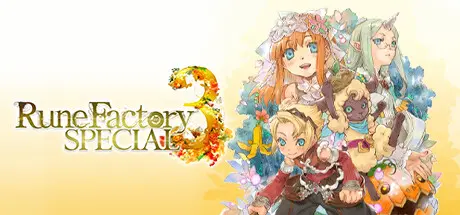
Settle down in an idyllic fantasy town as a young adventurer with a monstrous secret in Rune Factory 3, remastered for a new generation.

Features brand new to Rune Factory 3 Special include Newlywed Mode, standalone adventures unlocked after marriage to each of the game's 11 eligible bachelorettes and a "Hell" difficulty level to challenge even veteran players!

Whether it's your first visit or you're returning after a long time away, experience the unforgettable story of Rune Factory 3 with improved graphics and redesigned 3D character models.

  • Step into the shoes of Micah, a young man with amnesia and the mysterious ability to transform into a sheep-like monster, as he searches for a way for humans and monsters to coexist.

  • Master swords, spears, hammers, and even magic to take on powerful monsters. Recruit townsfolk and monsters alike to explore treacherous dungeons.

  • Relax after a long day of adventuring with activities including farming, fishing, and more. Discover the many varieties of Magic Seeds, which grow into strange crops that aid in your adventure in fun and exciting ways!

  • Meet 11 lovely bachelorettes, the most in series history! Learn more about them through daily conversations and quests, fall in love, then pop the question and get married. Before you know it, you'll have a wonderful family to join in on your adventures.


Game Screenshots

screenshot screenshot screenshot screenshot


Game Trailer


System Requirements

Minimum Requirements

Recommended Requirements

OS

Windows 10

Windows 10

Processor

Intel Core i5-1135G7

Intel Core i5-9300H

Memory

8 GB RAM

16 GB RAM

Graphics

Intel Iris Xe Graphics

NVIDIA GTX 1650Q

DirectX

Version 12

Version 12

Storage

4 GB available space

4 GB available space


Installation Guide

  1. No Installation Needed: The game is pre-installed. Just download and extract.

  2. Extract: Right-click the .zip or .rar file and select "Extract Here" or "Extract to folder".

  3. Run: Find Rune Factory 3 Special.exe inside the folder and run it.

Game Data & Settings

  • Change Language: Edit the file located at steam_settings/Configs.user.ini

  • Save Data Location: %USERPROFILE%/AppData/Roaming/Rune Factory 3 Special/

Important Notes

DLC List

Added DLCs

Rune Factory 3 Special - Ryker's Outfit

Rune Factory 3 Special - Martin's Outfit

Rune Factory 3 Special - Leon's Outfit

Rune Factory 3 Special - Doug's Outfit

Rune Factory 3 Special - Dylas' Outfit

Rune Factory 3 Special - Another Episode Pack

Rune Factory 3 Special - Swimsuit Mode

๐Ÿ”ฅDOWNLOAD AREA๐Ÿ”ฅ

๐Ÿ”น2.59 GB๐Ÿ”น

Select the server you want to download with ZeiLink.

Download

  • Views 938
  • Created
  • Last Reply

Posted Images

Create an account or sign in to comment

Recently Browsing 0

  • No registered users viewing this page.

Account

Navigation

Search

Search

๐Ÿ”Ž Search Tip
For exact results, search using "game name" .
Without quotes, results may include unrelated titles.

Configure browser push notifications

Chrome (Android)
  1. Tap the lock icon next to the address bar.
  2. Tap Permissions โ†’ Notifications.
  3. Adjust your preference.
Chrome (Desktop)
  1. Click the padlock icon in the address bar.
  2. Select Site settings.
  3. Find Notifications and adjust your preference.
