



Skip to content
View in the app

A better way to browse. Learn more.

ZeiGames

A full-screen app on your home screen with push notifications, badges and more.

To install this app on iOS and iPadOS
  1. Tap the Share icon in Safari
  2. Scroll the menu and tap Add to Home Screen.
  3. Tap Add in the top-right corner.
To install this app on Android
  1. Tap the 3-dot menu (โ‹ฎ) in the top-right corner of the browser.
  2. Tap Add to Home screen or Install app.
  3. Confirm by tapping Install.

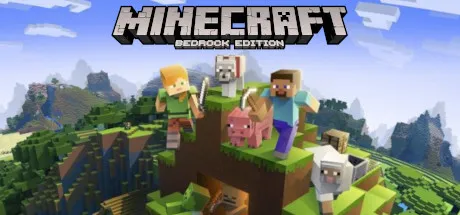
Minecraft Bedrock Edition Free Download (v1.21.130 + Online)
Featured Replies

header.webp

Game Details

Release Name:ย Minecraft Bedrock Edition

Game Version:ย v1.21.130

Genre: Survival

Publisher: XBOX

Platform: PC

Based On:ย RUNE

Minecraft Bedrock Edition Direct Download - Game Review

Minecraft for Windows Explore randomly generated worlds and build amazing things from the simplest of homes to the grandest of castles. Play in creative mode with unlimited resources or mine deep into the world in survival mode, crafting weapons and armor to fend off the dangerous mobs. Scale craggy mountains, unearth elaborate caves, and mine large ore veins. Discover lush cave and dripstone cave biomes. Light up your world with candles to show what a savvy spelunker and master mountaineer you are!

FEATURES: - If you can dream it, you can build it. Put your imagination and limitless resources to work with Creative Mode. - Battle mobs, construct shelter, and explore the landscapeโ€”itโ€™s all in a dayโ€™s work when you try to survive and thrive in Survival Mode. - New tools, locations, and spaces are yours to explore, thanks to our regular updates. - Cross-platform play for up to eight players across Windows, PlayStation, Nintendo, Xbox, and mobile devices. Minecraft for Windows also runs on Windows Mixed Reality and Oculus Rift devices and supports all features. - Slash commands: Tweak how the game plays- you can give items away, summon mobs, change the time of day, and more. - Discover skin, texture, and mash-up packs from the community! Find out more at minecraft.net/marketplace. - Join free massive multiplayer servers and play with thousands of others! Discover gigantic community-run worlds, compete in unique mini-games and socialize in lobbies full of new friends.


Game Screenshots

Homepage-Gameplay-Trailer-MC-OV-1080x720PDP-Gallery-OV-1-16x9.webpPDP-Gallery-OV-2-16x9.avifPDP-US-Bundle-Screenshot-2.jpg


Game Trailer


System Requirements

OS

Windows 10 version 18362.0 or higher

Processor

Intel HD Graphics 4000 | AMD Radeon R5

Memory

4 GB

Graphics

Intel Celeron J4105 | AMD FX-4100

DirectX

Version 11


Installation Guide

  1. No Installation Needed: The game is pre-installed. Just download and extract.

  2. Extract: Right-click the .zip or .rar file and select "Extract Here" or "Extract to folder".

  3. Run: Find Minecraft.Windows.exe inside the folder and run it (Run as Administrator recommended).

Multiplayer & Online (Optional)

  • Play Online: Download the Minecraft Demo on microsoft store.

  • Download the Online Fix file and apply it to the C:\XboxGames\Minecraft for Windows\Content folder.

๐Ÿ”ฅDOWNLOAD AREA๐Ÿ”ฅ

๐Ÿ”น906 MB๐Ÿ”น

Select the server you want to download with ZeiLink.

Download

Online Fix - (RAR pass: rexagames.com)

  • 1 month later...
  • Replies 2
  • Views 2.8k
  • Created
  • Last Reply

Top Posters In This Topic

Most Popular Posts

Posted Images

Create an account or sign in to comment

Recently Browsing 0

  • No registered users viewing this page.

Account

Navigation

Search

Search

๐Ÿ”Ž Search Tip
For exact results, search using "game name" .
Without quotes, results may include unrelated titles.

Configure browser push notifications

Chrome (Android)
  1. Tap the lock icon next to the address bar.
  2. Tap Permissions โ†’ Notifications.
  3. Adjust your preference.
Chrome (Desktop)
  1. Click the padlock icon in the address bar.
  2. Select Site settings.
  3. Find Notifications and adjust your preference.
