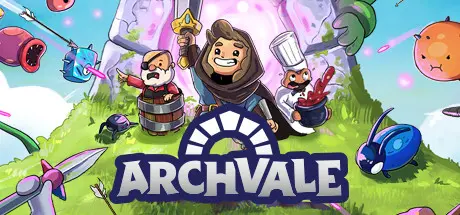
February 7Feb 7 Archvale Game DetailsRelease Name: ArchvaleGame Version: v1.1.3 | Build 7862379Release Date: 2 Dec, 2021Publisher: Balor GamesDeveloper: idoz & phopsBased On: CSF & GoldbergArchvale Direct Download - Game Overview A malicious and cruel king once ruled the land and terrorized all who faced him. He along with the fabled arch to Archvale have become the fodder for ghost stories and passed down myths. All that remains of him are the Undying; beings whom the king cursed with immortality to live out their eternity in his prisons. You and you alone can defeat the Undying and rid the world from the dark shadow the king has left. Journey across diverse regions, looting and crafting your way to better weapons and equipment. Through these upgrades you will be able to succeed against the host of enemies that await you and stand between you and the truth about the said-to-be-mythic arch to Archvale. Key Features: Play Your Way. Augment your character via badges, allowing you to create a build that suits your playstyle. Mastery is Key. Skill-based bullet hell combat will put your weapons of choice to the test and require precision and speed to succeed. Build Your Arsenal. Craft over 200 weapons and armor using items gathered from the environment and from slaying enemies. Explore the World. A host of enemies across diverse environments and classic-inspired dungeons will take you across an ever changing map where you will find unique resources needed to complete your journey. Discover the Truth. Uncover the dark lore of the world on your quest to unearth the arch to the fabled world of Archvale.Archvale Screenshots Archvale TrailerArchvale System Requirements Minimum RequirementsRecommended Requirements OSWindows 10Windows 10 ProcessorIntel Core 2 Duo E8400 or AMD Phenom II X2 550Intel Core i5-650 or AMD Phenom II X4 965 Memory4 GB RAM4 GB RAM GraphicsNvidia GeForce 8800 GT, 512 MB or AMD Radeon HD 7570, 1 GBNvidia GeForce GTS 450, 1 GB or AMD Radeon R7 250, 1 GB DirectX-- Storage-- How to Install ArchvaleNo Installation Needed: The game is pre-installed. Just download and extract.Extract: Right-click the .zip or .rar file and select "Extract Here" or "Extract to folder".Run: Find Launcher.exe inside the folder and run it.Game Data & SettingsChange Language: Edit the file located at steam_settings/Configs.user.iniSave Data Location: %APPDATA%\AV_gms2_3Important NotesTo support the Game Developer, Get It On Steam.🔥DOWNLOAD AREA🔥🔹854 MB🔹Select the server you want to download with ZeiLink.Download





Create an account or sign in to comment